Multi Service Comparison Module
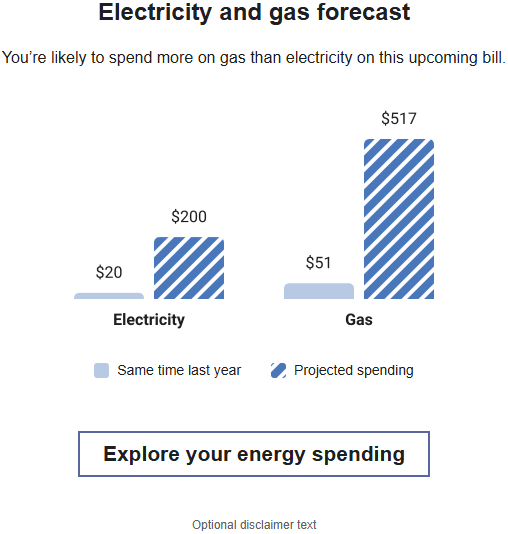
The Multi-Service Comparison module is included in the Email High Bill Alert AMI for customers who have multiple services, such as water and electric or gas and electric. The module includes two bar graphs. Each graph compares projected costs to costs from the same billing period of the previous year, or compares projected energy use to energy use from the same billing period of the previous year. One graph shows electricity and the other shows the additional service, either water or gas. A dollar amount is displayed above each graph bar, or the applicable energy use unit for the given service it is referencing displays above each graph bar.
Note:
Data for the water portion of the module can include standard water service, wastewater, and sprinklers.Design
The images below show examples of the Multi Service Comparison module.
Electricity and Gas Example
Electricity and Water Example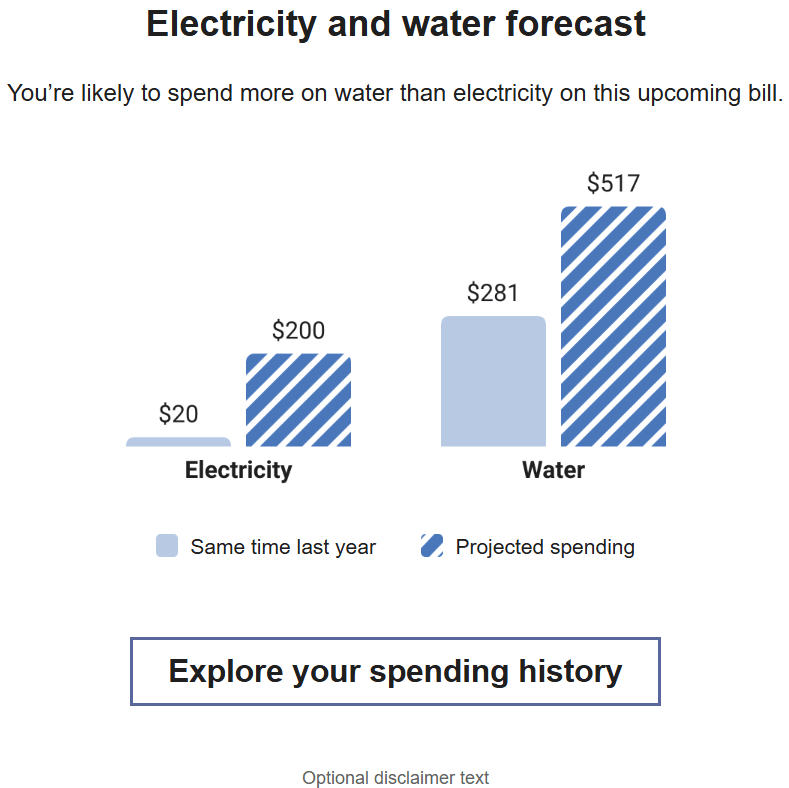
Configuration Options
For each element listed in the table, indicate the desired configuration in the Input Value column. If you do not provide an input for optional configurations, the default will be used.
| Configuration Options | Input Value |
|---|---|
|
Heading You can update the heading of the module, which matches the services of the customer. Defaults:
|
Optional Choose one of the following:
|
|
Bar Chart Labels The labels below the bars in the chart can be updated. Defaults:
|
Optional Choose one of the following:
|
|
Legend Labels The legend labels below the chart can be updated. Defaults:
|
Optional Choose one of the following:
|
|
Disclaimer Text You can provide disclaimer text that is displayed below the comparison chart. Default: Optional disclaimer text. |
Optional Choose one of the following:
|