GoldenGate
Learn how to modify a Oracle GoldenGate reosurces.
Oracle GoldenGate deployment and connection modification is available through the OCI Console. To navigate to the OCI console, complete the following steps.
View an Oracle GoldenGate Deployment
-
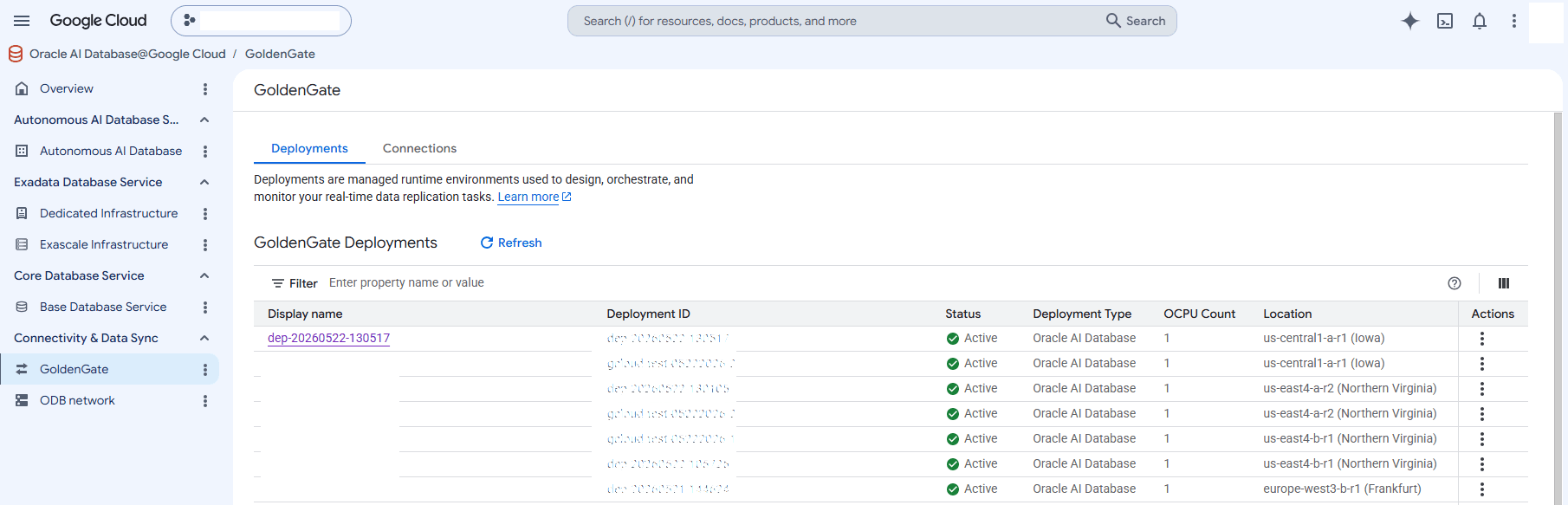
From the Google Cloud Console, select Oracle AI Database@Google Cloud and then select GoldenGate.
-
Select the Deployments tab and then select the deployment that you want to view.
-
Select the Manage in OCI button. Subsequent steps are performed through the OCI Console.
View an Oracle GoldenGate Connection
-
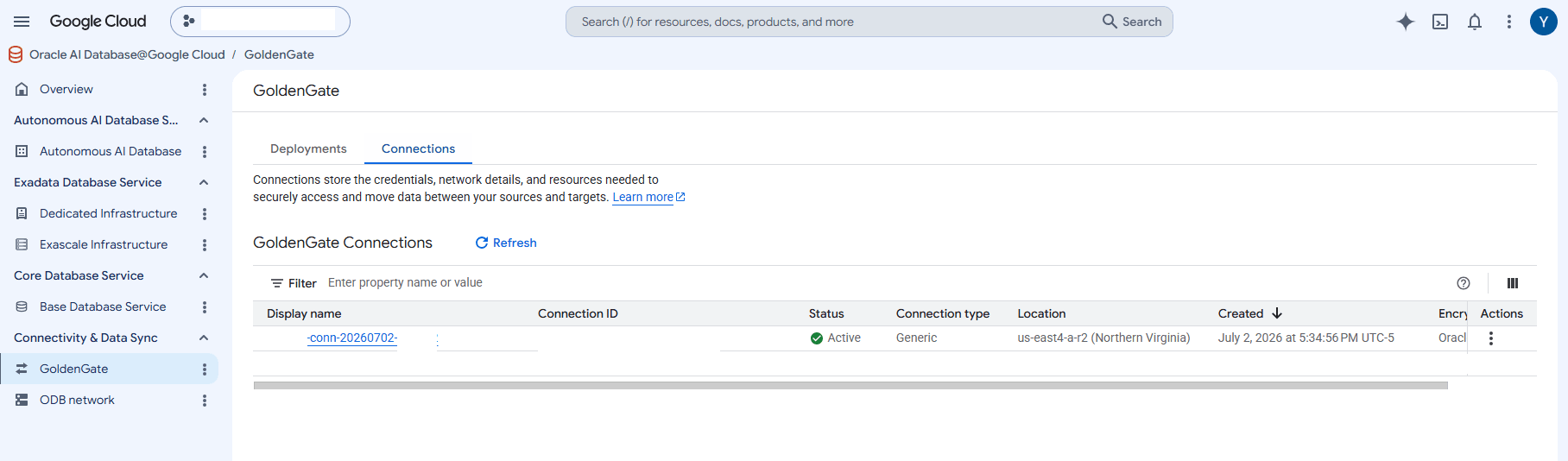
From the Google Cloud Console, select Oracle AI Database@Google Cloud and then select GoldenGate.
-
Select the Connections tab and then select the connection that you want to view.
-
Select the Manage in OCI button. Subsequent steps are performed through the OCI Console.
-
Modify an Oracle GoldenGate Deployment
-
From the OCI console, select Oracle AI Database, and then select GoldenGate.
-
From the left menu, select Deployments.
-
From the Deployments list, select the deployment that you want to modify.
-
Select the Actions button and then select the desired operation from the list.
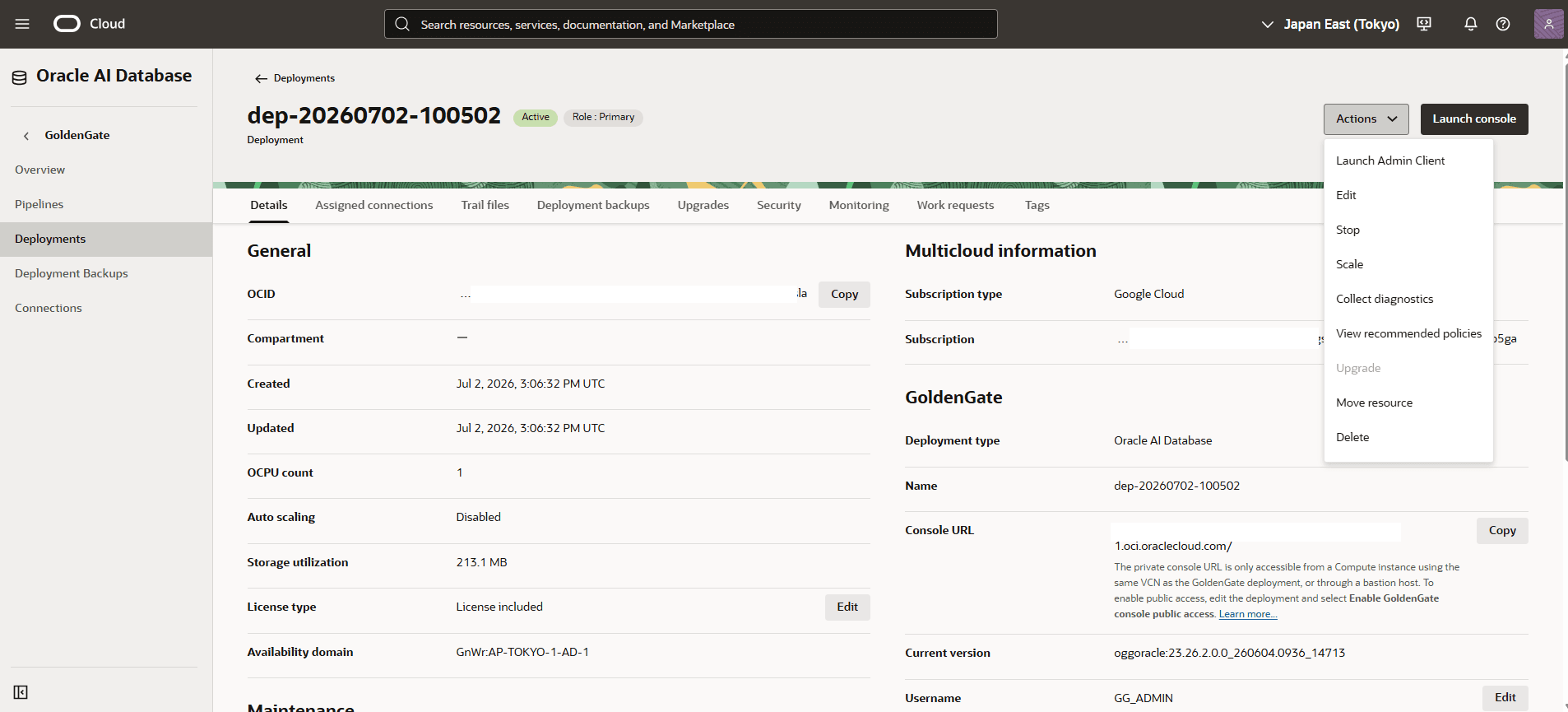
Operation Description Launch Admin Client Launch Admin Client through a bastion host. For more information, see Using the Admin Client. Edit Edit the GoldenGate deployment. You can: - Enable the GoldenGate console public access.
- Modify the FQDN.
- Modify the certificate details.
- Customize maintenance window.
Stop Stop GoldenGate. For more information, see Stop a deployment. Scale Scale up the resources for the GoldenGate deployment. For more information, see Scale a deployment. Collect diagnostics Collect diagnostics for GoldenGate deployment. For more information, see Collect diagnostics. View recommended policies Ensure that you have the following recommended policies added for the deployment. See Minimum required policies to learn more. Move Resource Move the GoldenGate deployment from one compartment to another. For more information, see Move a deployment. Modify an Oracle GoldenGate Connection
-
From the OCI console, select Oracle AI Database, and then select GoldenGate.
-
From the left menu, select Connections.
-
From the Connections list, select the connection that you want to modify.
-
Select the Actions button and then select the desired operation from the list.
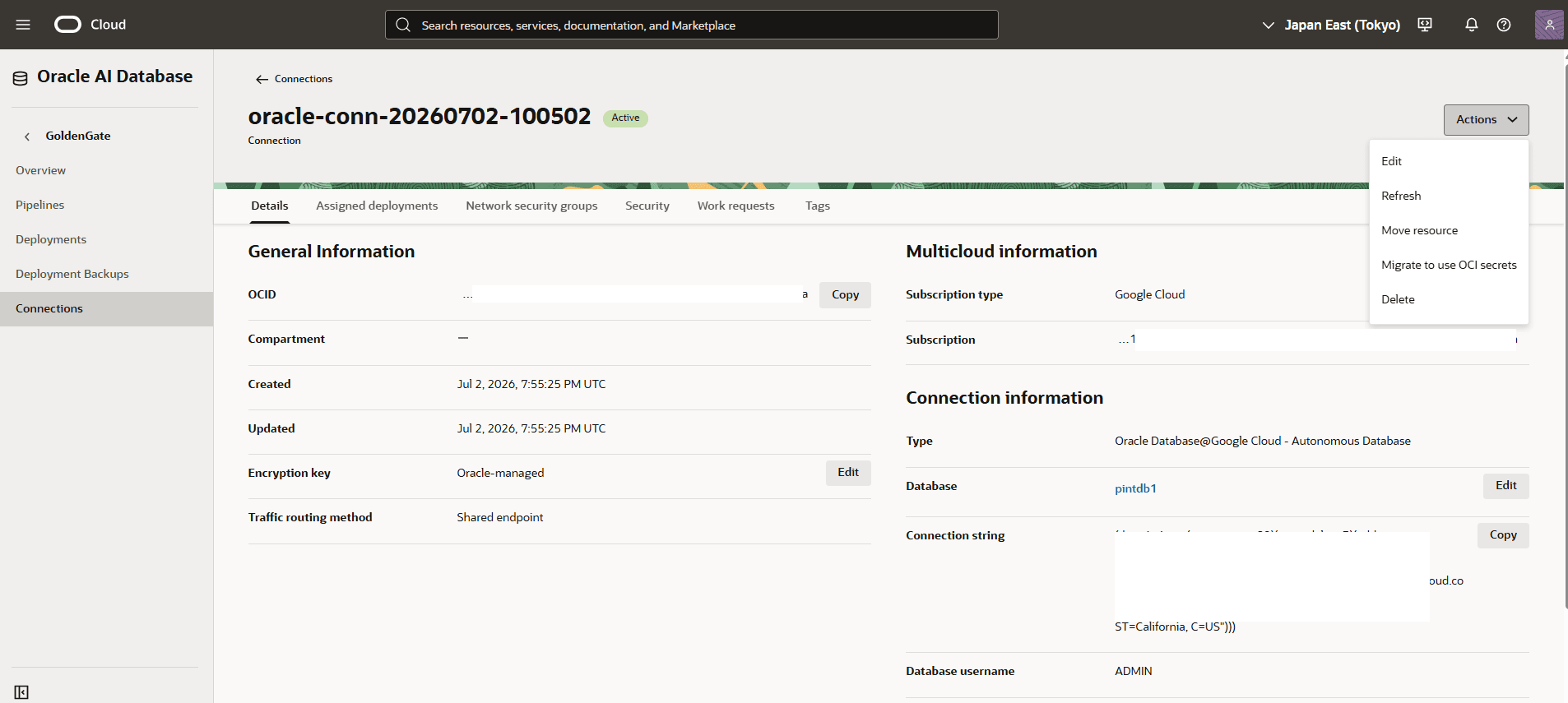
Operation Description Edit Edit the GoldenGate connection(s). For more information, see Edit a connection. Refresh For more information, see Refresh a connection. Move resource To move a connection, select the Move resource option. For more information, see Move a connection Migrate to use OCI secrets You can migrate to using OCI secrets for existing connections that do not use secrets. For more information, see Migrate to use OCI secrets. -
Oracle GoldenGate deployment modification is available through the OCI Console.
Oracle GoldenGate deployment modification is available through the OCI Console.
Oracle GoldenGate deployment modification is available through the OCI Console.