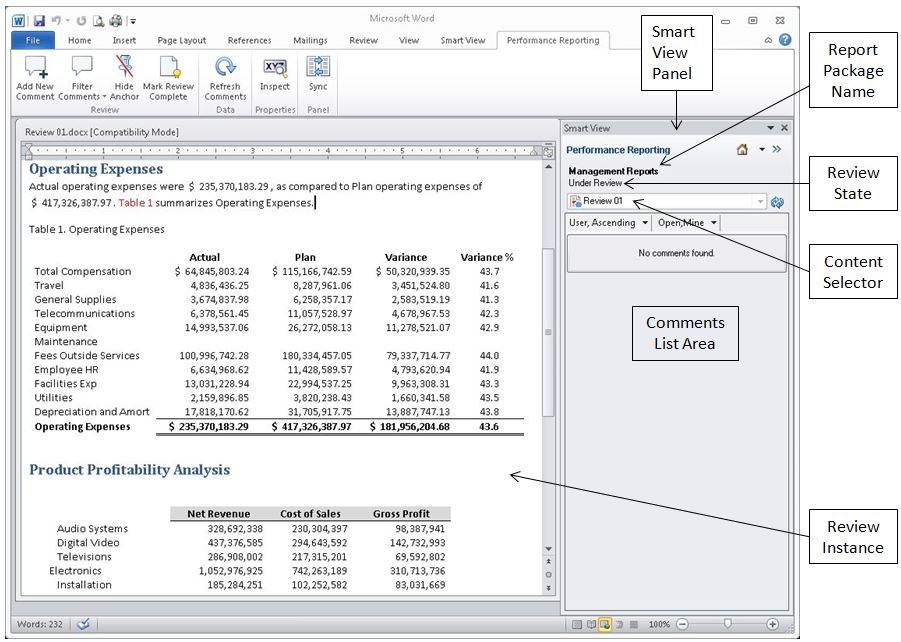
You perform reviews by entering comments and providing your feedback in a review instance in Smart View. The review instance shows you a draft version of the areas of the report package that you have been assigned to review (see Figure 73, A Portion of an Example Review Instance in Smart View). The review instance may consist of the entire report or a subset of the report content.
Before you begin the review procedures, you should have launched Microsoft Word, connected to Oracle Enterprise Performance Reporting Cloud Service, and opened a report package, as described in Connecting to Enterprise Performance Reporting in Smart View.