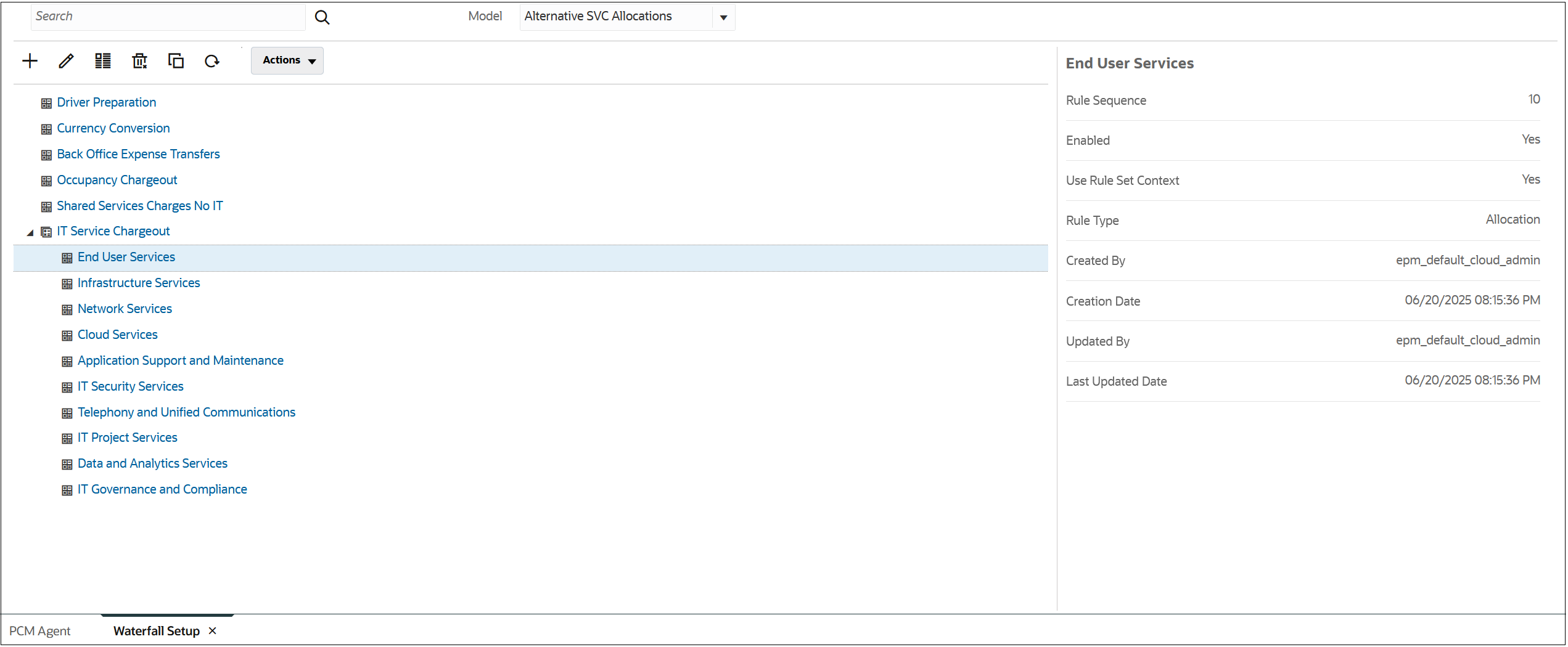
建立規則的使用者要求
以下是一個使用者要求範例,說明如何建立 10 個規則,並將其新增至名為 "Alternative SVC Allocations" 的模型和名為 "IT Service Chargeout" 的規則集。此範例是在一行上設定了這些規則的「順序」,並指定 "Enabled" 一次。
Create rules in Model 'Alternative SVC Allocations' Ruleset 'IT Service Chargeout'
'End User Services'
'Infrastructure Services'
'Network Services'
'Cloud Services'
'Application Support and Maintenance'
'IT Security Services'
'Telephony and Unified Communications'
'IT Project Services'
'Data and Analytics Services'
'IT Governance and Compliance'
Sequence 10,20,30,40,50,60,70,80,90,100
Enabled 'Yes'
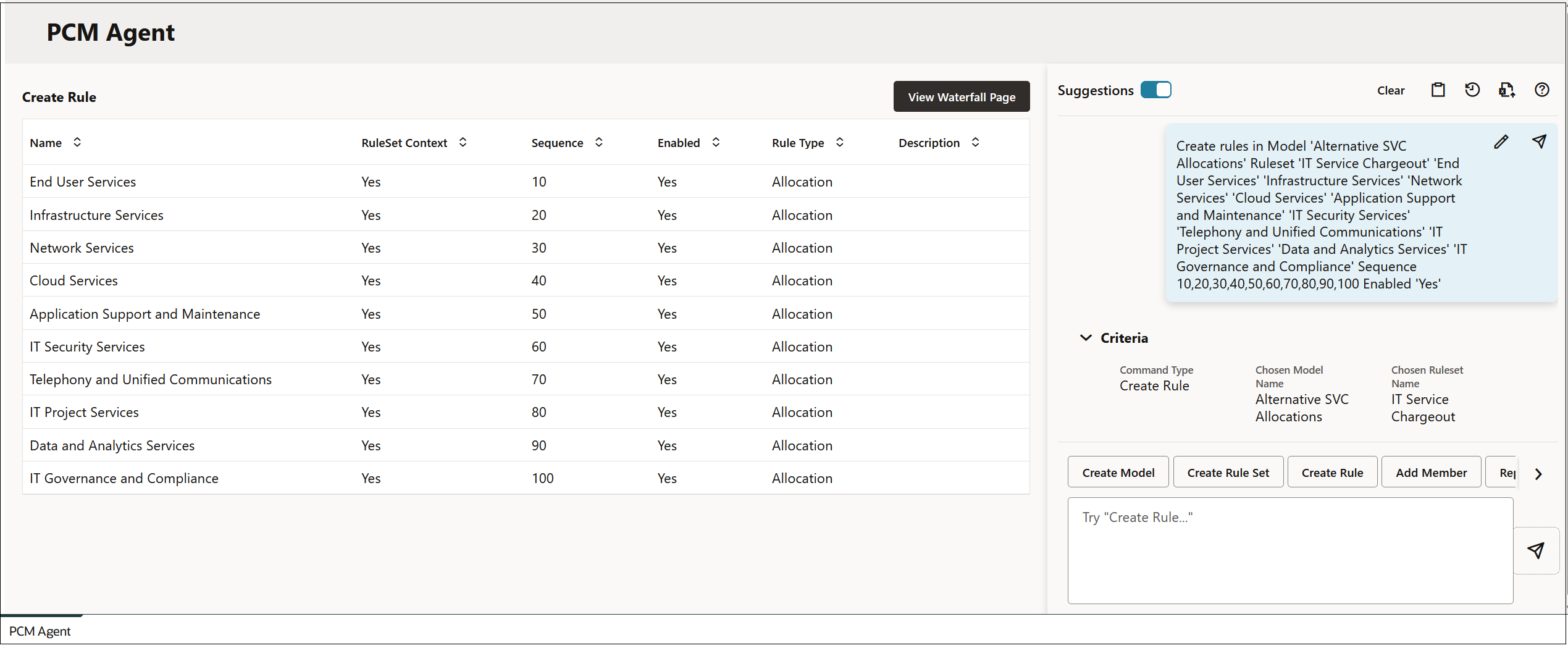
在您輸入使用者要求並按一下  (傳送 ) 之後,系統就會以要求資訊更新 PCM 代理程式頁面。
Figure 14-8 規則預覽
按一下執行命令,然後按一下檢視瀑布圖頁面,即可查看新的規則。
Figure 14-9 規則結果