計算模型的使用者要求
以下是一些計算模型的使用者要求範例。第一個範例接受所有預設計算選項。第二個範例識別特定計算選項。第三個範例指定 POV 範圍。
接受所有預設計算選項的使用者要求
Calculate Model '10 Actuals Allocation Process' POV FY23:Jan:Actual:Working
識別特定計算選項的使用者要求
Calculate Model '10 Actuals Allocation Process' POV FY23:Jan:Actual:Working Clear Calculated Data Execute Calculation Optimize for
Reporting false
指定 POV 範圍的使用者要求
Calculate Model '10 Actuals Allocation Process' Fixed POV FY23:Actual:Working POV Range Jan through Aug
Calculate Model '10 Actuals Allocation Process' Fixed POV Actual:Working POV Range FY23:Jan through FY24:Dec
建立指定 POV 範圍的使用者要求時:
-
要求中需有
Fixed POV和POV Range -
範圍中只能使用「年度」和「期間」POV 維度
-
POV 成員必須以 : (冒號) 分隔
-
範圍必須採用遞增順序 (必須先使用較早的會計年度/月份,再使用較晚的會計年度/月份)
-
在一個要求中只能指定一個範圍
在您輸入使用者要求並按一下  (傳送 ) 之後,系統就會以要求資訊更新 PCM 代理程式頁面。
Figure 14-10 計算預覽
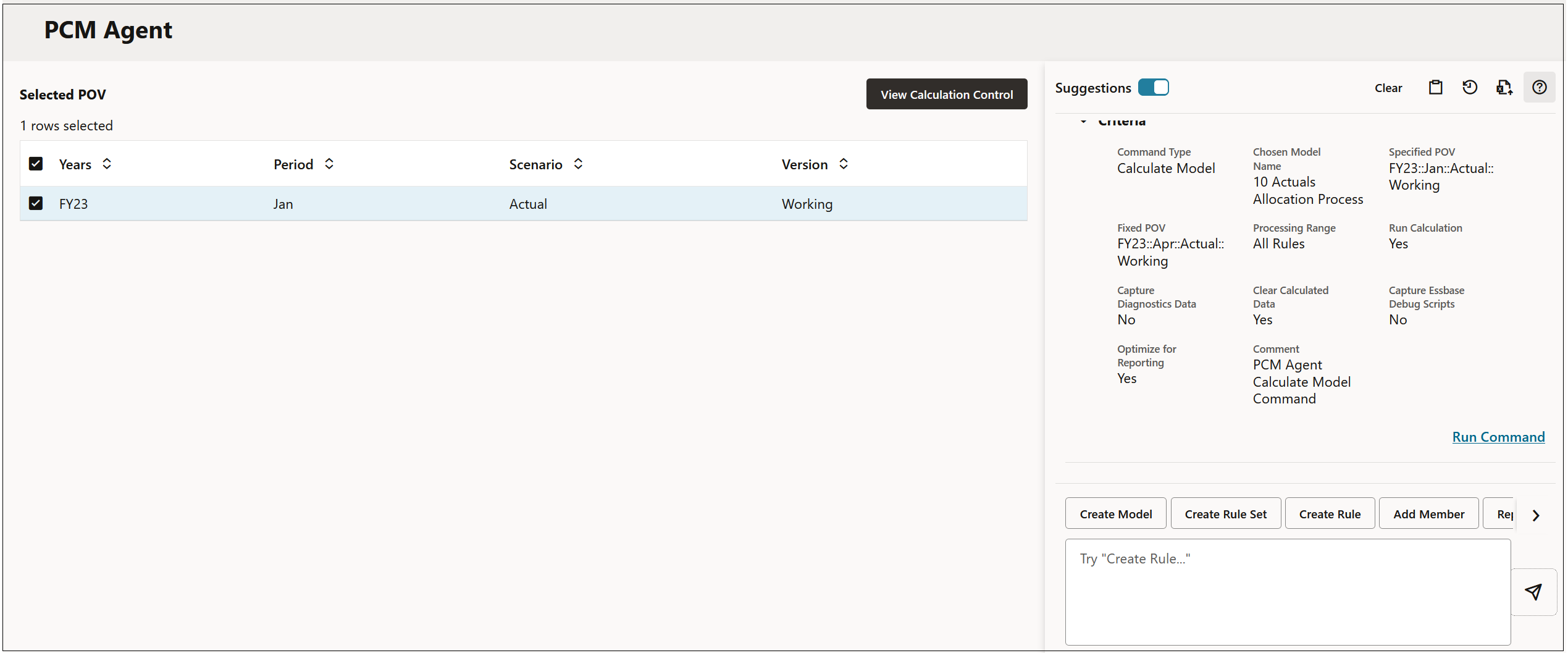
按一下執行命令,然後按一下檢視計算控制,即可查看計算的結果。
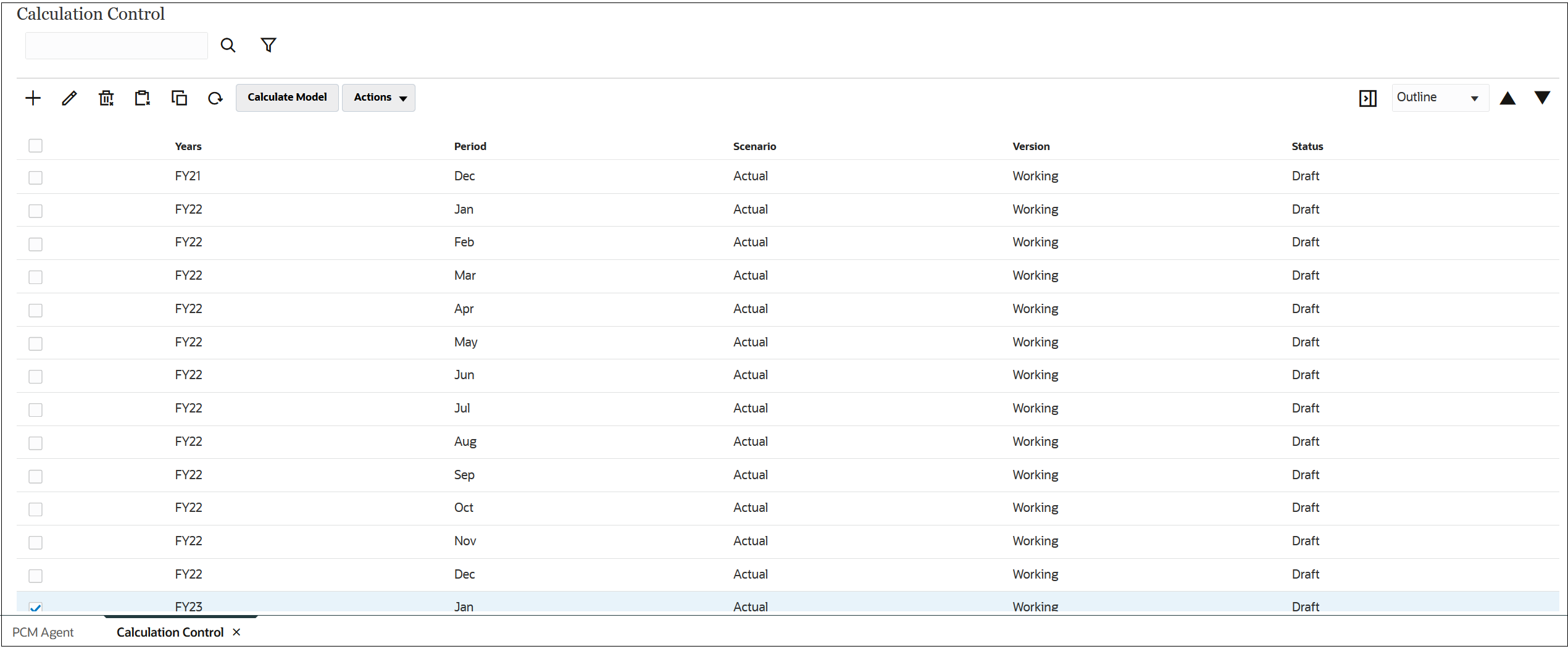
Figure 14-11 計算結果