Completing the Approval Transaction Registry and Configuration
This topic discusses how to complete the AM Approval Transaction Registry and Configuration.
Pages Used to Complete the Approval Transaction Registry and Configuration
| Page Name | Definition Name | Usage |
|---|---|---|
|
EOAW_TXN |
Defines the integration between Asset Management and the Approval Framework (AF) by process ID and is delivered with system data. |
|
|
EOAW_TXN_NOTIFY |
Defines the details of the integration between Asset Management and the Approval Framework (AF) by process ID and is delivered with system data. |
Register Transactions Page
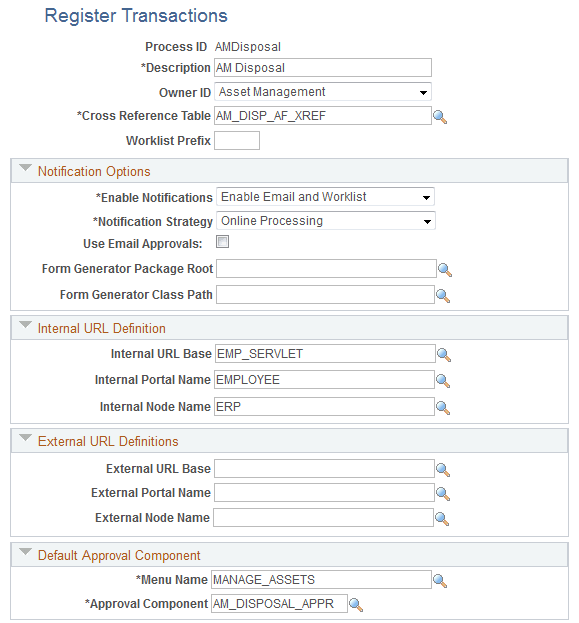
Use the Register Transactions page (EOAW_TXN) to define the integration between Asset Management and the Approval Framework (AF) by process ID. Values are delivered with system data.
Navigation:
This example illustrates the fields and controls on the Register Transactions page (1 of 2). You can find definitions for the fields and controls later on this page.
This example illustrates the fields and controls on the Register Transactions page (2 of 2). You can find definitions for the fields and controls later on this page.
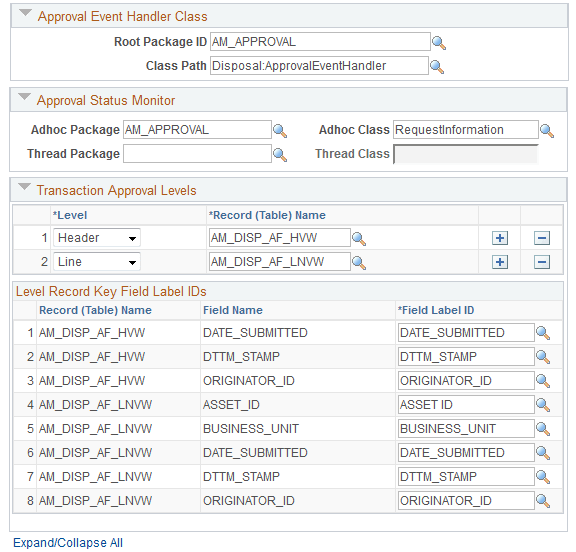
The Register Transactions page provides the integration between Asset Management and Approval Framework. PeopleSoft Asset Management delivers the AMDisposal process ID with system data.
For AMDisposal, line (asset) level approvals have been defined using the Level field in the Transaction Approval Levels group box.
Note:
Do not alter or otherwise modify delivered definitions.
Configure Transactions Page
Use the Configure Transactions page (EOAW_TXN_NOTIFY) to define the details of the integration between Asset Management and the Approval Framework (AF) by process ID.
Navigation:
This example illustrates the fields and controls on the Configure Transactions page - (Event for final approval). You can find definitions for the fields and controls later on this page.
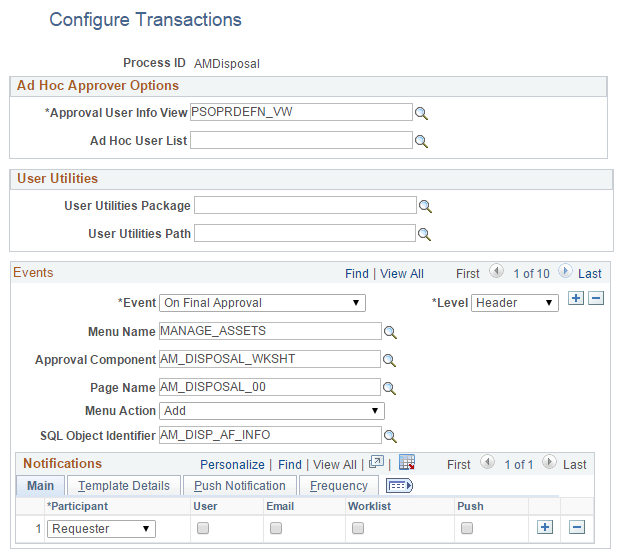
Notice in the example that the Approval Component is the Approve Disposals component (AM_DISPOSAL_APPR).
See also, Example of Approval Framework Setup for Asset Disposal.
PeopleSoft delivers line event definitions. Scroll horizontally or click View All to see all the delivered events:
-
On Final Approval
-
On Final Denial
-
Hold Step
-
Route For Approval
-
Push Back
-
On Reassign
Note:
Do not alter or otherwise modify delivered event definitions.