Mapping Location Information
To map location information, use the following components:
-
Country Code (EX_COUNTRY_MAP_PNG.GBL).
-
Currency Code (EX_CURRNCY_MAP_PNG.GBL).
-
Expense Location (EX_LOCTION_MAP_PNG.GBL).
-
State Code (EX_STATE_MAP.GBL).
Pages Used to Map Location Information
| Page Name | Definition Name | Usage |
|---|---|---|
|
EX_COUNTRY_MAP_PNL |
Map external source country names to country codes. |
|
|
EX_CURRNCY_MAP_PNL |
Map external source currency abbreviations to currency codes. |
|
|
EX_LOCTION_MAP_PNL |
Map external data source locations to expense locations. |
|
|
EX_STATE_MAP |
Map external data source state names to state codes. |
Country Code Page
Use the Country Code page (EX_COUNTRY_MAP_PNL) to map external source country names to country codes.
Navigation:
This example illustrates the fields and controls on the Country Code page. You can find definitions for the fields and controls later on this page.
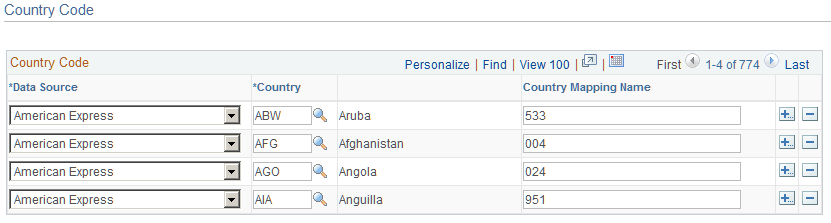
This table maps country names used by external data sources to country codes in PeopleSoft Expenses. It works with the Expense Location map to associate external data location details with expense locations.
| Mapping Table | Mapping from | Mapping to |
|---|---|---|
|
EX_COUNTRY_MAP |
External data file |
COUNTRY_TBL |
Currency Code Page
Use the Currency Code page (EX_CURRNCY_MAP_PNL) to map external source currency abbreviations to currency codes.
Navigation:
This example illustrates the fields and controls on the Currency Code page. You can find definitions for the fields and controls later on this page.
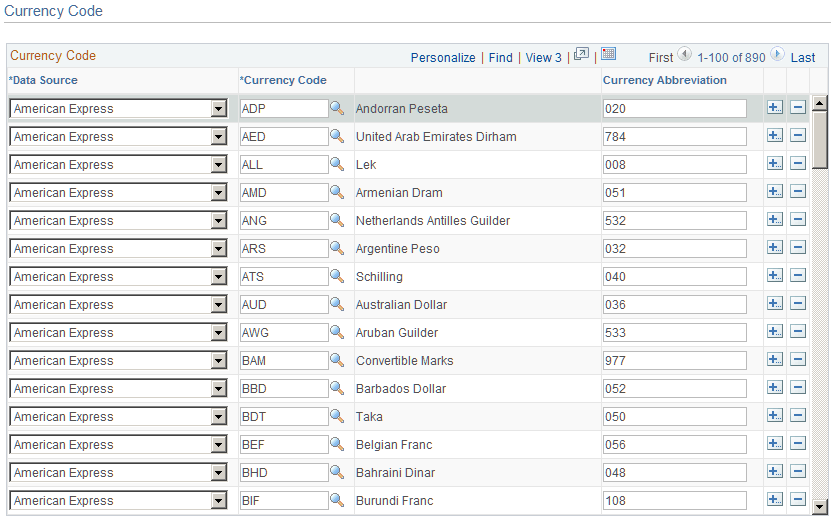
This table maps the currency abbreviation from an external data file to a PeopleSoft Expenses currency code. Mapping associates a currency code with each expense item in the data file.
| Mapping Table | Mapping from | Mapping to |
|---|---|---|
|
EX_CURRENCY_MAP |
External data file |
CURRENCY_CD_TBL |
Expense Location Page
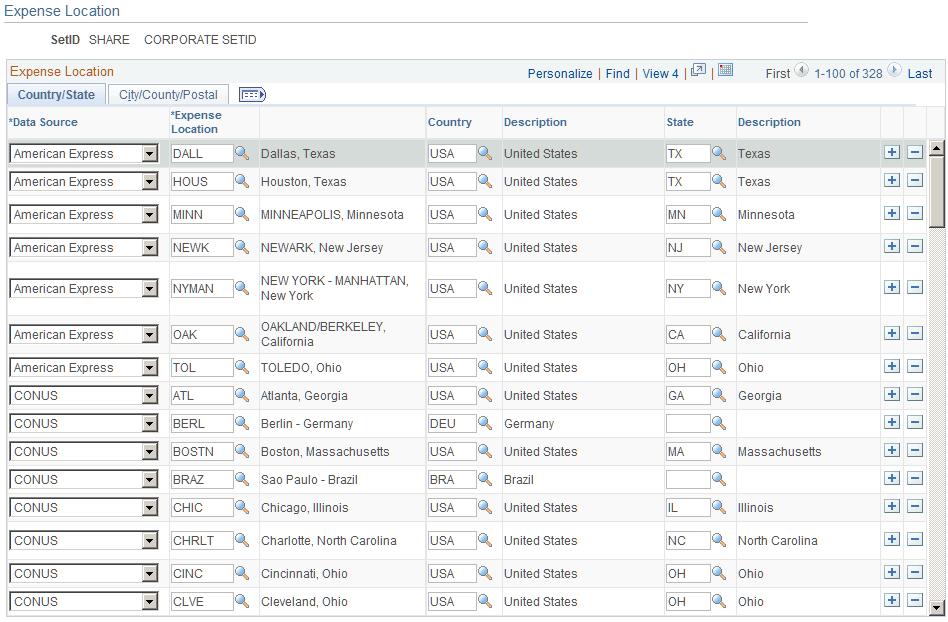
Use the Expense Location page (EX_LOCTION_MAP_PNL) to map external data source locations to expense locations.
Navigation:
This example illustrates the fields and controls on the Expense Location page: County/State tab. You can find definitions for the fields and controls later on this page.
This example illustrates the fields and controls on the Expense Location page: City/County/Postal tab. You can find definitions for the fields and controls later on this page.
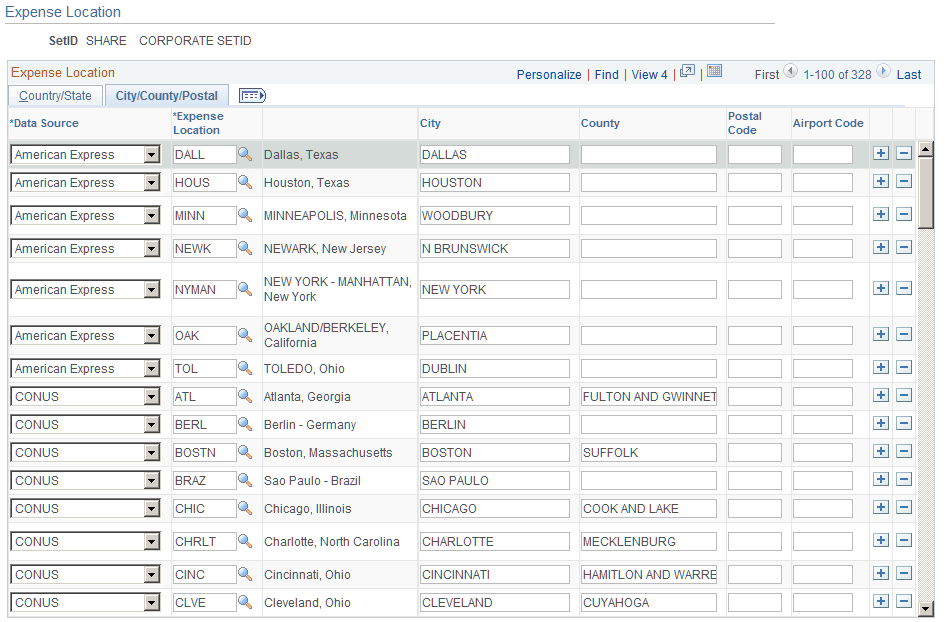
This table maps location details from an external data file to a PeopleSoft Expenses expense location. The table works with the Country Code and State Code maps to associate specific country details—such as state, city, or postal code—with an expense location.
Note:
Although you are not required to set up State, PeopleSoft Expenses looks at this field to automatically supply the state for VAT processing during expense report entry.
| Mapping Table | Mapping from | Mapping to |
|---|---|---|
|
EX_LOCATION_MAP |
External data files |
EX_LOCATION_TBL |
State Code Page
Use the State Code page (EX_STATE_MAP) to map external data source state names to state codes.
Navigation:
This example illustrates the fields and controls on the State Code page. You can find definitions for the fields and controls later on this page.
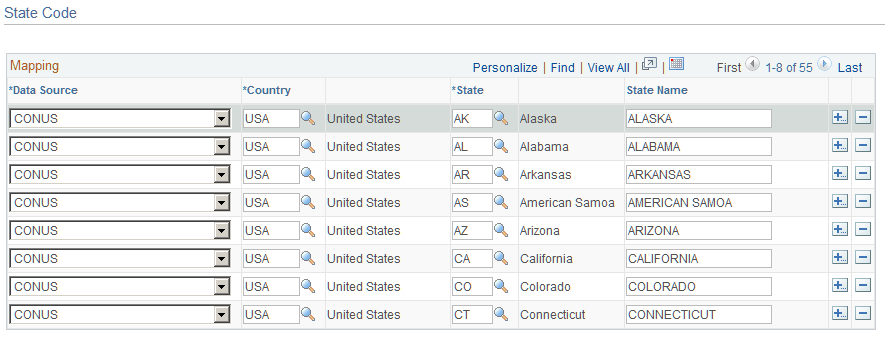
This table maps state names from external data files to the State field in PeopleSoft Expenses. It works with the Expense Location map to associate external data location details with expense locations.
| Mapping Table | Mapping from | Mapping to |
|---|---|---|
|
EX_STATE_MAP |
External data files |
STATE_TBL |