Team Dashboard
Use the Team dashboard (HC_MYTEAM_FL_DBRD_LP) to access a consolidated self-service view for managers to manage approvals, attendance, recognitions, development, and information for existing and new team members.
Navigation:
Select the View All link from the My Work - Team section of the PeopleSoft (My Home) Landing Page.
This example illustrates the fields and controls on the Team dashboard.
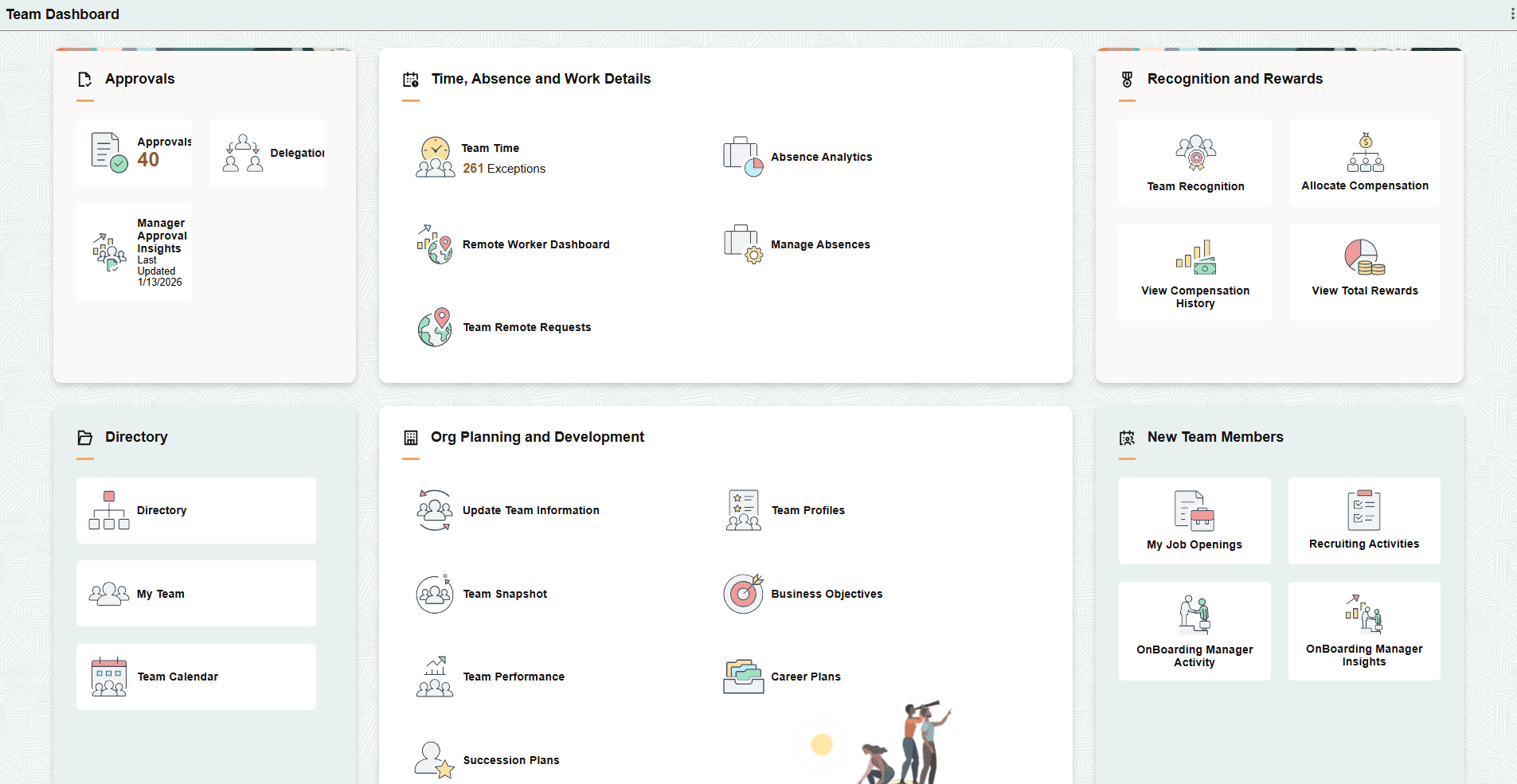
The Team dashboard includes the following sections and tiles, which appear based on user roles and security permissions.
-
Approvals section:
-
Time, Absence and Work Details section
-
PeopleSoft Human Resources Administer Workforce: Remote Worker Dashboard Tile (for Managers)
-
Manage Absences Tile (see PeopleSoft Absence Management: Manage Absences (Select Employee) Page)
-
Team Remote Requests Tile (see PeopleSoft eProfile Manager Desktop: Team Remote Request Tile)
-
Recognition and Rewards section
-
Allocate Compensation Tile (see PeopleSoft eCompensation Manager Desktop: Allocate Compensation Page)
-
View Compensation History Tile (see PeopleSoft eCompensation Manager Desktop: View Compensation History Page (Fluid Manager View))
-
PeopleSoft Human Resources Administer Compensation: View Total Rewards Tile
-
Directory section
-
Org Planning and Development section
-
PeopleSoft eProfile Manager Desktop: Update Team Information Tile
-
PeopleSoft eProfile Manager Desktop: (Manager) Team Snapshot Tile
-
Succession Plans Tile (see PeopleSoft Human Resources Plan Careers and Successions: Manage Succession Plans Page
-
Career Plans Tile (see PeopleSoft Human Resources Plan Careers and Successions: Manage Career Plans Component)
-
-
New Team Members section