(USF) Manage Personnel Actions Dashboard
Use the Manage Personnel Actions dashboard to access tiles to add and manage job and person information, access approvals and analytics, and complete compliance reporting as a federal administrator.
Note:
A user must be identified as a federal administrator to see and access this dashboard.
Navigation:
Select the Manage Personnel Actions tile from the My Work - Human Resources section of the PeopleSoft (My Home) Landing Page as a federal administrator.
This example illustrates the fields and controls on the Manage Personnel Actions dashboard.
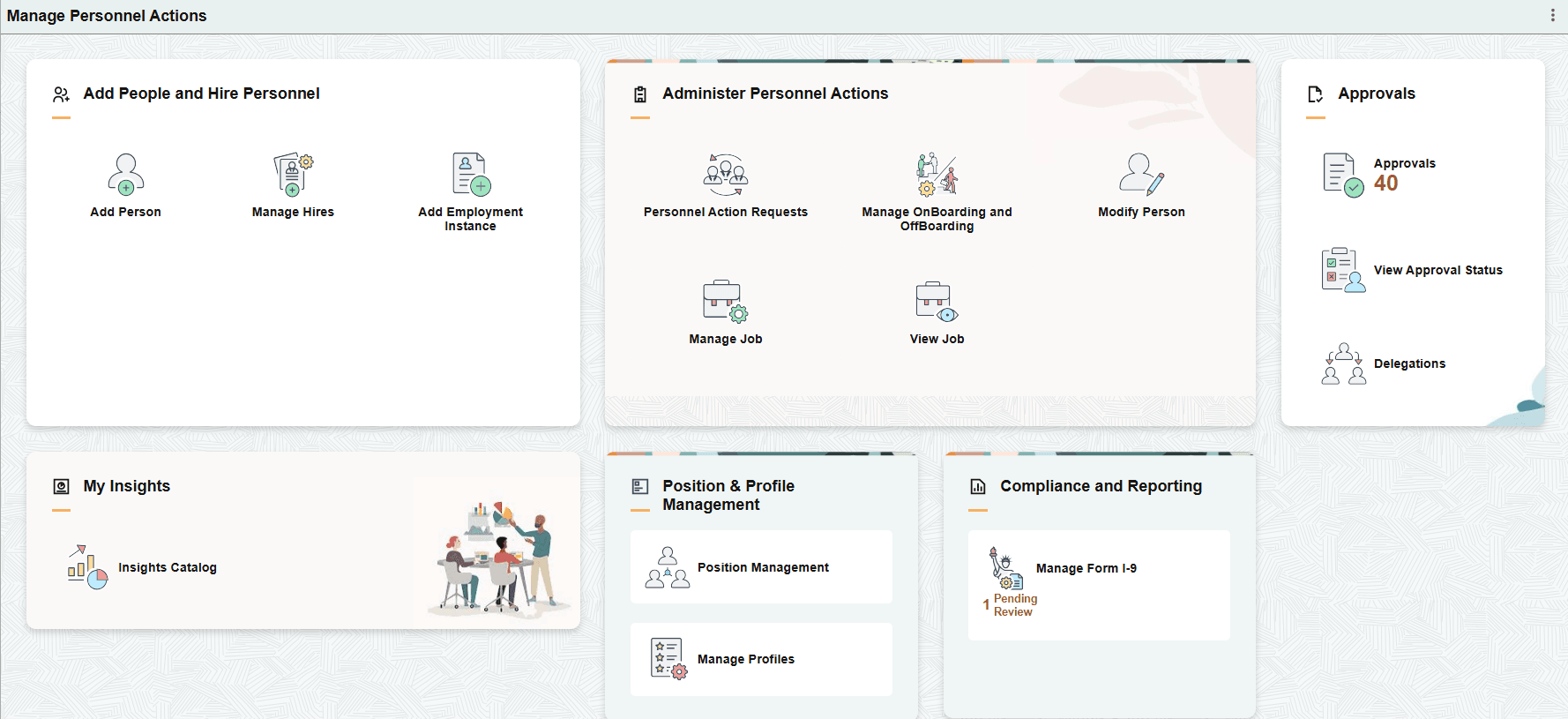
The Manage Personnel Actions dashboard includes the following sections and tiles, which appear based on user roles and security permissions.
These tiles take you to the Classic federal pages.
-
Add People and Hire Personnel section
The add person tile takes you to the Fluid page while the manage hires and employment instance tiles take you to the Classic pages that update the PAR record.
-
PeopleSoft Human Resources Administer Workforce: Add Person Tile
-
Manage Hires Tile (see PeopleSoft Human Resources Administer Workforce: Manage Hires Page)
-
Add Employment Instance Tile (see PeopleSoft Human Resources Administer Workforce: Add Employment Instance USF Page)
-
-
Administer Personnel Actions section
These tiles take you to the Fluid pages.
-
PeopleSoft Human Resources Administer Workforce: Personnel Action Request Tile)
-
Manage OnBoarding and OffBoarding Tile (see PeopleSoft Human Resources Administer Workforce: Setting Up PreBoarding and OnBoarding Activity Guides)
-
PeopleSoft Human Resources Administer Workforce: Modify Person Tile
-
PeopleSoft Human Resources Administer Workforce: Manage Job Tile
-
View Job Tile - this is the display only view of the Manage Job pages (see PeopleSoft Human Resources Administer Workforce: Manage Job Tile)
-
-
Approvals section
These tiles take you to the Fluid pages.
-
My Insights section
This tile takes you to the Fluid page.
-
Position & Profile Management section
This tile takes you to the Fluid page.
-
Compliance and Reporting section
This tile takes you to the Fluid page.
PeopleSoft Human Resources Administer Workforce: Manage Form I-9 Tile