Displaying Form 16 Part A and B in Self Service
Global Payroll for India supports display of Form 16 (Part A and B) with digital signature in the Employee Self Service Portal.
Pages Used to Set Up Digital Signature
| Page Name | Definition Name | Usage |
|---|---|---|
|
URL_TABLE |
Specify the URL path where the GP India specific Form16 B reports for each employee is generated. |
|
|
URL_TABLE |
Specify the URL path where the Self Service Reporting Framework looks for the specific report. |
|
|
PMN_PRCSLIST |
Supports the generation of Form 16 (Part B and 12B) |
|
|
HCSC_SS_RPT_CNTL |
Enables the new report ID GPINF16F in Self-Service framework for viewing the reports from the given source URL. |
URL Maintenance (Target URL ID) Page
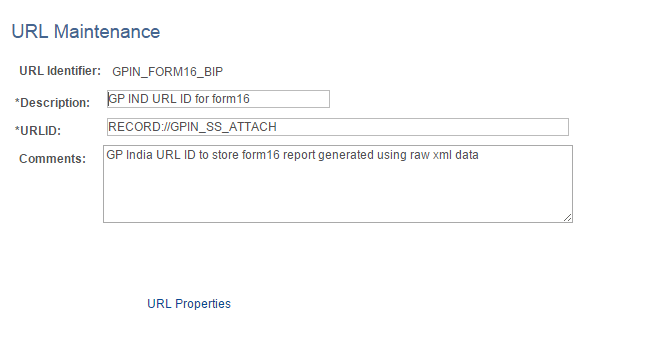
Use the URL Maintenance (Target URL ID) (URL_TABLE)page) to specify the URL path where the GP India specific Form16 B reports for each employee is generated.
Navigation:
This example illustrates the fields and controls on the URL Maintenance (Target URL ID) page.
| Field or Control | Description |
|---|---|
|
URL ID |
Specify the URL path where the GP India specific Form16 B reports for each employee is generated. |
|
Comments |
Enter the description. |
URL Maintenance (Source URL ID) Page
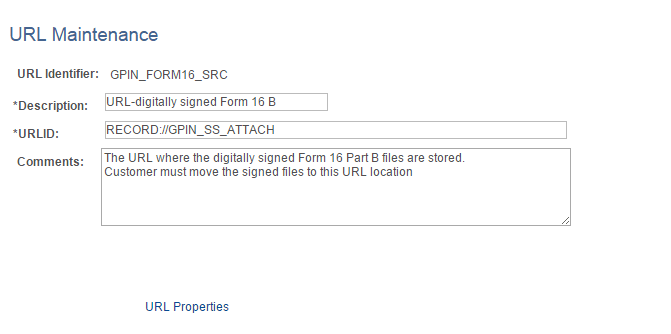
Use the URL Maintenance (Source URL ID) (URL_TABLE) page to specify the URL path where the Self Service Reporting Framework looks for the specific report.
Navigation:
This example illustrates the fields and controls on the URL Maintenance (Source URL ID) page.
| Field or Control | Description |
|---|---|
|
URL ID |
Specify the URL path where the Self Service Reporting Framework looks for the specific report. |
|
Comments |
Enter the description. |
Create Year End Processing Page
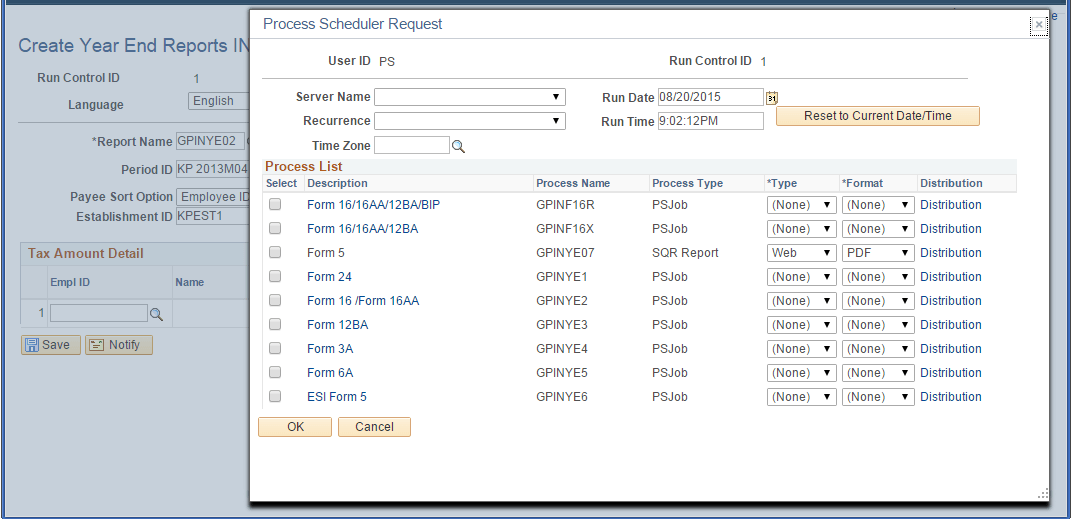
Use the Create Year End Processing (PMN_PRCSLIST) page to support the generation of Form 16 (Part B and 12B).
Navigation:
This example illustrates the fields and controls on the Create Year End Processing page.
| Field or Control | Description |
|---|---|
|
GPINF16X |
Generates Form 16 (part B) and 12B Data. |
|
GPINF16R |
Generates Form 16B (part B), 12B data along with Individual Form16 (part B) .pdf reports are each employee with the specified naming convention in the Target URL ID. |
The name convention of the Form 16 .pdf is <PAN>_<ESTABID>_<ASSESSMENT YEAR>.pdf. The assessment year is represented in the format of XX-XX (For example, 14-15)
Note:
Form 16 (Part A) has to be downloaded from the traces portal by the payroll administrator.
Note:
Payroll administrator has to sign the .pdf documents (digitally outside the system using the USB token) before loading it to the FTP path (Source URL ID) to display in the self-service portal.
Enable Self Service Report Page
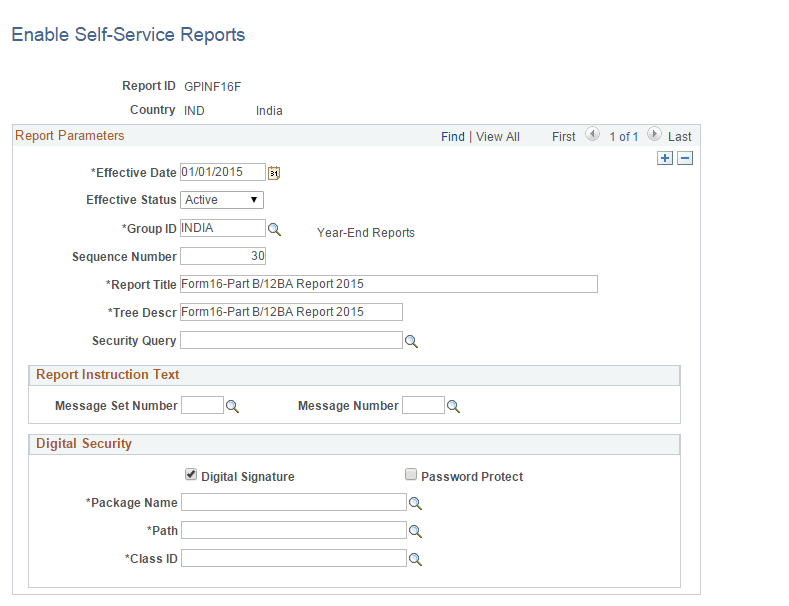
Use the Enable Self Service Report(HCSC_SS_RPT_CNTL) page to enable New Report ID GPINF16F in Self-Service framework for viewing the reports from the given source URL.
Navigation:
This example illustrates the fields and controls on the Enable Self Service Report page.
To know more about enabling self service reports, see Application Fundamentals: Enable Self-Service Reports Page
| Field or Control | Description |
|---|---|
|
Digital Signature |
Check to enable digital signature. |
|
Password Protect |
Check to enable password protection in the forms. |