Updating Component Element Information
To define component element information, use the Components (GP_COMPONENT) component.
Page Used to Update Component Element Information
| Page Name | Definition Name | Usage |
|---|---|---|
|
GP_PIN |
Update information about component elements (such as rate, unit, base, and percent) that are generated when an earning, deduction, or absence entitlement element is created. |
Components Page
Use the Components page (GP_PIN) to update information about component elements (such as rate, unit, base, and percent) that are generated when an earning, deduction, or absence entitlement element is created.
Navigation:
This example illustrates the fields and controls on the Components page.
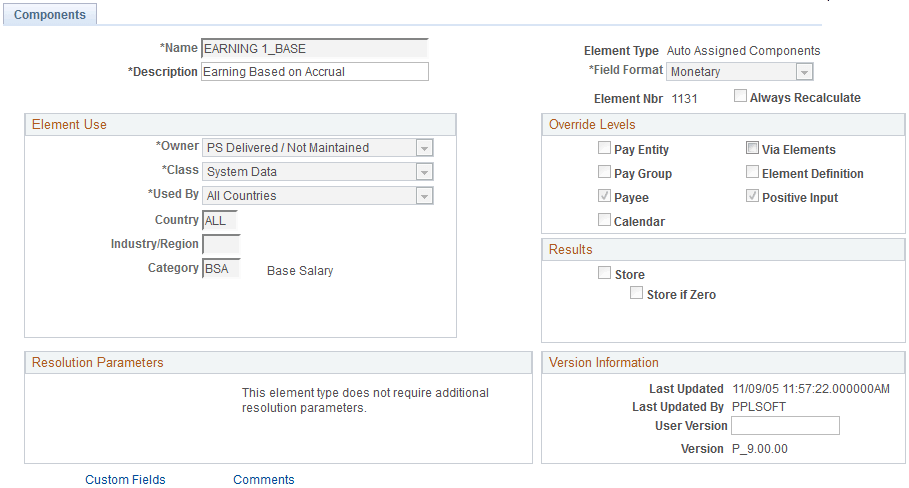
On this page, only the Description field, the Via Elements check box, the Custom Fields link, and the Comments link are available for entry or selection.
All other fields are updated when the parent element value changes. (A parent element is an earning element, a deduction element, or an absence entitlement element.) These fields display the values that were entered for the parent element when it was created.
Override Levels
| Field or Control | Description |
|---|---|
|
Via Elements |
Select to indicate the override level for the component, if there is one. |
Related Topics