Running the ECS Interface
Page Used to Run the ECS Interface
| Page Name | Definition Name | Usage |
|---|---|---|
|
RUN_FGPY004 |
(USF) Creates the ECS interface file for off-cycle disbursements. |
Important:
PeopleSoft ECS (Electronic Certification System) interface process is no longer supported as a feature to create treasury files for USF customers. It has been replaced by the Treasury Interface functionality.
Electronic Certification System Interface Page
(USF) Use the Electronic Certification System Interface page (RUN_FGPY004) to create the ECS interface file for off-cycle disbursements.
Navigation:
This example illustrates the fields and controls on the Electronic Certification System Interface page.
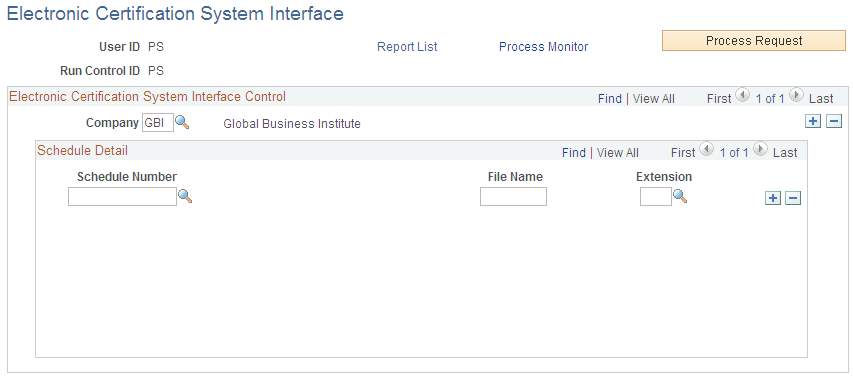
The same Electronic Certification System Interface run control page is used for off-cycles and on-cycles. The output is determined by the ECS control schedule number.
Important:
PeopleSoft ECS interface process has been replaced by the Treasury Interface functionality.
| Field or Control | Description |
|---|---|
|
Schedule Number |
Select all the ECS schedules that are currently available to be formatted for ECS transmission. Eligible schedules are those with a payment date, more than zero records, and an amount greater than zero. After you run this process, you can no longer modify the ECS control information for the selected schedules. |
|
File Name and Extension |
Enter the exact DOS file name and extension of the schedule from the ECS Extract Controls page on the Identify ECS Controls page. |
Select Process Request to run this request. PeopleSoft Process Scheduler runs the ECS Interface (electronic certification system interface) Structured Query Report (SQR) Report process (FGPY004) at user-defined intervals.