Viewing Garnishment Information
Page Used to Review Garnishments
| Page Name | Definition Name | Usage |
|---|---|---|
|
GARN_REVIEW |
Review the garnishment history of the selected employee. |
Review Garnishments Page
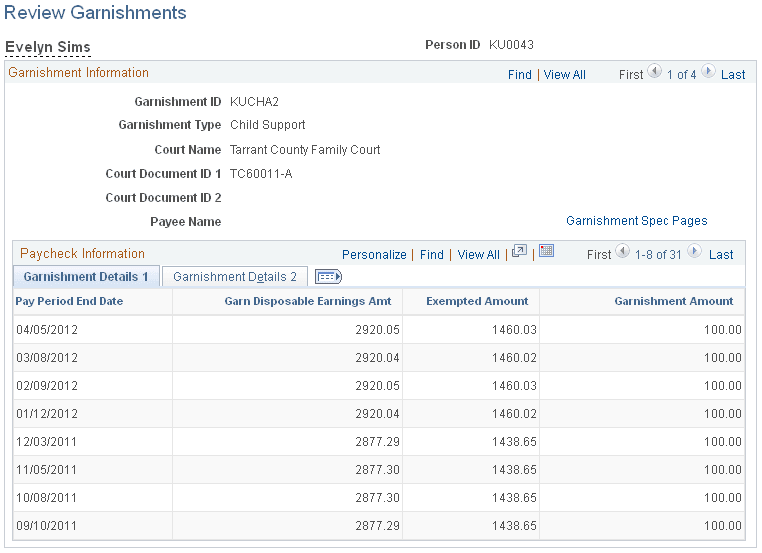
Use the Review Garnishments page (GARN_REVIEW) to review the garnishment history of the selected employee.
Navigation:
This example illustrates the fields and controls on the Review Garnishments page.
| Field or Control | Description |
|---|---|
|
Garnishment Spec pages (garnishment specification pages) |
Select this link to access the employee's garnishment specification data. The system opens a new window and displays the Garnishment Spec Data component (GARNISH_SPEC or GARNISH_SPEC_CN). The component opens to the employee's first garnishment ID; from there you can scroll to the data that you want to view. |
|
Review Paycheck |
Select this link to access the employee's paycheck data. The system opens a new window and displays the Paycheck Deductions page for the selected pay end date. The paycheck data opens to the employee's first garnishment ID; from there you can scroll to the garnishment that you want to view. |
Related Topics