Viewing Analytic Models
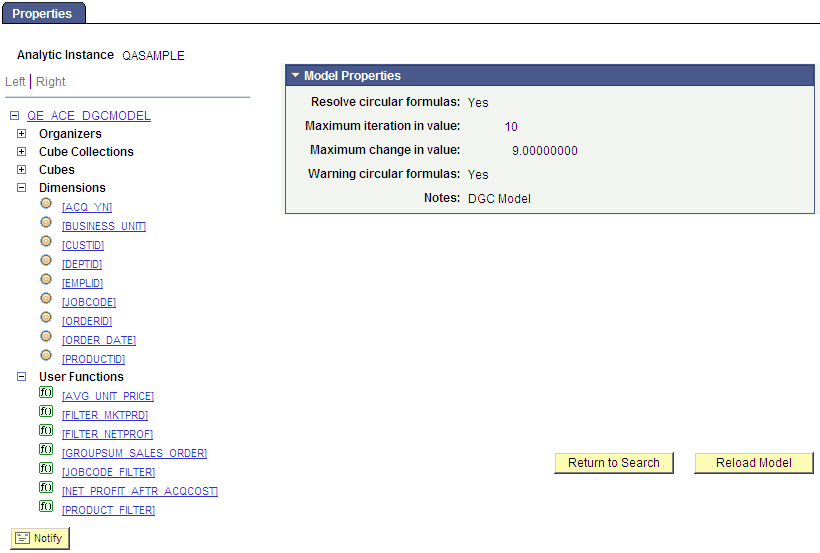
Use the Analytic Model Viewer - Properties page (PTACEMDLVWR) to view the properties and data of the selected part through the PeopleSoft Pure Internet Architecture.
Navigation:
-
Select
-
Select the name of an analytic instance.
This example illustrates the fields and controls on the Analytic Model Viewer - Properties page. Definitions for the fields and controls appear following the example.
| Field or Control | Description |
|---|---|
|
Resolve circular formulas |
Indicates whether circular formulas will be resolved. |
|
Maximum iteration in value |
Indicates maximum iteration in value. |
|
Maximum change in value |
Indicates maximum change in value. |
|
Warning circular formulas |
Specifies whether the model contains circular formulas. |
|
Notes |
Lists notes related to this analytic model that the developer entered when creating the model. See Entering Notes for an Analytic Model Definition's Parts. |
|
Reload Model |
Reloads the analytic model. PeopleSoft recommends that you reload the analytic model after you update the analytic model definition so that you can view the resulting changes. |