Working with the Menu in the NavBar
The Menu tile allows you to browse the menu structure and navigate to the selected menu item.
Note:
NavBar personalization allows you to display the menu in alphabetical order (for supported languages that support alphabetical ordering) or in sequence number order, which was the standard order prior to PeopleTools 8.59. See Personalizing the NavBar for more information.
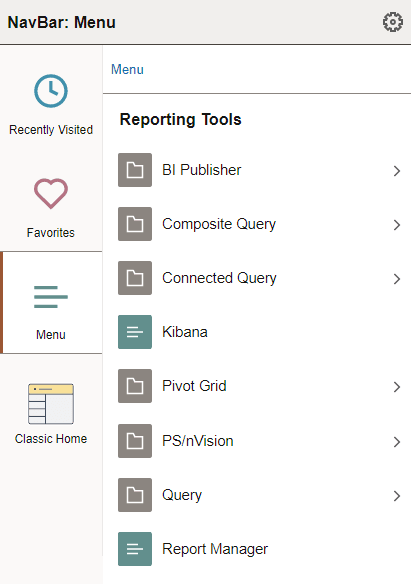
This example illustrates using the menu, which is displayed here in alphabetical order. You can navigate through the menu folders and menu items.
| Field or Control | Description |
|---|---|
|
Menu |
Click the Menu link in the breadcrumbs to navigate to the root of the menu structure. Click any other link in the breadcrumbs to browse the contents of the menu folder. |
|
|
Select a menu folder to open the folder and browse its contents. |
|
|
Select a menu item to navigate to that item. |


Related Topics