Creating Root Resource
Use the Create Root Resource page to create a new root resource.
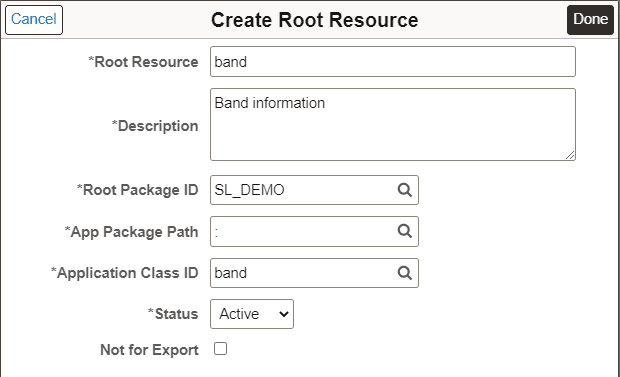
This example illustrates the fields and controls on the Create Root Resource for Provider Application Service page. You can find definitions for the fields and controls later on this page.
| Field or Control | Description |
|---|---|
|
Root Package ID |
Select the application package that contains the application logic to execute. The drop-down list displays all the application packages that extend the PTCBAPPLSVCDEFN:ApplicationServiceBase application class. |
|
App Package Path |
The qualified sub package or class path. |
|
Application Class ID |
The corresponding Application Class ID. |
|
Status |
The status for the Root Resource. When you create a new Root Resource, the default status is Active. |
|
Not for Export |
Select this check box if the root resource should not be exported as a part of an Open API generation for an Application Service.
|
Once the root resources are created, they will be available from the Application Service page.
This example illustrates the fields and controls on the Application Service page with Root Resource defined.
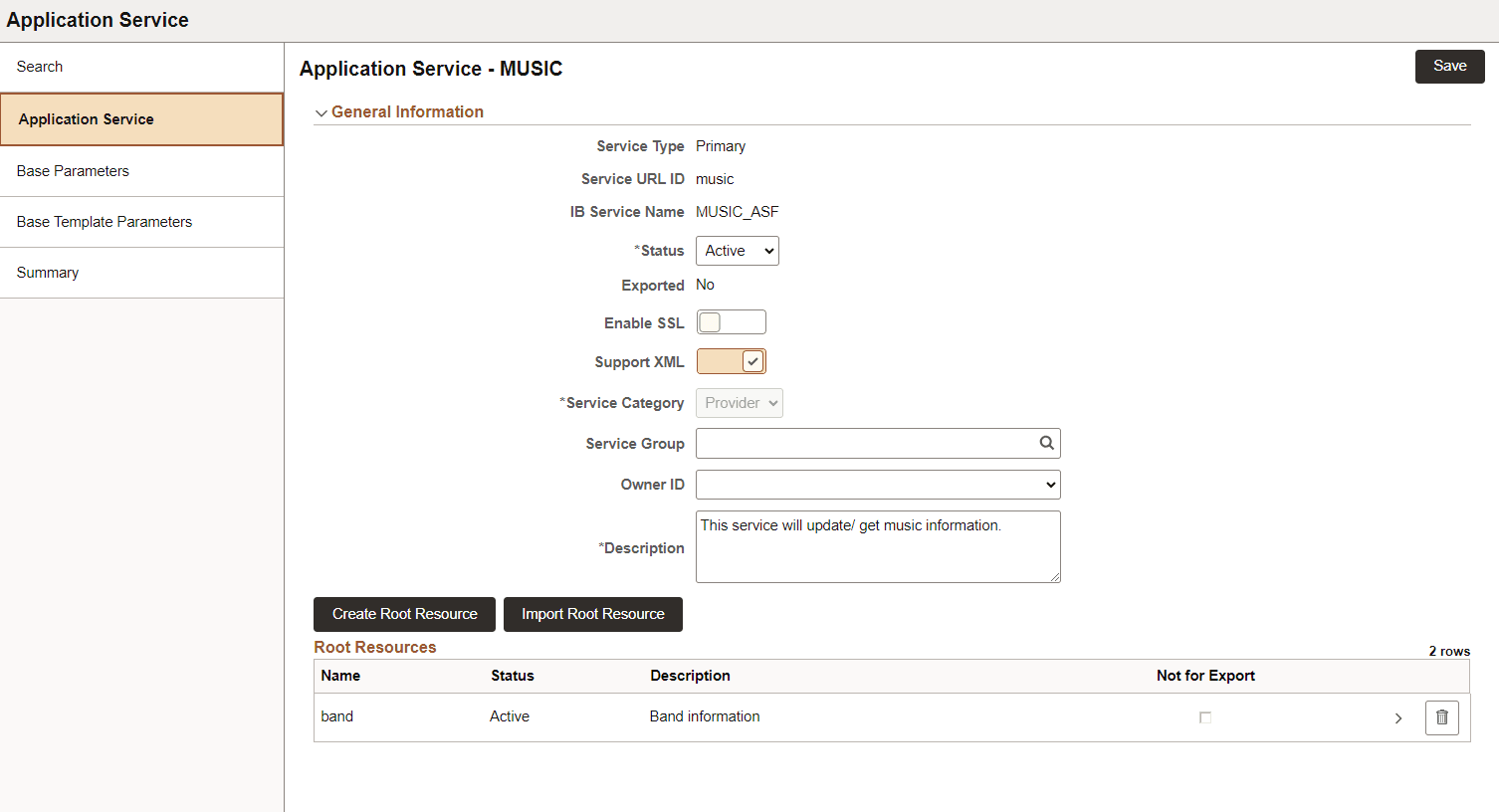
Select the Root Resource name to define the URI Template.
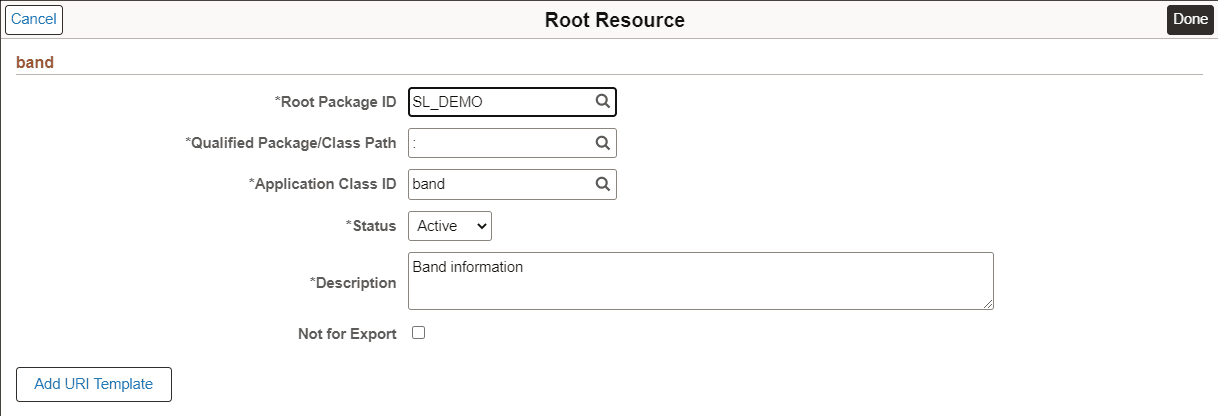
This example illustrates the fields and controls on the Root Resource page.