Enabling PeopleSoft CTI
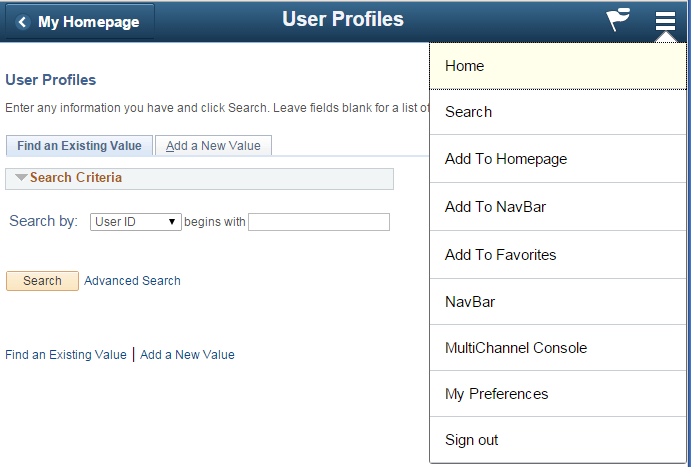
If a user is set up as a CTI agent or a MultiChannel Framework agent and if the user is assigned the PTPT4700 permission list and the PeopleTools MCF Console role, the Multichannel Console link appears listed on the Action Menu (in the upper-right portion of the screen) of the PeopleSoft Pure Internet Architecture. The following example shows the Multichannel Console link displayed in the PeopleSoft Pure Internet Architecture:
This example illustrates the MultiChannel Console link displayed on the Action Menu on the PeopleSoft Pure Internet Architecture.
Users who do not have the PeopleTools MCF Console role do not see this link.
Note:
Blended agents—agents who use both the CTI and MCF consoles—must sign in to queues supported by the same REN server cluster.
Related Topics