Selecting Query Prompt Values
The Select Query Prompt Values region is only available when the selected query has prompts attached.
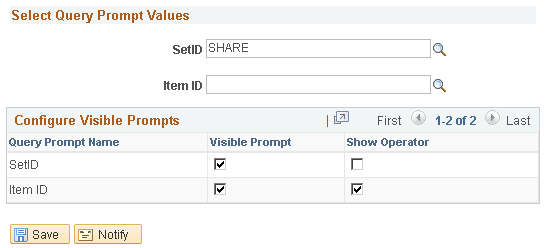
This example illustrates the fields and controls on the Select Query Prompt Values section. You can find definitions for the fields and controls later on this page.
| Field or Control | Description |
|---|---|
|
Select Query Prompt Values |
Enter the default values for the PSQuery runtime prompts. Note: The default value in the Select Query Prompt Values region is blank and you are able to define your prompt values. If the required prompt fields are blank or if the format of data entered is incorrect, Pivot Grid Wizard displays a validation error. |
Configure Visible Prompts
| Field or Control | Description |
|---|---|
|
Visible Prompt |
Select to make the query prompts visible to the viewer. If you do not make any of the prompts visible then, the Prompts option will not appear in the Options Menu in Pivot Grid Viewer. |
|
Show Operator |
Select to show the assigned operators for a prompt value. See Displaying Operators on Editable Facets Note: Show Operators is only supported in component based pivot grid models. |
Related Topics