Tree Options
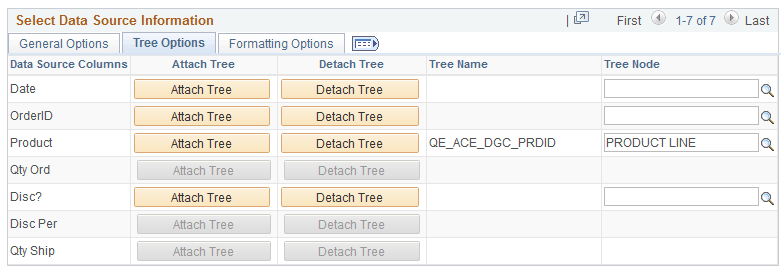
This example illustrates the fields and controls on the Tree Options section. You can find definitions for the fields and controls later on this page.
| Field or Control | Description |
|---|---|
|
Attach Tree |
Click to access the Attach Tree to Dimension window, where you can select a tree from a list of available trees and attach it to the dimension. Note: Only Summer Detail Trees that match the corresponding Axis are listed. |
|
Detach Tree |
Click to detach a current PeopleSoft tree from the dimension. |
|
Tree Name |
Display the tree names that you have selected using the Attach Tree button. |
|
Tree Node |
This field is required. The Tree Node is populated with the Root node of the selected tree. However, this value can be changed to point to any node in the tree. The hierarchical information for the dimension is shown from this node only. |
Related Topics