Specifying Query Preferences
Use the Query Preferences page to (QRY_PREFERENCES) specify query preferences.
Navigation:
To access the Query Preferences page:
-
Select
-
Create a new query or search for an existing one.
-
Access the Query Preferences page by clicking the Preferences link on any page of the Query Manager component (except the Run page).
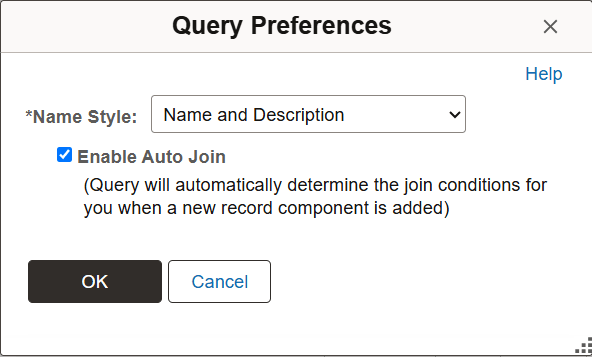
This example illustrates the fields and controls on the Query Preferences page. Definitions for the fields and controls appear following the example.
| Field or Control | Description |
|---|---|
|
Name Style |
Specify how record and field names are displayed. Select one of the following:
This is used mostly for global users where the record and field names are in English but the descriptions are in another language. |
|
Enable Auto Join |
Select to indicate that your query should automatically determine the join conditions when a new record component is added. |