Accessing Oracle Analytics Cloud
Your "Welcome to Oracle Analytics Cloud" email contains a direct link to the service. Simply click this link and sign in. Alternatively, sign in to Oracle Cloud at cloud.oracle.com and then select Oracle Analytics Cloud.
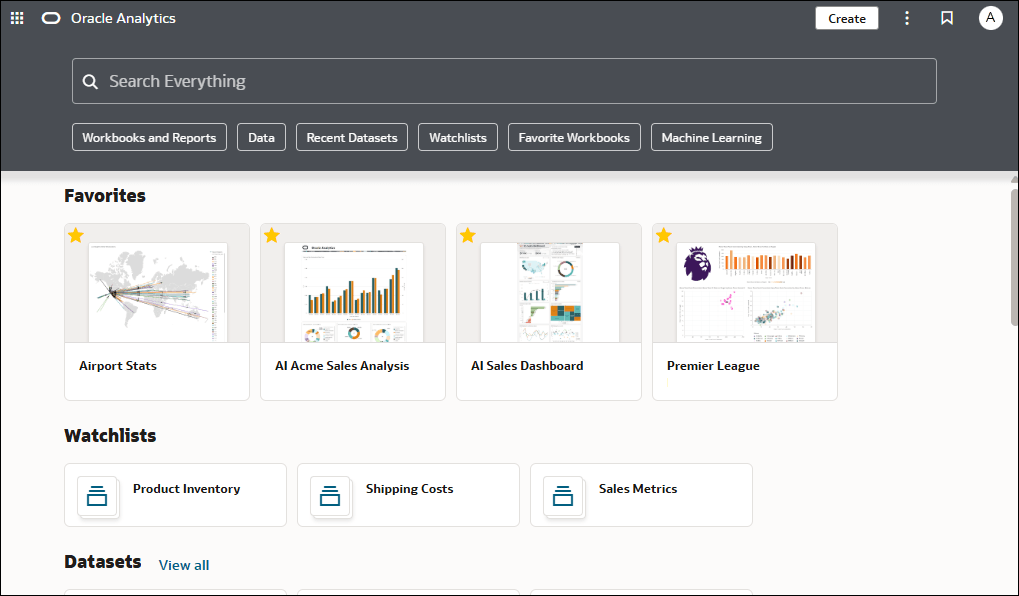
When you sign in for the first time, Oracle Analytics Cloud displays a product tour. At the end of the tour, you see the home page, which has links to all of the features available to you. To dive straight into creating visualizations, see Create a Visualization. Browse the thumbnails that display on the home page, or use the search bar or Navigator  to locate your analytics content.
Navigation Menu
Click the Navigation Menu to open links to curated workbooks and dashboards that have been saved in Workbooks or Dashboards subfolders with the Add to Navigation Menu option selected.

Page Menu
To work with content for reporting, mobile, actionable intelligence, or pixel-perfect reporting, click the Page Menu and select Open Classic. The Classic home page opens in a new browser tab or page.
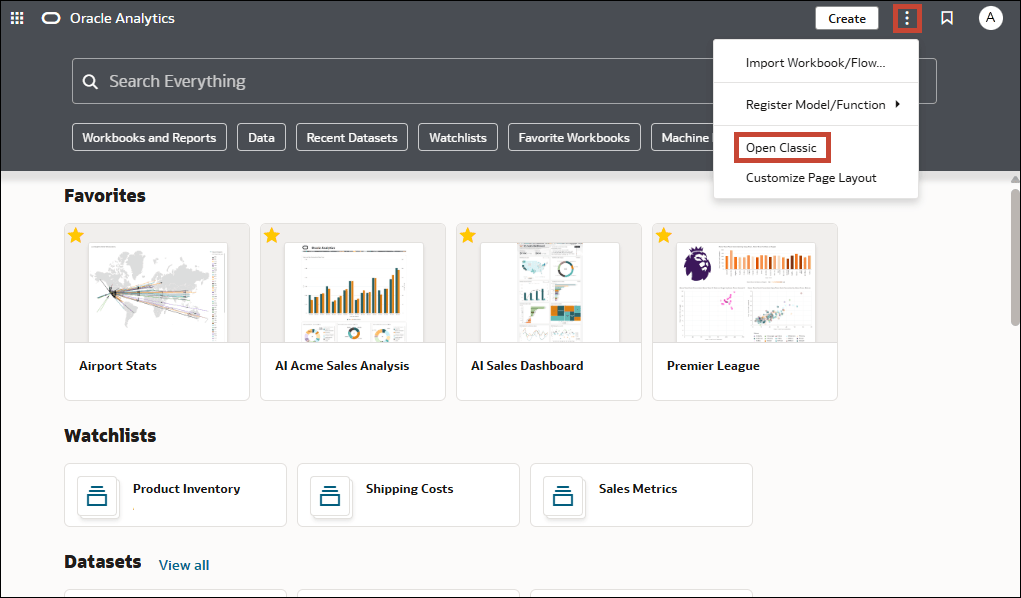
Description of the illustration oa-page-menu-no-get-started.png
Classic Home Page
Browse the thumbnails that display on the Classic home page or use the search bar to locate analytics content.
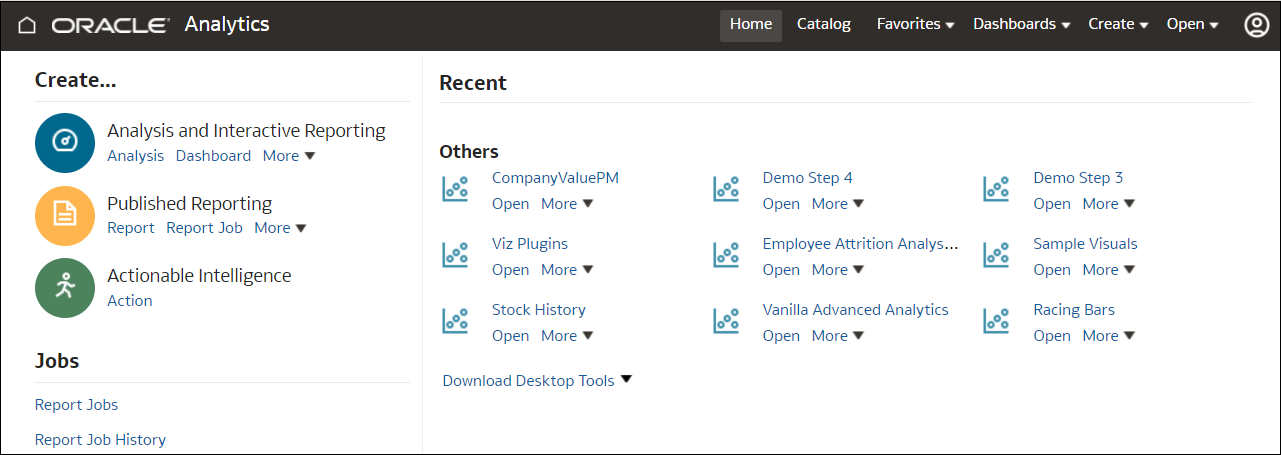
Description of the illustration classic_home.png
Details Pane
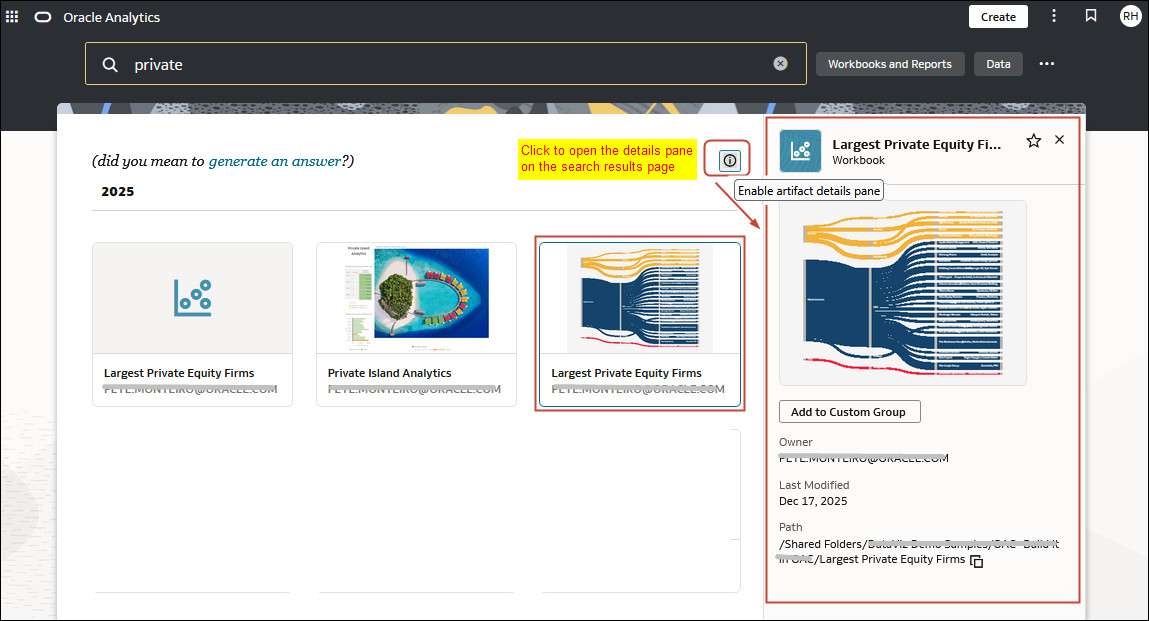
Your administrator can enable or disable the details pane using the Enable Details Pane on the Home Page system setting. See System Setting: Enable Details Pane on the Home Page. When the setting is enabled, the Enable artifacts detail pane  icon appears on the home page and with search results.
Click the icon to open the details pane. The pane displays more information about the artifact you select.
This image shows the details pane on the home page. 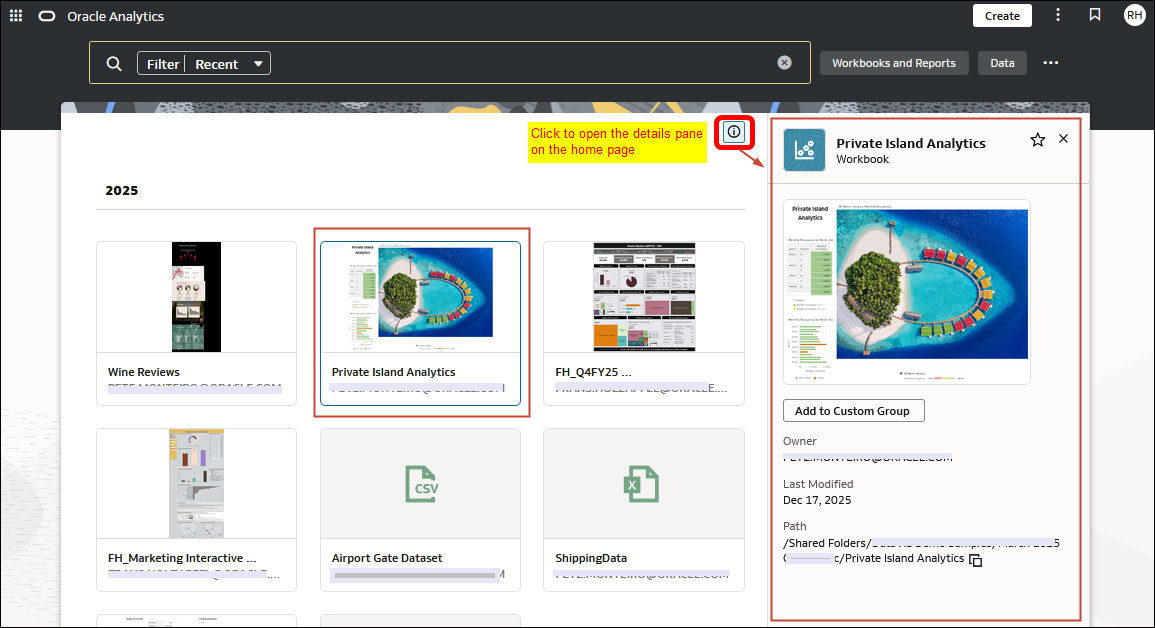
This image shows the details pane on the search results page.