About Managing Existing Content
Learn about how to manage connections, datasets, data flows, sequences, models, and scripts created before the January 2026 update of Oracle Analytics Cloud.
About Existing Content
Connections, datasets, data flows, sequences, models, and scripts created before the January 2026 update of Oracle Analytics Cloud are stored in the catalog in the read-only folders Data and Machine Learning. Move this read-only content from the Data and Machine Learning folders into My Folders or Shared Folders so that you can maintain and develop the content. 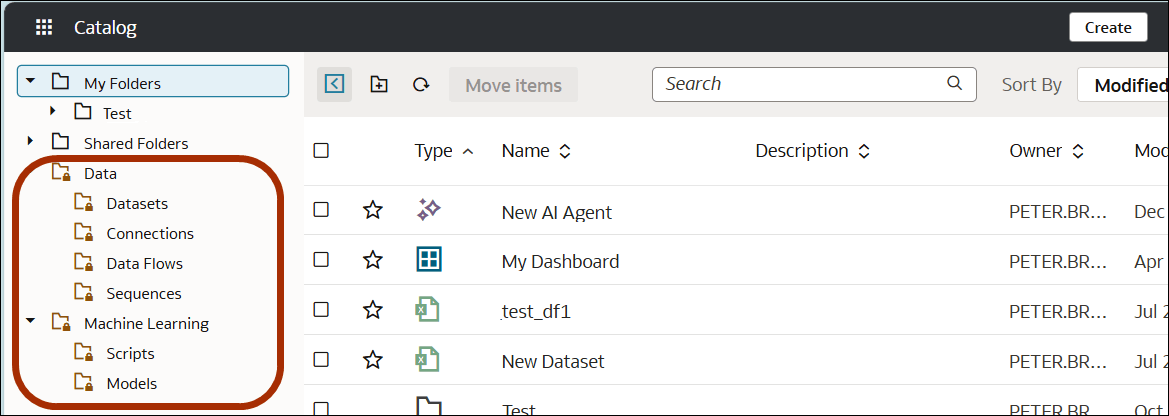
Description of the illustration onecat-tmp-folders.png
Note: The Data and Machine Learning folders and subfolders are read-only, so you can't save new items in them. Although you can edit existing items in these folders, we advise that you move items into My Folders or Shared Folders if you plan to maintain these items going forward.
About Migrating Existing Content
Using the Catalog page, administrators or content-creators move existing items from the legacy folders Data and Machine Learning into My Folders (for private content) or Shared Folders (for shared content).
You can multi-select items and use the Move items option or drag and drop them to a folder in the catalog. Note: You can't drag and drop folders themselves, only the contents.
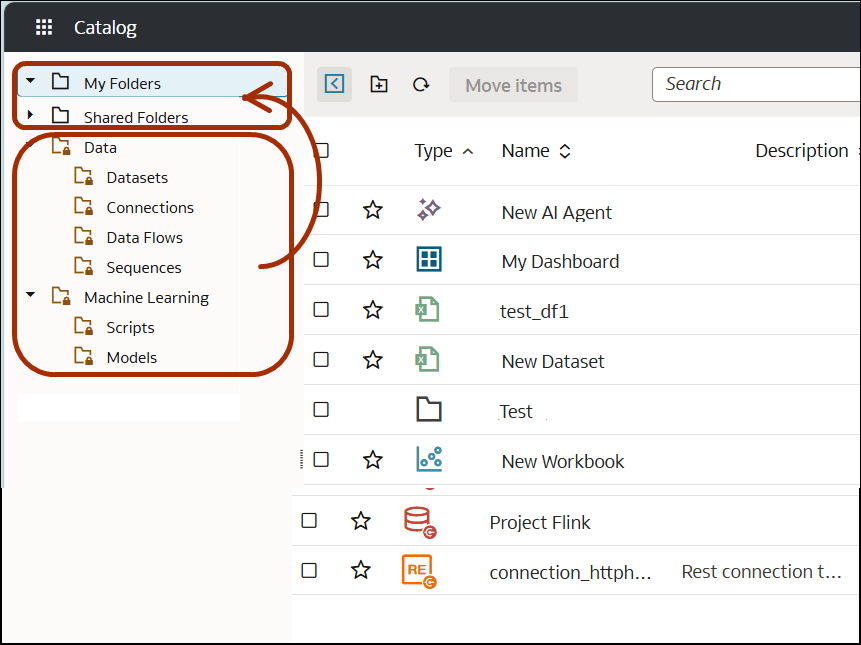
Description of the illustration onecat-migrate-content.png
You can also access legacy items on the Data page and Machine Learning pages.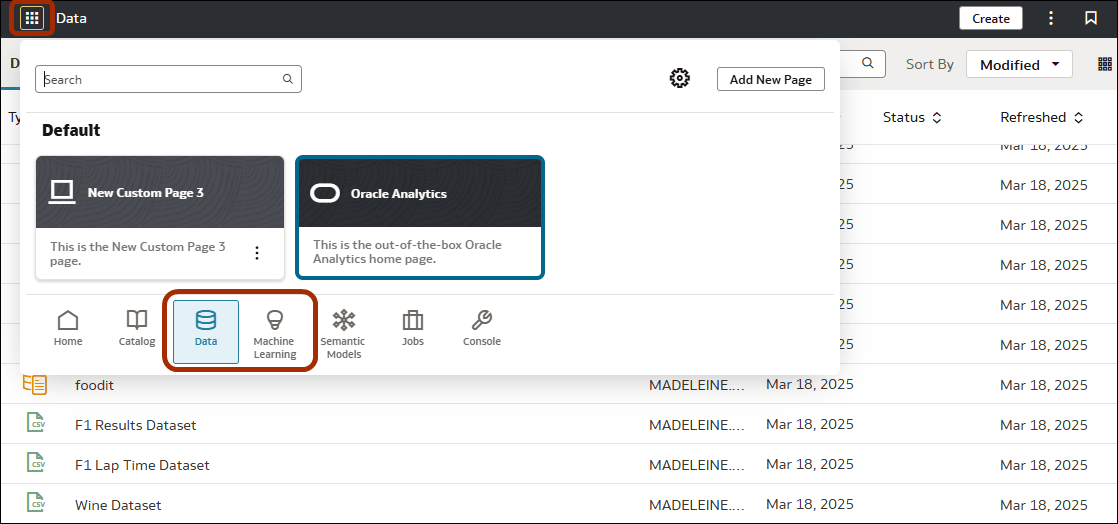
Description of the illustration data-ml-navigation.png
Use the Inspect dialog to determine where items are stored and what permissions are defined for them. See Verifying an Item's Location in the Catalog.