Fetch a List of Select Options Dynamically
Learn how to dynamically fetch the options for a select-from list in your web form. For example, suppose users need to enter their address in the form. You can automatically updated the options for the State or Province field based on the value the users enter in the Country field.
Learn About the Dynamic Fetch Sample
Let's look at a sample web form where the options for a select-from list are built dynamically from connector data.
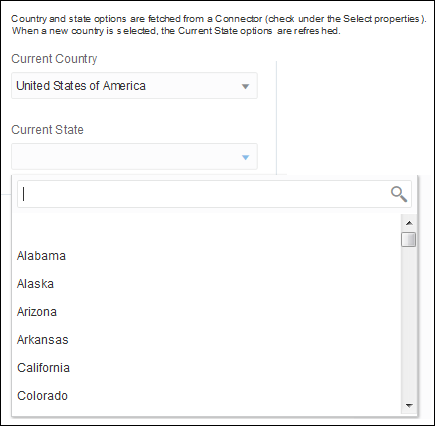
In this sample form, you select the current country and state based on the options in the list.
-
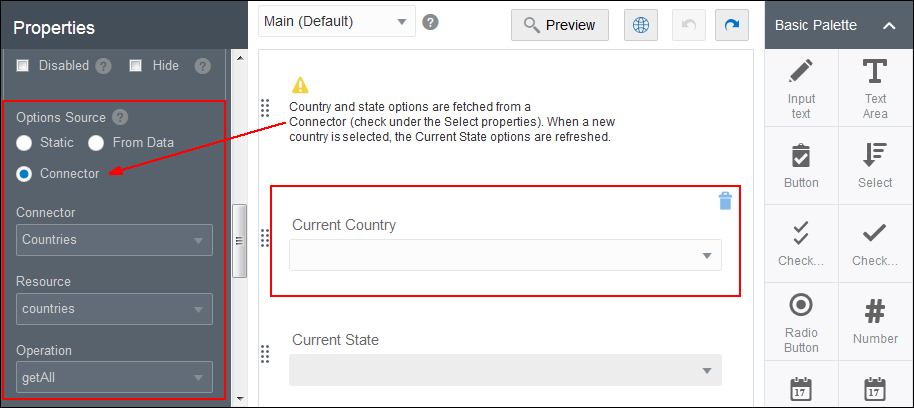
The options for the Current Country field are fetched from connector data, which is defined in the properties for the select control.
-
When you select a country, the Current State field becomes enabled. Its options are refreshed to show only the states for the selected country.
-
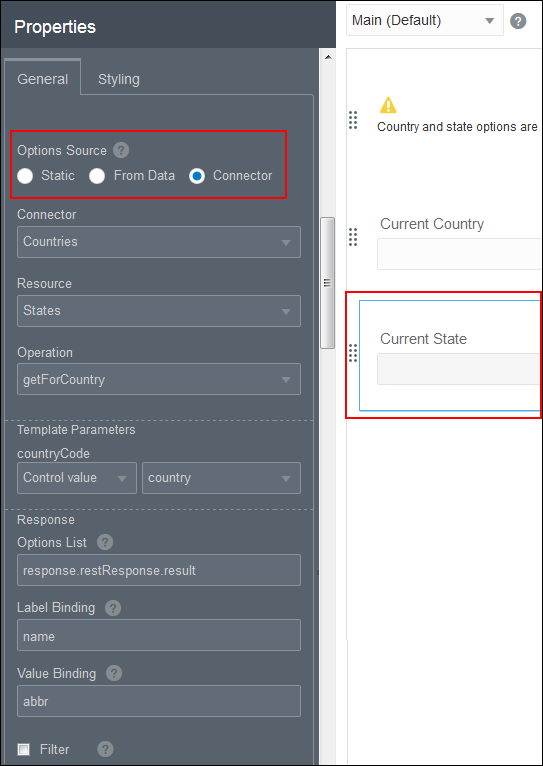
The options for the Current State field are built using a connector that fetches the state information based on the selected country.
Import the Sample and Preview Fetch Options
Import the sample form, select a country from the Current Country field, and then click the State field to view the list of states for the selected country.
Create a Form that Dynamically Fetches State Data Based on the Country
Follow this tutorial to create a form that dynamically fetches the options for the State field (a pick-from list) based on the value selected in the Country field. You have three main tasks to complete:
Add the Integration
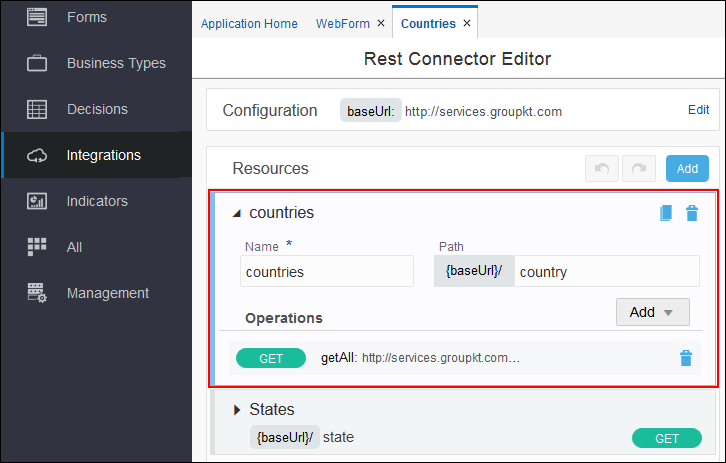
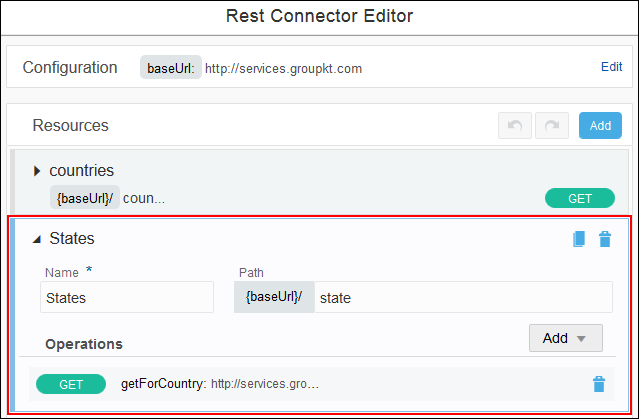
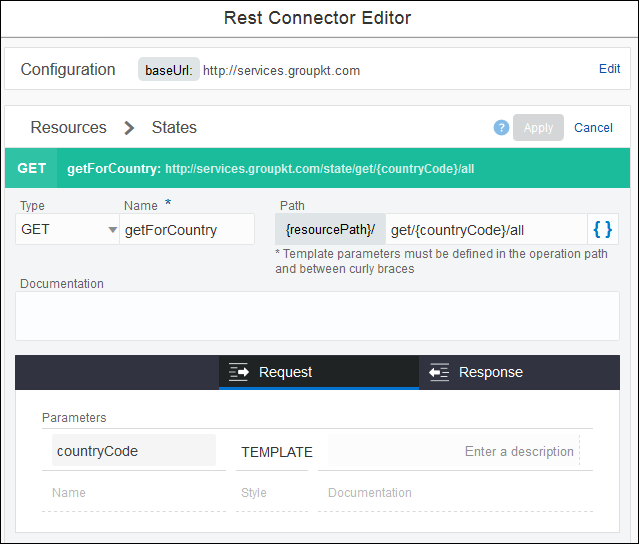
The DynamicSelectOptions sample uses two REST APIs to fetch the country and state data.
- http://services.groupkt.com/country/get/all to fetch all the available countries
- http://services.groupkt.com/state/get/{countryCode}/all to fetch the states for a country
You must create the resources and GET operations for each endpoint listed above. Let’s look at the existing integration.
- Expand the Countries resource and review its configuration. This resource retrieves the country data.
- Click GET for the Country resource to review its configuration.
- Now expand the States resource and review its configuration. This resource retrieves the state data.
- Click GET for the States resource to review its configuration.

Specify Control Data from a Connector Operation
Next, specify the connector and define the mapping to the response.
- On the General tab in the Properties pane, scroll to the Options Source section.
- Select the Current State control, and define its properties.
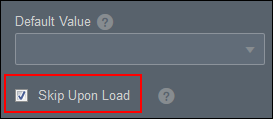
- For the Current State control, make sure to select the Skip Upon Load check box. You don’t want to call the connector On Load because no country has been selected yet.
Add the On Change Events
For the Current Country control, define the On Change events.
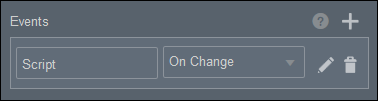
- On the General tab in the Properties pane, scroll to the Events section.
- Click Edit
 to configure the On Change event.
 - Click Action to add an On Change event. The events already in the sample form are defined as follows:
- For the first action, the Control Name field is set to state. The Action field is set to Refresh Connector.
- For the second action, the Control Name field is set to state. The Action field is set to Enable.