Perform Data Augmentations with Fusion Augmentations Source (Preview)
As a functional administrator, you can extract specific data from Oracle Fusion Cloud Applications at a higher frequency for your organization’s analytics needs. The Fusion Augmentations data source enables you to augment your analytics with "raw" data based on the public view objects (PVOs) of Oracle Fusion Cloud Applications at a higher frequency.
The Fusion Augmentations data source is an alias of the core Oracle Fusion Cloud Applications source, and you can only create data augmentations using this source. Since this source is dedicated for data augmentations from Oracle Fusion Cloud Applications, the capabilities available in pipeline settings are limited to data augmentation as well. For example, you can't use this source and activate any functional areas.
After extracting the data through the data augmentation, you can run the Frequent Data Refresh process on the applicable data augmentation tables. The Frequent Data Refresh process runs faster on this data than the Frequent Data Refresh on the prebuilt contents because there is no resource contention with processing of the prebuilt content and no transformations. Although this capability most benefits higher frequency refreshes, you can use this source for any data augmentations just to keep the main data pipeline less congested and perform better.
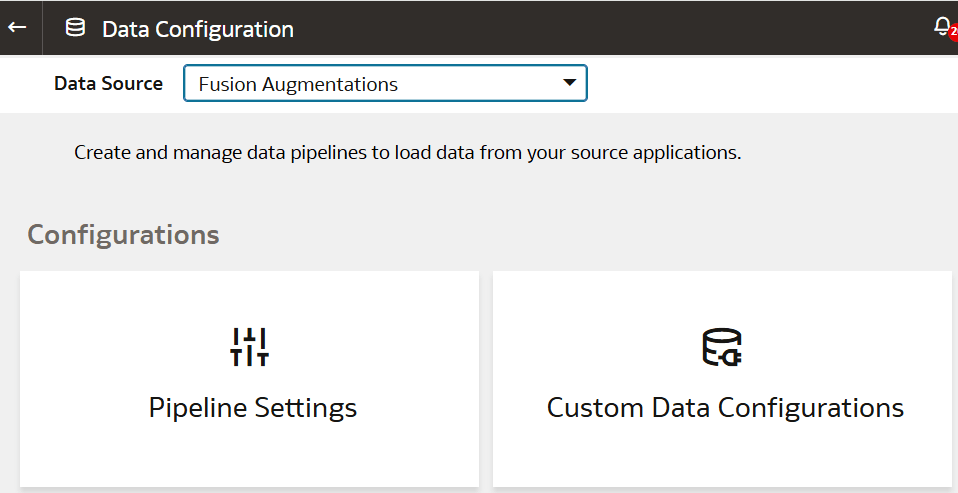
- On the Data Configuration page, in Data Source, select
Fusion Augmentations.