Project Summary
Use generative AI to help you write business content summarizing the current status of your project.
The Project Summary feature lets you generate project summaries automatically using live report data about your project and large language model (LLM) technology.
You can customize each summary by selecting:
-
The relevant standard reports used as input data to generate the summary.
-
The optional sections to include in the generated content, like highlights and potential risks.
You can create and keep multiple summaries for the same project throughout the project lifecycle. This enables you to reference what you previously shared with stakeholders and maintain consistency and continuity over time. All summaries for a project are listed on the project record (Projects > Projects > [Select a project] > Project Summary). You can create a new project summary from the project record using the Create menu, or from the projects list.
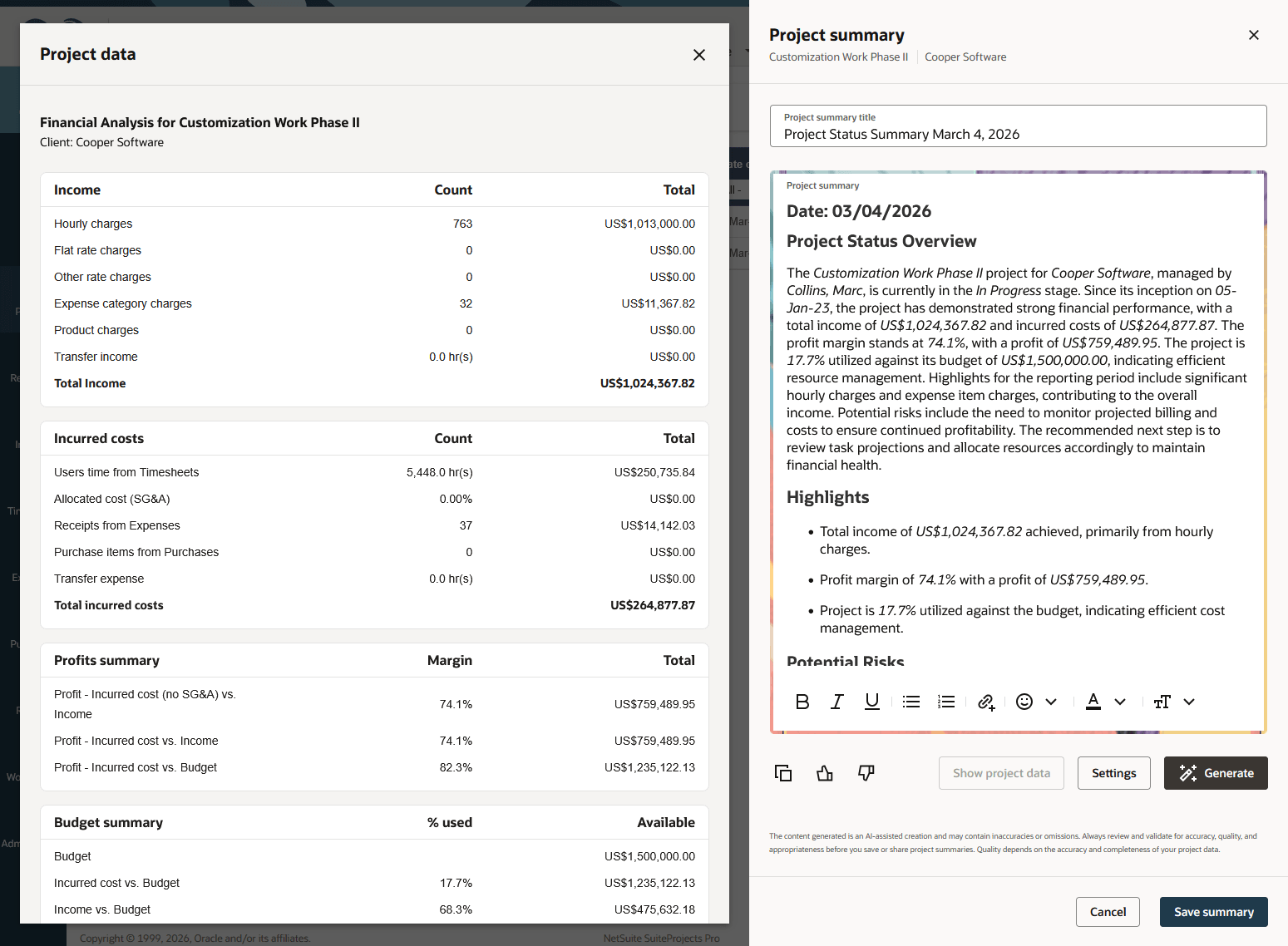
After you generate a project summary, you can view the reports used as input data side-by-side with the generated summary. The Project data panel lets you verify the information in the generated summary and refer to the report when reviewing and editing the content.
For more information about using the feature, see Project Summary.
Always read the generated content carefully before you save your changes to the project summary. The Project Summary feature uses generative AI. Generative AI services use creativity in their responses. A person should always validate the generated content for accuracy and quality.
To learn more about the generative AI models, see the SuiteAnswers article LLM Mapping for SuiteProjects Pro Generative AI Features (External link to SuiteAnswers | Answer ID 1046110). Be aware that you must be logged in to SuiteProjects Pro to access articles in SuiteAnswers. You may also access articles about SuiteProjects Pro in SuiteAnswers if your company uses both NetSuite and SuiteProjects Pro and you're accessing SuiteAnswers from NetSuite.
Enabling the Project Summary Feature
To enable the Project Summary feature, contact SuiteProjects Pro Support.
After the feature is enabled, account administrators control who can view project summaries and who can modify and generate project summaries by role permission:
-
View summary for all projects - Users with this role permission can view read-only summaries for all projects they have access to.
-
View and modify summary for all projects - Users with this role permission can generate summaries, modify the most recent summary, or delete any existing project summary for all projects they can view and edit.
-
View and modify summary for own projects - Users with this role permission can generate summaries, modify the most recent summary, or delete any existing project summary for projects they own.
Users with any of these role permissions can see any information from project overview and project financial analysis reports included in the project summaries. This is the case even if they don't have the View project overview or View project analysis role permission.
The SuiteProjects Pro AI service is subject to usage limits. Account administrators can review the usage limits for your company's account and verify the overall feature usage for the account. For more information, see AI Quota.