Managing Custom Tools in NetSuite
In NetSuite, custom tool scripts let you define one or more tools. These tools are individual functions that perform specific actions and can be invoked by external AI clients through the NetSuite AI Connector Service.
The Custom Tools page provides a centralized location to view and manage the tools available in your NetSuite account. This page displays tools from SuiteApps and account customization projects (ACPs). The tools are organized by toolset, which is the SDF object used to define custom tool scripts and group related tools.
To access the Custom Tools page, go to Customization > Scripting > Custom Tools. Only users with the SuiteScript (Full) permission can view the page and delete toolsets. Only users with the Administrator role can activate or deactivate toolsets.
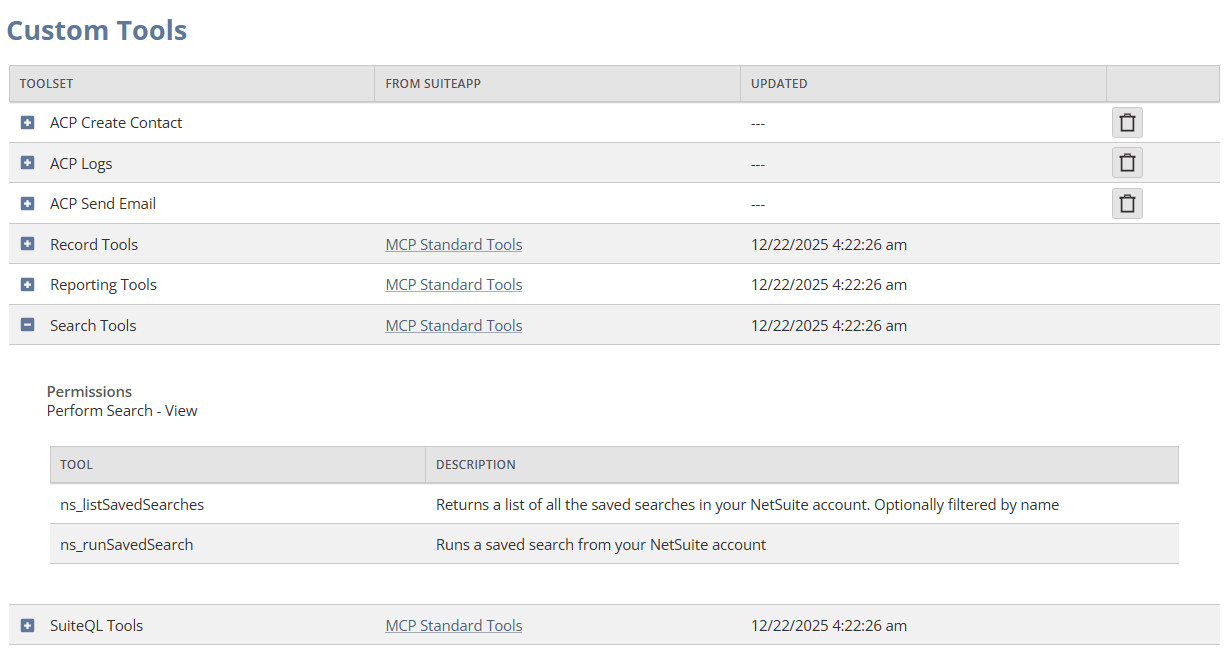
You can expand each toolset to view the individual tools and the permissions required to view them in the AI client.
Toolset Activation
A toolset is either active or inactive. The activation status applies to all tools in the toolset. You cannot activate or deactivate individual tools. Only tools from active toolsets are available for discovery and execution through the NetSuite AI Connector Service.
The Inactive column identifies inactive toolsets. Activation status is separate from the exposure and permission settings defined for the toolset. A tool must belong to an active toolset and meet the applicable exposure and permission requirements before it is available in an AI client.
Activating or Deactivating a Toolset
To activate or deactivate a toolset:
-
Go to Customization > Scripting > Custom Tools.
-
Expand the toolset that you want to manage.
-
Click Activate or Deactivate.
When you deactivate a toolset, its tools are no longer available for discovery or execution through the NetSuite AI Connector Service.
When you activate a toolset, its tools become eligible for discovery and execution, subject to the toolset's exposure settings and the user's permissions.
Deleting a Toolset
You can delete toolsets that are part of ACPs directly from the Custom Tools page. To delete a toolset, click the delete icon. This action deletes all tools in the selected toolset.
You can't delete toolsets that are part of SuiteApps from this page, but you can click the SuiteApp link to go to the Installed SuiteApps page. On the Installed SuiteApps page, you can remove the SuiteApp toolsets by uninstalling the associated SuiteApp. For information about uninstalling SuiteApps, see Viewing and Uninstalling SDF SuiteApps in a NetSuite Account.