FSM Project Contact Selection and Attachment
Field Service Management (FSM) handles primary contact selection during project creation separately from background attachment of customer contacts.
Project Primary Contact
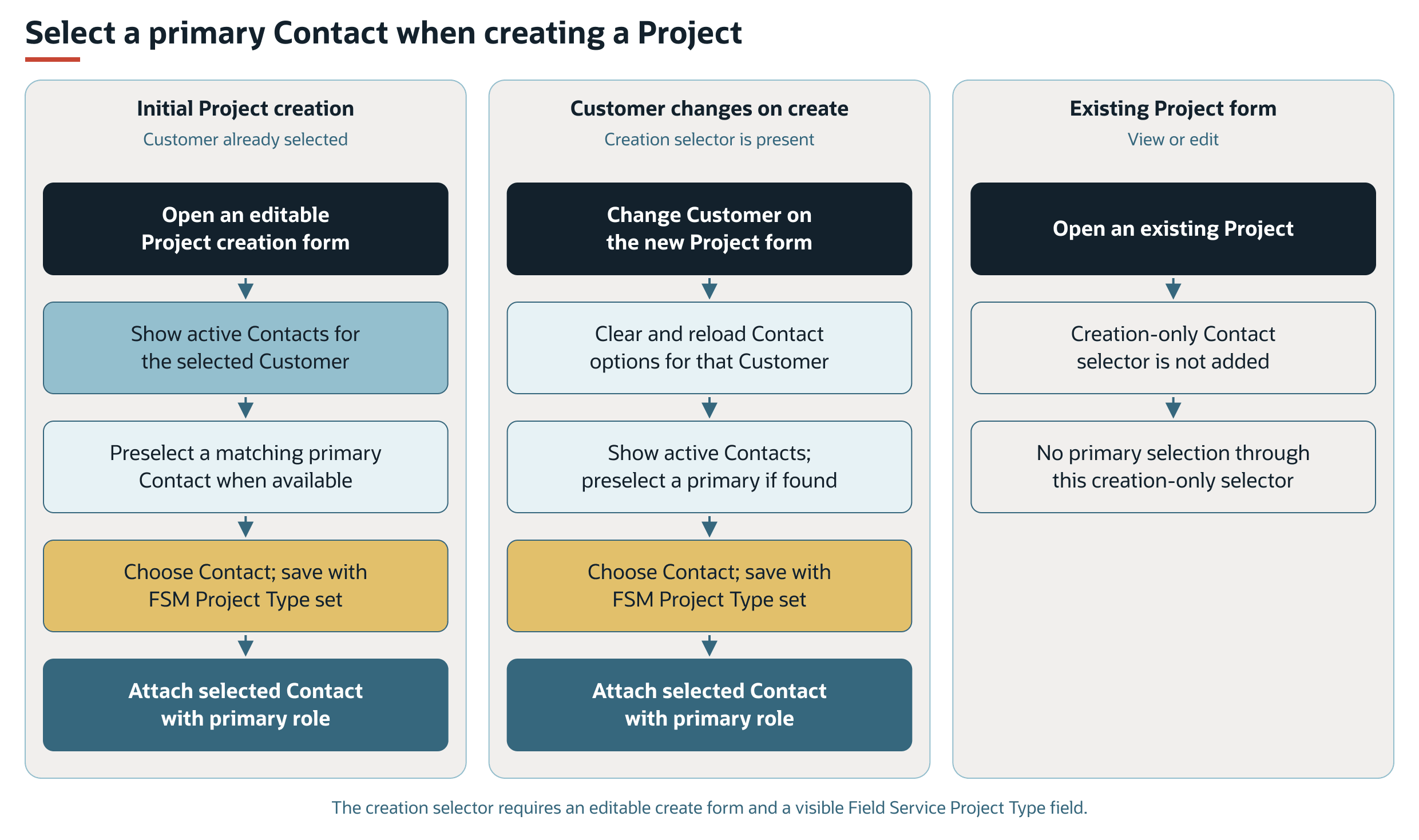
During project creation, the Contact field lists active contacts associated with the selected customer. A primary contact is selected automatically when a matching primary contact is available. Changing the customer refreshes the contact options.
The field appears during project creation when the form is available for editing and the Field Service Project Type field is visible. The same scripted Contact field does not appear when you view or edit an existing project.
When you create a project with a Field Service Project Type and a selected contact, FSM attaches that contact with the primary contact role. This attachment is separate from the background process that attaches other customer contacts.
Primary Contact Selection Flows
The creation flows assume an editable form with a visible Field Service Project Type field. A selected contact is attached with the primary role only when the project being created has a Field Service Project Type. Without a selected contact, this creation path does not attach a primary contact. The separate customer-contact update request can still apply.
Customer Contacts on Projects
The Update Contacts box requests attachment of customer contacts that are missing from the project. The field's full label is Field Service Update Contacts. The supplied Field Service Project form uses the shorter label, Update Contacts.
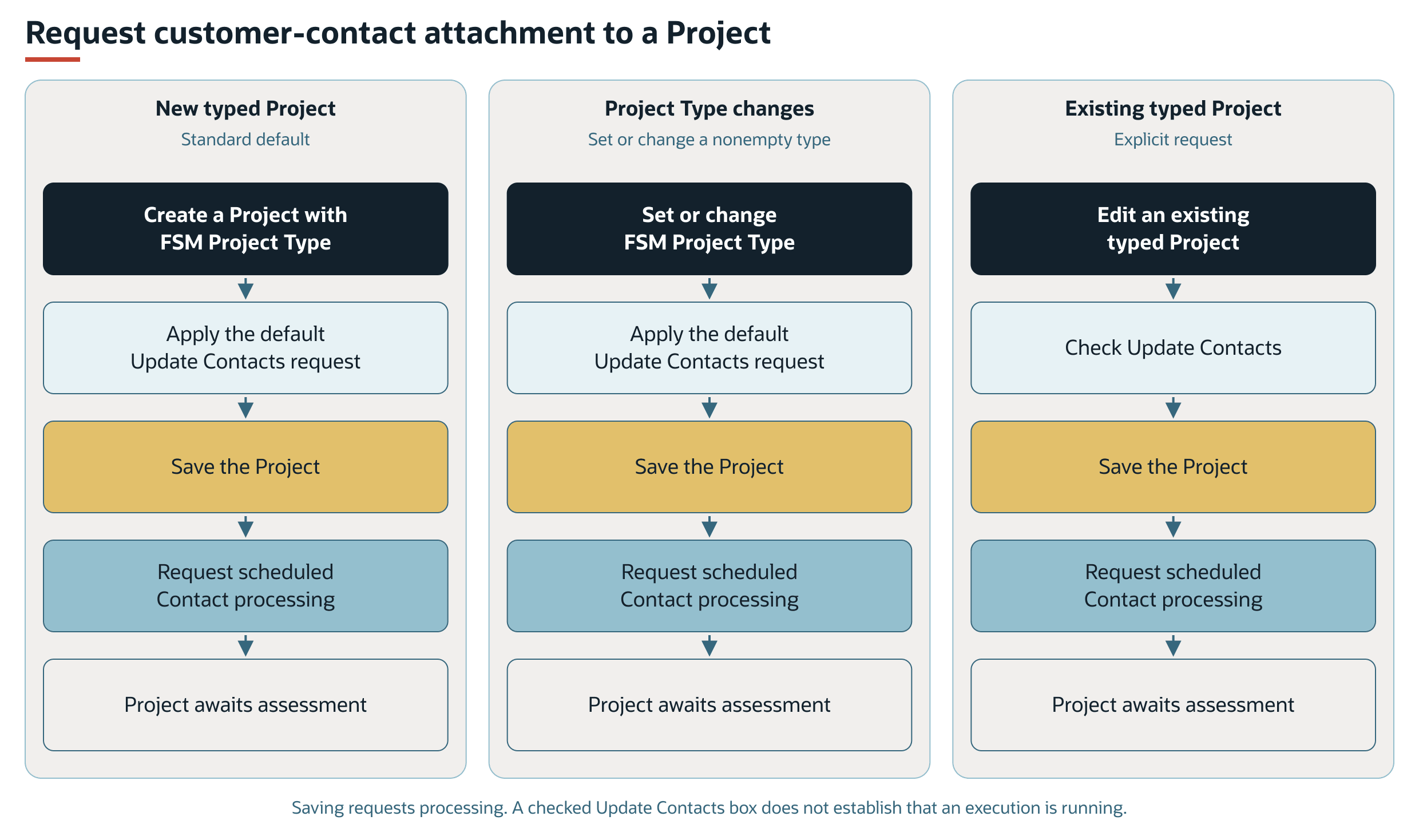
For projects with a Field Service Project Type, the standard project behavior requests contact updates during creation. Selecting or changing a nonempty project type also applies the contact-update default.
Saving a project with a Field Service Project Type and Update Contacts checked requests background processing. The process selects projects with both a project type and the contact-update request.
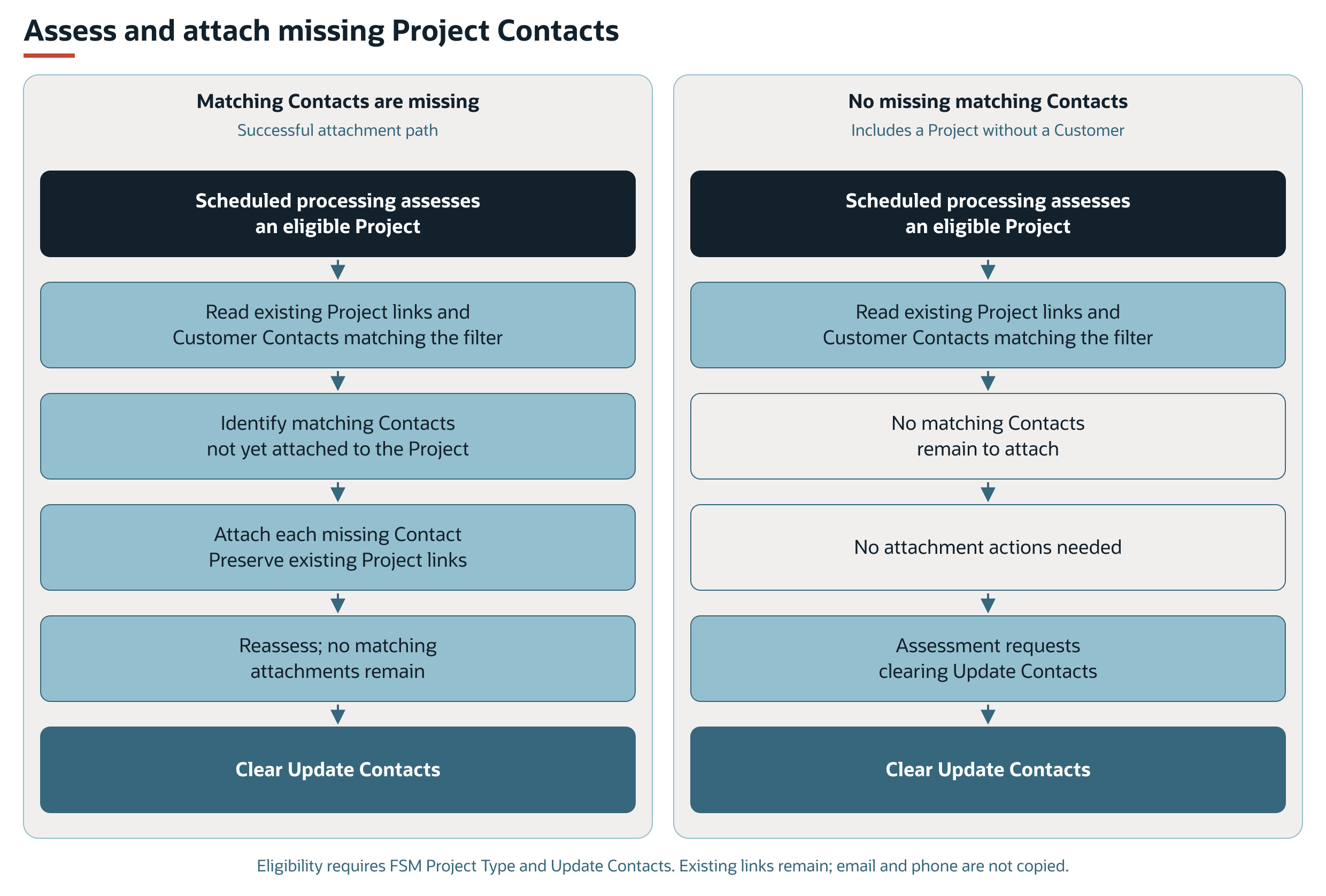
For each selected project, FSM reads the contacts already attached to the project and the customer contacts that match the configured filter. FSM attaches each matching customer contact that is missing from the project.
The attachment process preserves existing project contact links. It does not remove links that fall outside the filter or copy email and phone values.
When a later assessment finds no matching customer contacts left to attach, FSM clears Update Contacts. A project without a customer also has no customer contacts to attach, so its request can clear without an attachment.
Contact Update Request Flows
Creating a project with a Field Service Project Type applies the standard contact-update default. Selecting or changing a nonempty project type also applies this default. An existing project with a Field Service Project Type can also request attachment through Update Contacts. Each path requests background work when the project is saved.
Background Attachment Flows
The successful attachment path and the no-attachment path both finish by clearing Update Contacts after an assessment finds no missing matching contacts. Contacts can already be attached, be excluded by the filter, or be absent because the project has no customer.
For background processing, completion checks, and error effects, see Processing Model and Lifecycle in FSM Contact Sourcing and Synchronization.