FSM Case Contact Sourcing
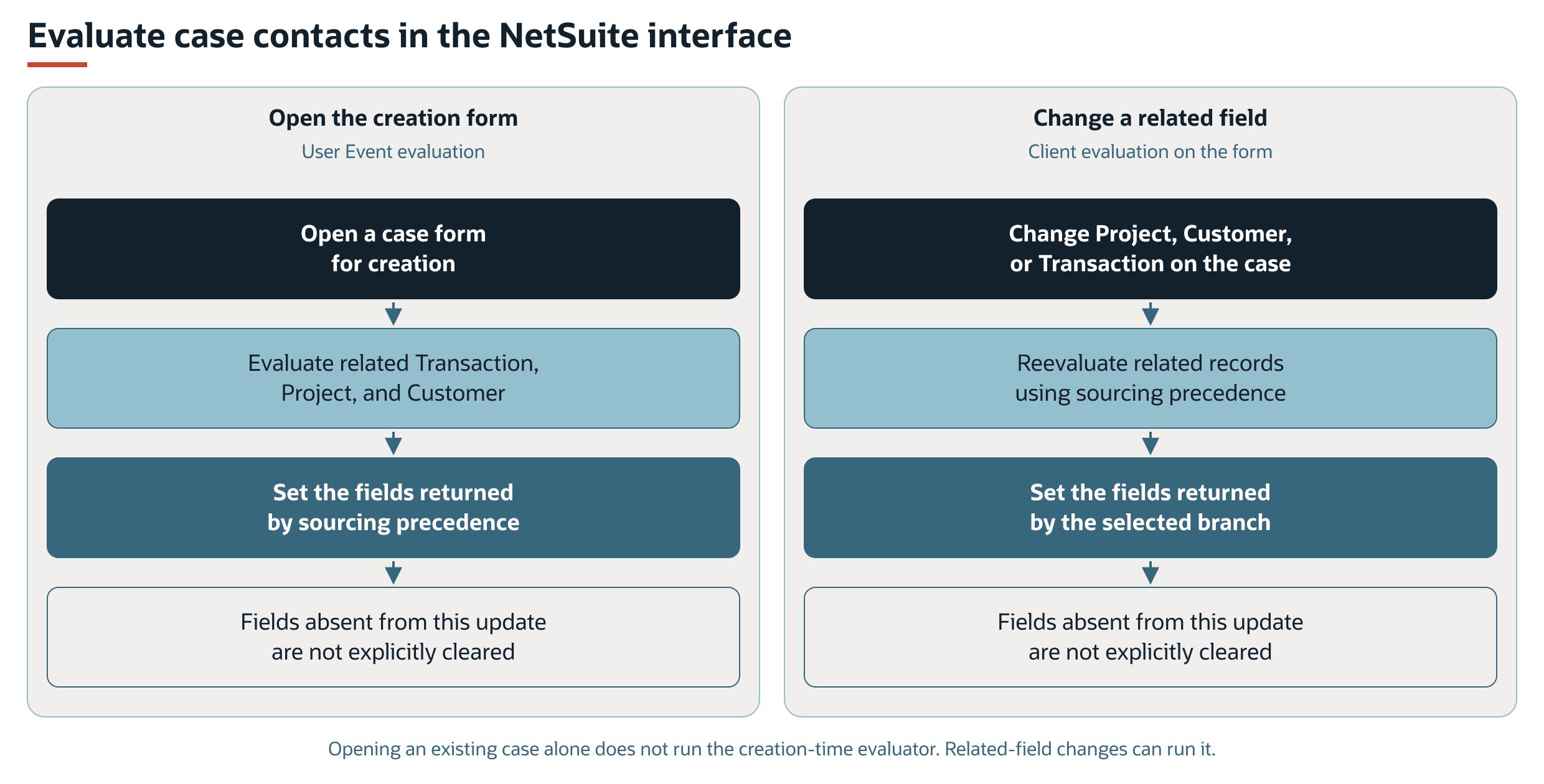
Field Service Management (FSM) evaluates contact details when a case form opens for creation. In the NetSuite interface, changing the project, customer, or transaction also evaluates the related contact information.
NetSuite Interface Flows
Opening the creation form and changing a related field are separate triggers for the same sourcing rules. Existing Contact, Email, or Phone values do not prevent these interface evaluations. Opening an existing case alone does not trigger FSM contact sourcing.
Sourcing Precedence
Whenever evaluation runs, FSM stops at the first matching condition. If no condition matches, FSM returns no sourcing update. The diagram shows the related record used and the fields explicitly set by that branch.
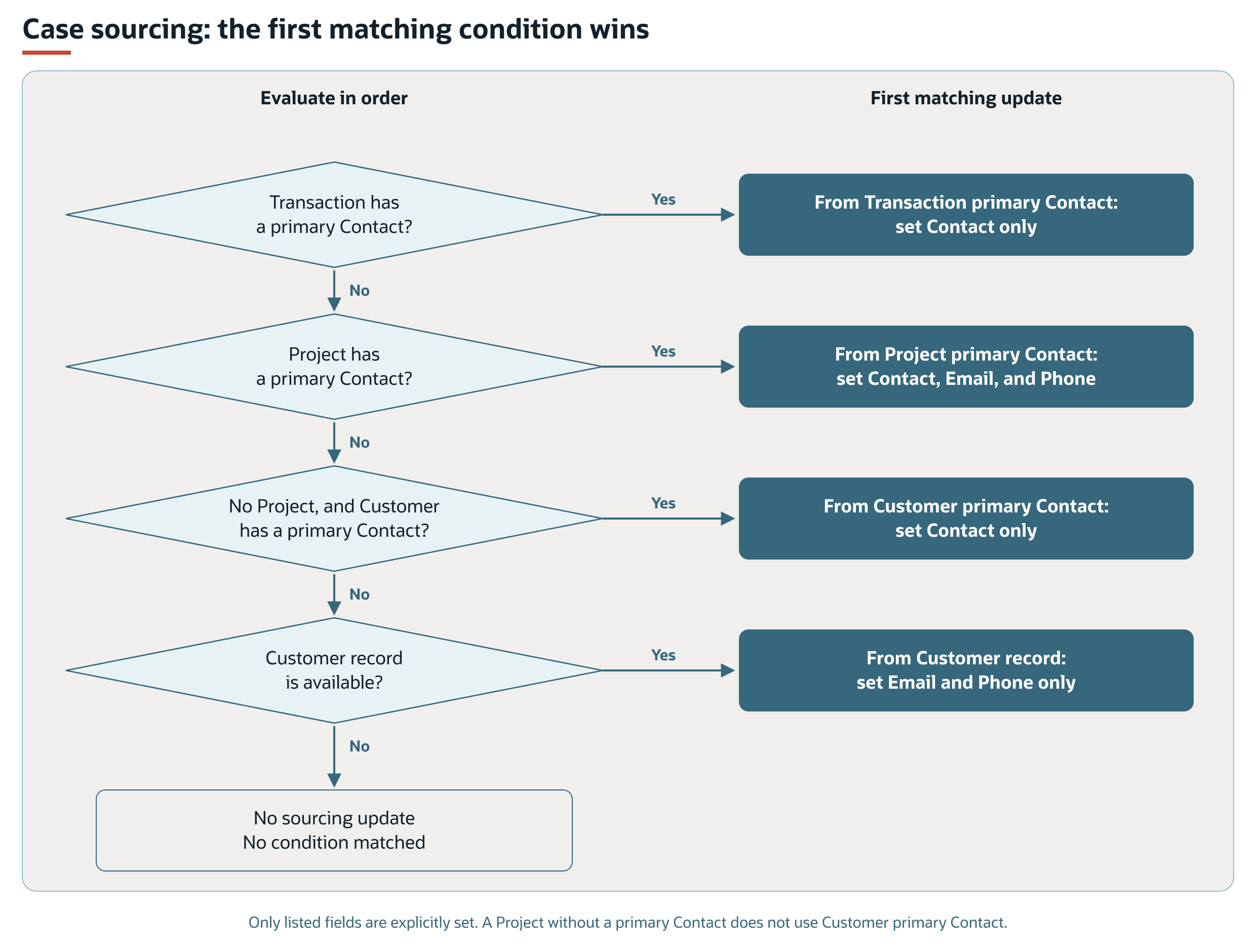
The following table shows the order that FSM uses to select case contact details. The first matching condition applies.
|
Order |
Condition |
Case Update |
|---|---|---|
|
1 |
The transaction has a primary contact. |
Sets Contact from the transaction. |
|
2 |
The transaction does not supply a primary contact, and the project has a primary contact. |
Sets Contact, Email, and Phone from the project's primary contact. |
|
3 |
Neither preceding condition applies, no project is available, and the customer has a primary contact. |
Sets Contact from the customer. |
|
4 |
None of the preceding conditions applies, and a customer record is available. |
Sets Email and Phone from the customer record. |
When the project exists but has no primary contact, FSM does not select the customer's primary contact through condition 3. The customer email and phone fallback can still apply.
The transaction and customer primary-contact branches explicitly set Contact only. The project branch explicitly sets all three fields. The customer-details branch explicitly sets Email and Phone only.
Case Contact Sourcing Outside the NetSuite Interface
For case creation or editing outside the NetSuite interface, FSM checks the submitted Contact, Email, and Phone values. If any field contains a value, the contact component skips automatic sourcing at submission.
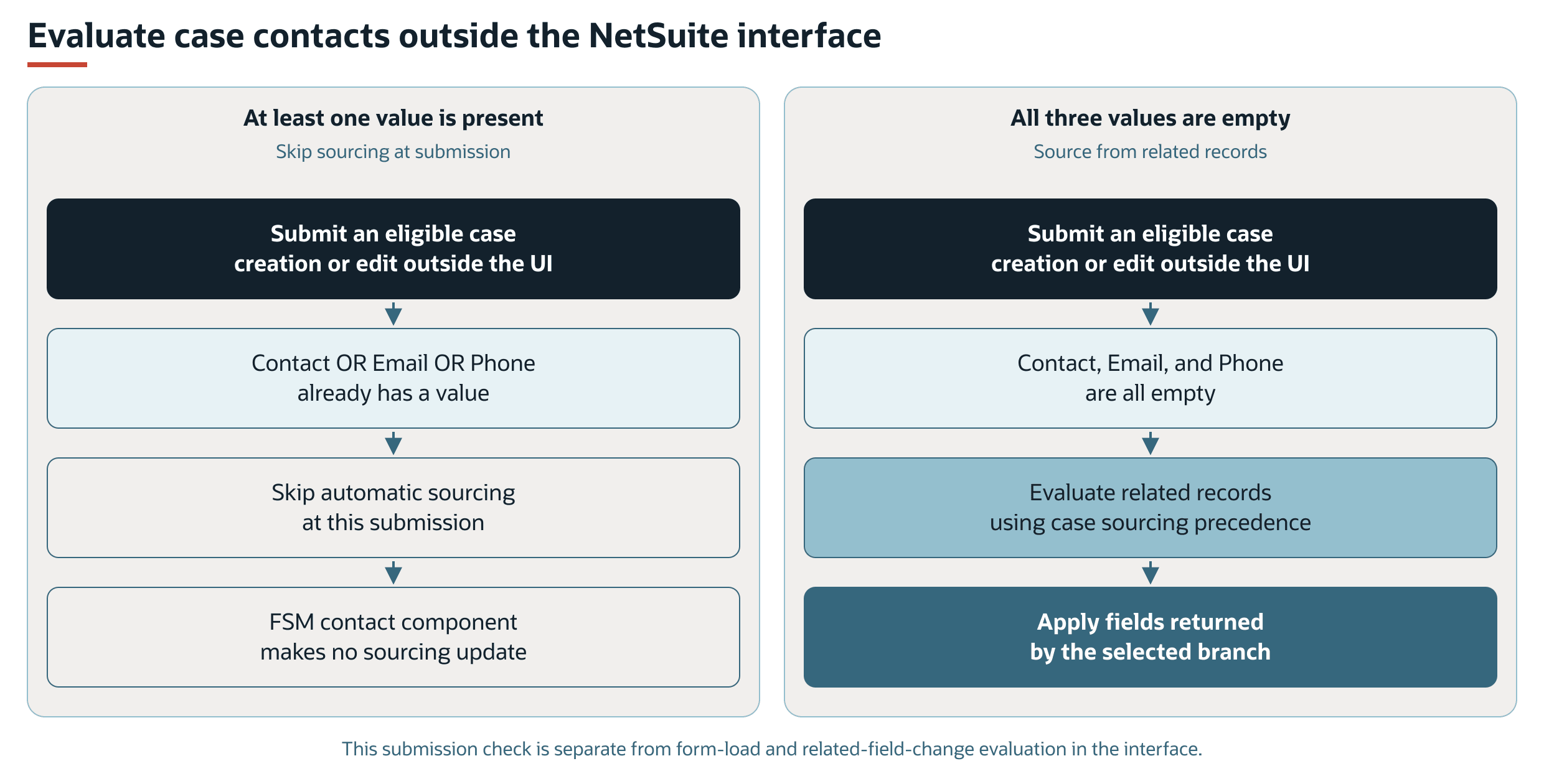
This check does not apply to interface field changes or form loading during case creation. Changing the project, customer, or transaction in the interface can update sourced details even when contact information is already present.
The FSM contact evaluator does not explicitly clear fields that are absent from its selected update.
For record interactions, processing scripts, and configuration links, see FSM Contact Sourcing and Synchronization.