Contracts and Renewals
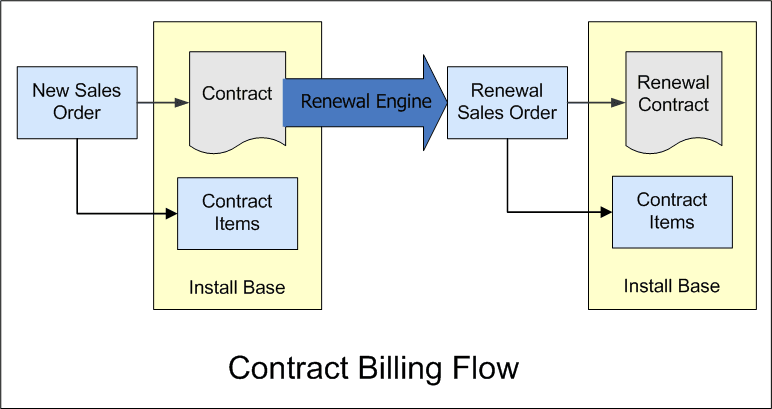
With Contract Renewals, when you create an initial sales order for a customer, the information from that order is used to generate a contract. The overall start and end dates of the sales order define the contract term, and items on the sales order generate contract items on the resulting contract.
The contract and contract items make up the install base of the customer. Contracts are listed on the Contracts subtab on customer records. You can also click the contract ID link on the original sales order to view a specific contract.
Prior to the end of the contract term, a renewal transaction is generated based on your setting for the Transaction Type to Create preference at Contract Renewals > Setup > Contract Renewals Preferences. When saved and billed, this order generates a new contract that includes the items from the customer's install base that are configured as renewable.
If you're using the channel management fields on customer records to track indirect sales relationships (including resellers and distributors), a single renewal transaction is generated for each combination of End User and Bill To Customer.
For more information about creating contracts, see Creating a New Contract. For information about renewals, see Contract Renewals Process.