User Interface
NetSuite 2026.1 includes the following enhancement to the NetSuite User Interface:
Changes to Text Enhance User Experience
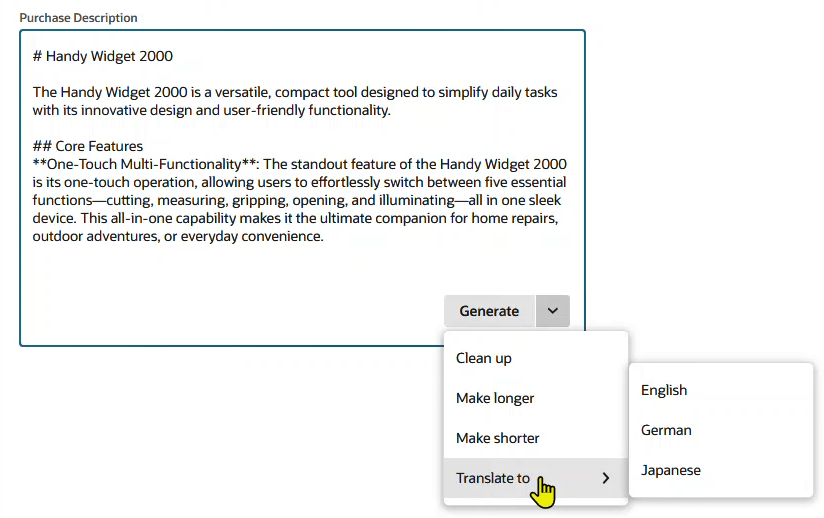
For Text Enhance users, the Enhance Text  icon and menu are replaced by a button in text area fields and rich text fields. This change makes AI-powered options more discoverable.
With this enhancement, you can:
-
Perform the default Text Enhance action for the field with a single button click. The default action is typically Clean up or Generate (where supported for the field).
-
Access more Text Enhance actions from the dropdown list associated with the button. Additional actions include Clean up (when Generate is the default), Translate to, Make Longer, Make Shorter, and any custom Text Enhance actions added to your account.
-
Enjoy direct, context-sensitive text improvements and translations for supported fields.
The new button is available in the lower right corner of fields with Text Enhance. In the example shown below, clicking the button performs the Generate action. When you click the arrow on the button, additional Text Enhance actions, such as Clean up, Make longer, Make shorter, and Translate to, are available from the list.
For more information, see Text Enhance.