Promote Workers with AI Assistance
The Promotion Advisor Agent is a conversational assistant that enables managers and HR specialists to evaluate, prepare, and submit promotions in an efficient and guided manner. The agent analyses eligibility, determines the progression job, prepares required assignment notes, and provides the manager with a complete recommendation through a simple interaction. The agent operates in the context of a single employee, which means the manager or HR specialist must first specify the employee and the effective date before the evaluation begins. It does not support mass or group promotions and is designed to focus on one promotion case at a time for accuracy and clarity.
When the promotion requires updating only a limited set of fields—Business Title, Job, Grade, and Assignment Notes—the manager can submit the promotion directly through the agent. For cases that require additional or advanced updates, the agent provides a deep link to the full Promotion UI, which is better suited for comprehensive editing. The agent’s eligibility assessment is advisory and intended to guide decision-making; managers or HR specialists may still proceed with the promotion even if the eligibility criteria are not fully met, and they can document the rationale in the assignment notes. Promotions submitted from the agent continue to follow the standard approval workflow configured in the application.
The Promotion Advisor Agent offers a streamlined and guided way for managers or HR specialists to evaluate and prepare promotions, while still leveraging the full Redwood Promotion UI when needed. It improves the promotion experience through the following advantages:
- It consolidates seniority, performance ratings, promotion rules, and progression logic into one conversational flow, removing the need to interpret multiple pages and documents.
- It automatically evaluates eligibility based on organization-defined rules uploaded through the document tool, helping managers make confident and consistent decisions.
- It creates promotion-related Assignment Notes reducing manual effort and ensuring accurate preparation.
- It allows managers to submit promotions directly within the agent when only a limited number of fields are required, sending the transaction into the standard approval workflow configured in the application.
- It checks for any existing in-progress or pending promotion transactions for the same employee and prevents duplicate submissions by alerting the user.
- It offers a deep link to the Promotion UI when broader or more detailed updates are required, ensuring managers always use the most suitable interface without replacing the full flexibility of the UI.
- It provides clear, natural-language explanations at every step, making the promotion process more transparent and easier to understand.
This agent is ideal for managers and HR specialists who want a faster, clearer, and more guided way to evaluate and act on promotions without navigating multiple UI pages. It is especially useful when only a limited number of updates are needed and the manager wants immediate clarity, automated preparation, and a direct submission path. It also supports HR teams looking to maintain consistency, governance, and policy alignment across large or distributed organizations.
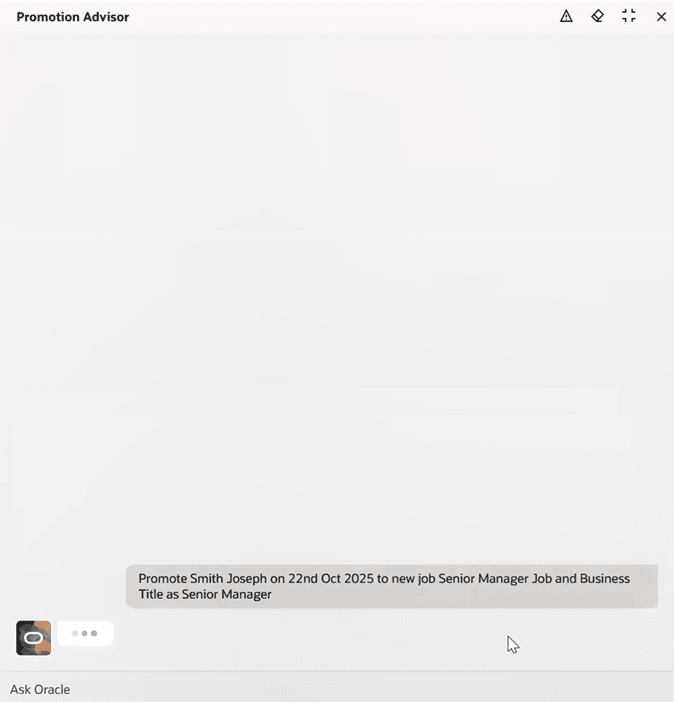
Agent identifying the employee after requesting promotion for Smith Joseph
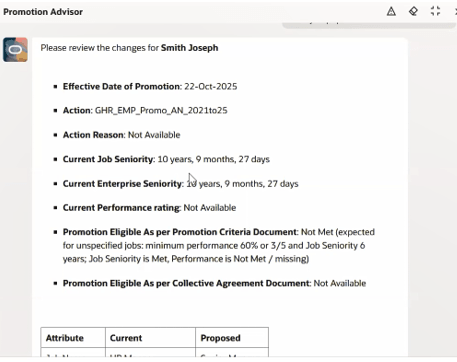
Promotion summary showing effective date, action, reason, seniority, and eligibility
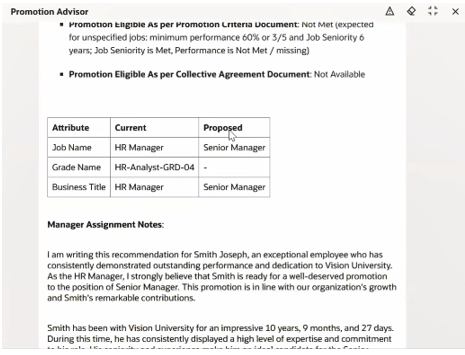
Current and proposed promotion details with assignment notes prepared by the agent
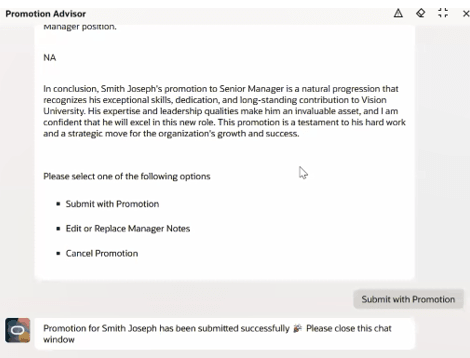
Confirmation message showing that the promotion has been submitted for approval
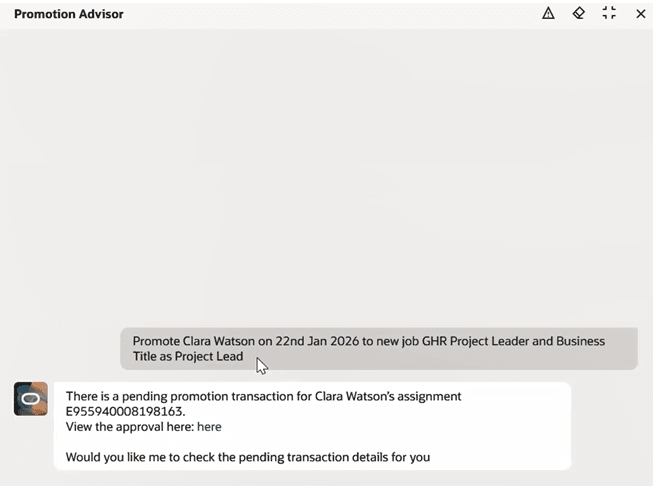
Notification that a promotion for this employee is already pending approval.
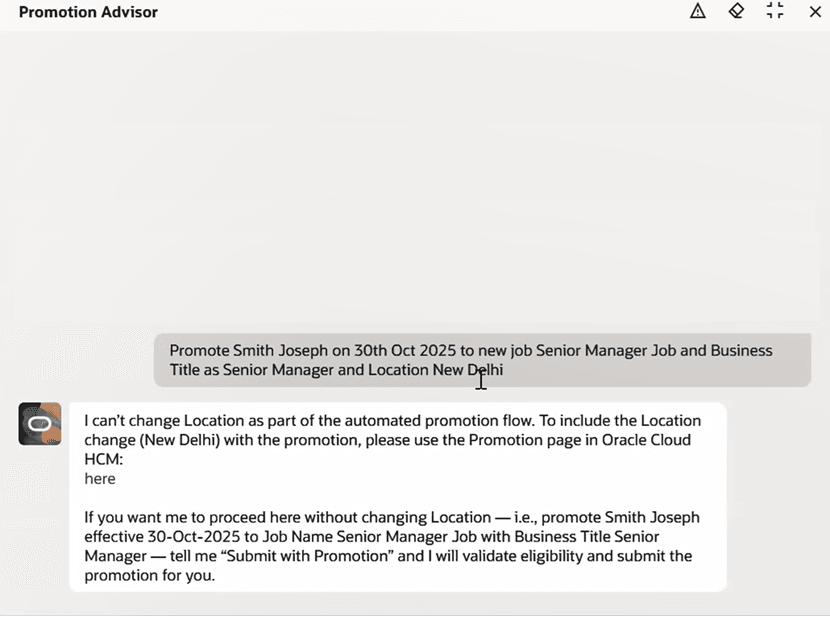
Deep link provided for completing promotion in the Redwood Promote UI.
The Promotion Advisor Agent empowers managers and HR specialists to complete promotions faster and with greater confidence by transforming complex eligibility checks and progression rules into a simple, guided conversation. It enhances consistency, reduces manual effort, and minimizes HR back-and-forth, enabling organizations to move talent forward quickly while staying aligned with policy. This creates a smarter, more intuitive promotion experience that elevates productivity and decision quality across the workforce.
Steps to enable and configure
- Your environment must have the appropriate services for Oracle Applications Platform deployed. For more information, see FAQ2521 on My Oracle Cloud Support.
- Set the Enable Security Console External Application Integration (ORA_ASE_SAS_INTEGRATION_ENABLED) profile option to Yes and enable permission groups for the appropriate roles. See Access Requirements for AI Agent Studio.
To learn how to set up AI agents, see Create AI Agents Using Preconfigured Agent Team Templates.
Tips and considerations
- If the Business Title is left blank, the agent will automatically default it based on the provided Job name. Support for defaulting the Business Title through the profile option ORA_PER_EMPL_DEFAULT_BUSINESS_TITLE_FROM is planned for a future release.
- When you search for a worker only the first 10 records that match the criteria are displayed unless you provide the exact worker name.
Key resources
Access requirements
- The agents you can view depend on the roles and privileges assigned to you. To access this agent, your role must be explicitly granted access to it by an AI Studio Administrator. See How can I give users access to AI agents and Access Requirements for AI Agent Studio.