 Self-Paced Learning Support for an AICC URL
You can now create self-paced learning courses by adding an AICC URL to the content. After the page refreshes, the Learning Format field appears, defaulted to Online Course, with the Mastery Score field beside it.
- You can edit the Learning Format value as appropriate.
- If you add a mastery score, when you create the draft, the field and value move to their usual spot on the Rules tab in the Completion section. You can change the score later, if appropriate.
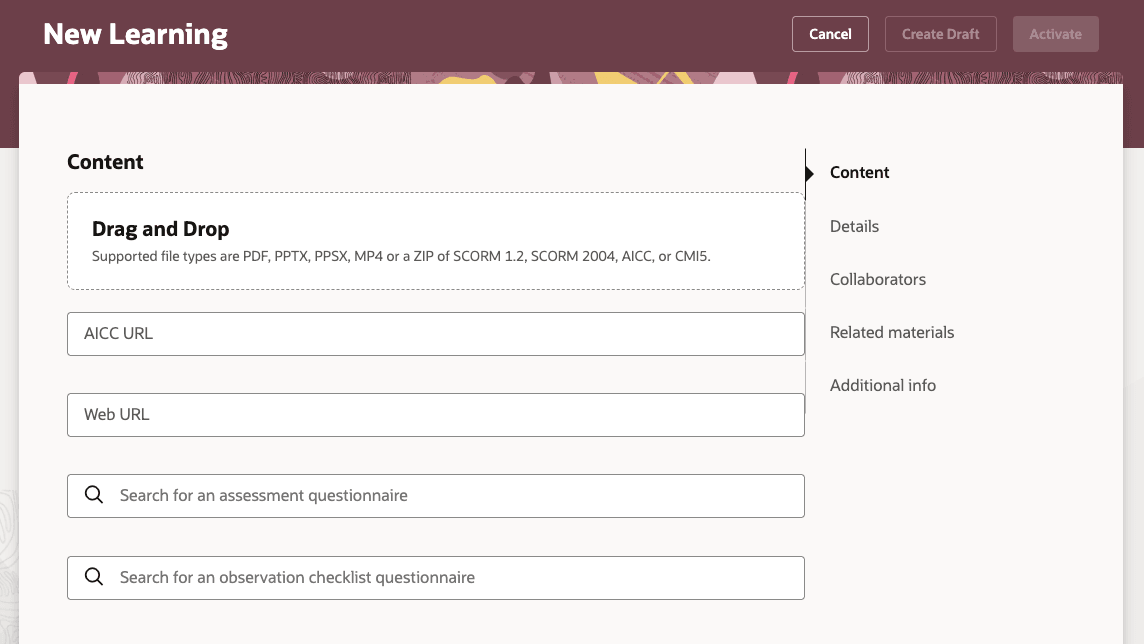
New Self-Paced Learning Page with the New AICC URL Field
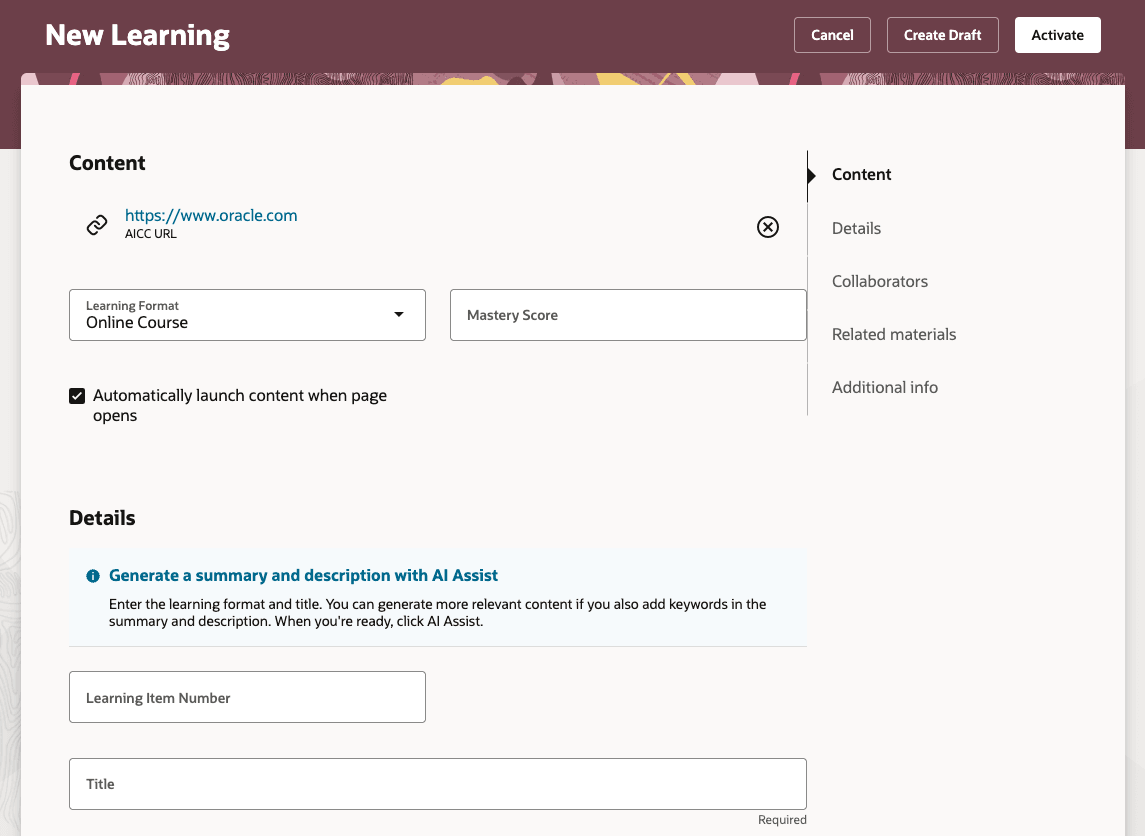
New Self-Paced Learning Page Showing the AICC URL and Learning Format and Mastery Score Fields
This enhancement simplifies course setup, reduces manual file handling, and accelerates the deployment of new learning content.
Steps to enable and configure
You need to enable self-paced learning to use this feature.
Tips and considerations
- There are separate AICC URL and Web URL fields to highlight an important difference. AICC URLs point to structured eLearning content, while standard web URLs link to general websites.
- Any content accessed with an AICC URL always opens in an external player, guaranteeing the content plays according to AICC standards and ensures a consistent experience consistent for everyone.
- If you decide to change the Mastery Score after learners have already started the course, you'll need to reconcile affected learning assignments to make sure that everyone with an active assignment gets the updated score.
- You can still add AICC content using .zip files. The URL is an alternative method and not a replacement.
Key resources
- Release 24D What's New feature Managing Self-Paced Learning Redwood Experience
- Learning Catalog Management: Redwood Experience [3052904.1] on My Oracle Support