Dynamic Staffing Grid Generation
With the new staffing grid calculation engine, you can set how each job or qualification’s staffing requirement is figured out—either by staffing ratio, fixed minimums, or manual entry. It’s easy to change these numbers for specific qualifications or time periods, letting you fine-tune the grid as business needs change. You can enter average daily volumes to automatically generate recommended staffing. And whenever you make manual changes, those updates are clearly marked in the grid. Reset options let you roll changes back individually or all at once, as needed. Throughout this process, everything you do is tracked with audit logs for complete transparency and compliance.
Here are the available calculation types that drive how staffing is determined:
| Calculation Type | What It Means |
|---|---|
| Staffing Ratio | Calculates staffing by dividing volume by a set ratio. Guarantees at least the minimum staffing when calculations fall short. |
| Fixed | Always uses the minimum staffing level you set--no calculations necessary. |
| None |
Lets you input every staff number yourself for maximum control. |
Workload consolidation gathers all the results you configure—by job, time interval, and week—making staffing plans easy to manage in one place.
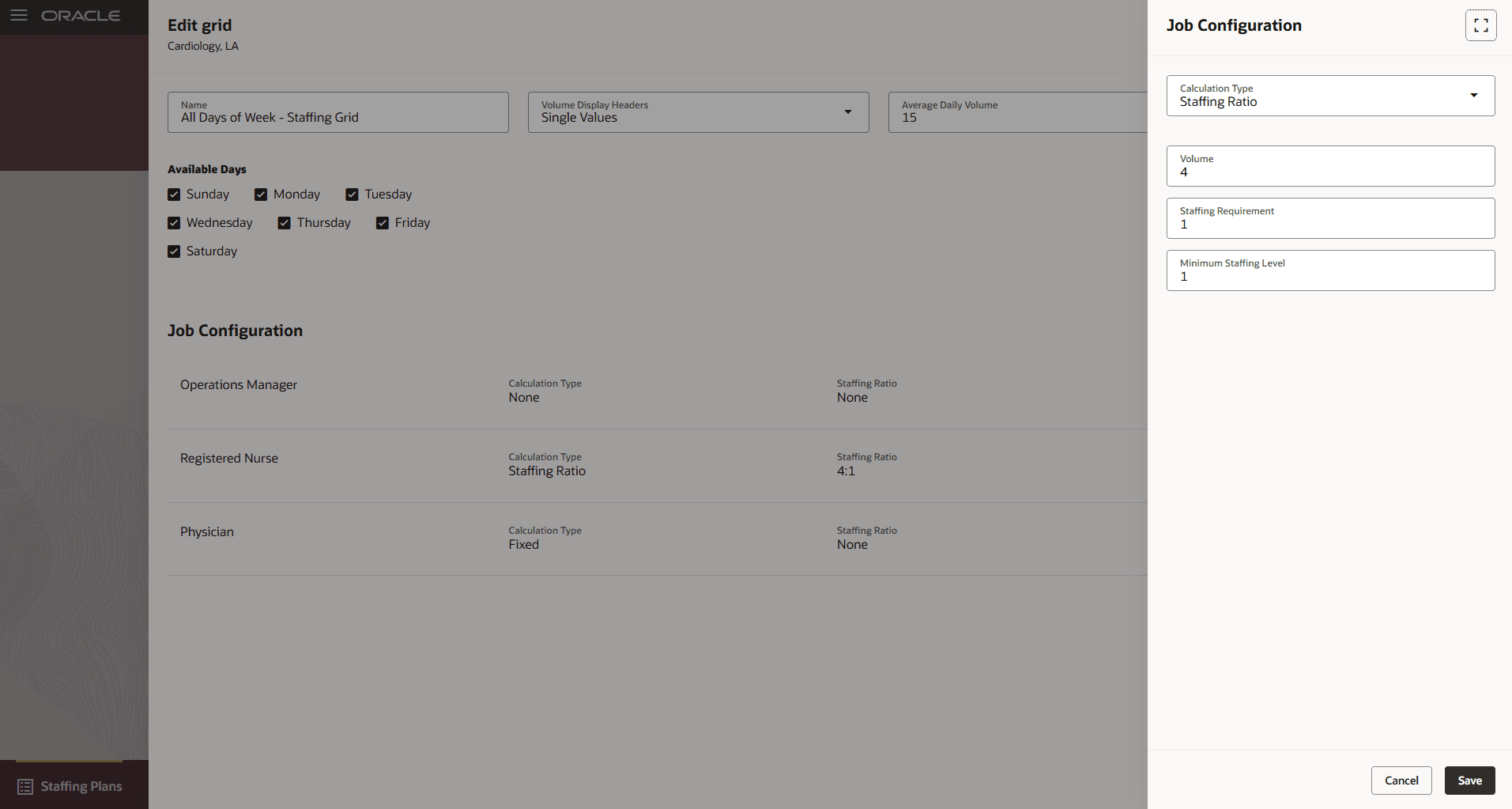
Edit Grid Page Showing the Job Configuration Panel
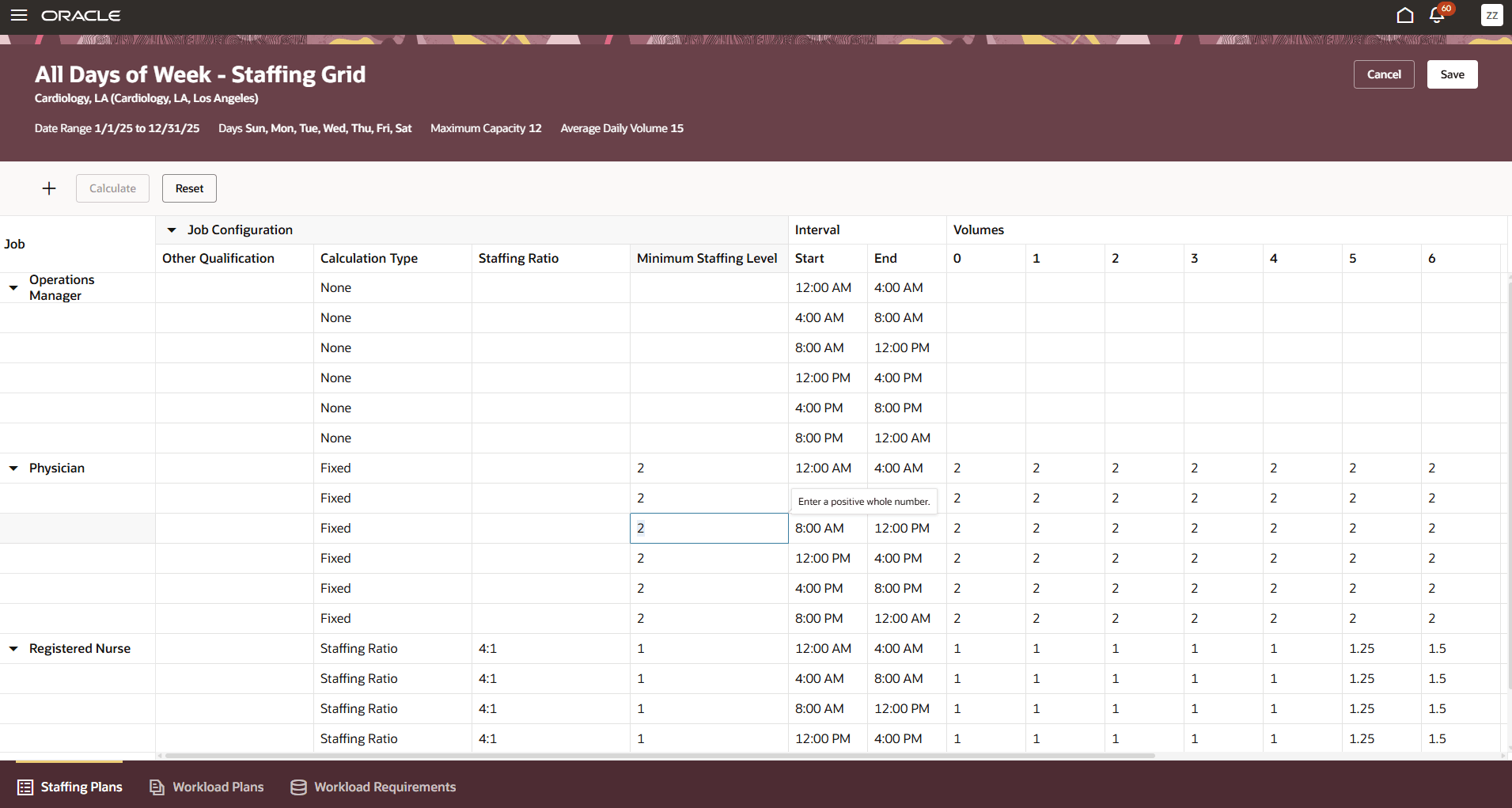
Staffing Grid Showing the Staffing Requirements for Each Volume Point
Workload consolidation then aggregates the staffing requirements from the generated staffing grid to produce detailed staffing needs for each jobs, time intervals, and day of the week. These details let schedulers efficiently assess, plan, and align overall workforce resources with operational demand based on the calculated or configured grid data.
This feature removes the busywork and guesswork from figuring out how many people you need by offering built-in, configurable calculations. Managers save time, lower the risk of errors, and can match planning directly to business, regulatory, and budget needs. Transparent tracking and audit features also support compliance and let you quickly adapt staffing when demands change—boosting efficiency and supporting your workforce goals.
Steps to enable and configure
The schedulers or schedule administrators working with staffing grids need access to the relevant departments and locations.For details, see Schedule Generation Profiles for Workforce Scheduling in Implementing and Administering Workforce Scheduling.
Tips and considerations
- Set the job-level staffing ratios at such a level as to support Job-Qualification level fixed requirements. If a certification or language is required, don't forget to factor it into the job-level staffing ratio.
- Overridden staffing ratio or calculation types can be configured for specific time intervals in the staffing grid, or for different days of the week in a separate staffing grid configuration.
Key resources
For more background, see the release 25A feature Staffing Plans and Grids