Enhanced Representative Agent
The Representative Agent is your AI-powered assistant designed to respond to relationships between representatives and their workers quickly and accurately. It understands the context of a representative responsible for their assigned group of people and their span of control, thereby providing relevant responses.
With the Representative Agent, you can make use of these capabilities:
- Search for responsibility-related information appropriate for a HR representative. For example, you can search for the following information:
- Show your own areas of responsibilities (AORs).
- List the employees you're responsible for as their representative.
- Logged-in user can request a deep link to their Assigned Areas of Responsibility page.
Here are sample responses based on a few questions identified above. As long as you have assigned AORs, you can ask the agent to return a list of your AORs. The workers associated to that AOR will also be listed, as shown in this example:
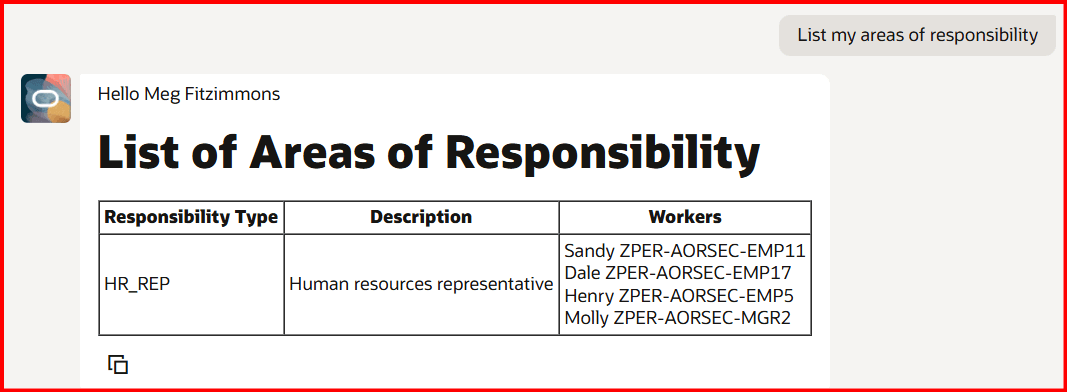
Results of My Areas of Responsibilities
For performance reasons, the Representative Agent returns a list of 10 workers at a time, until all workers under the span of control have been listed. To see the next set of 10 workers, you must respond with Show more.
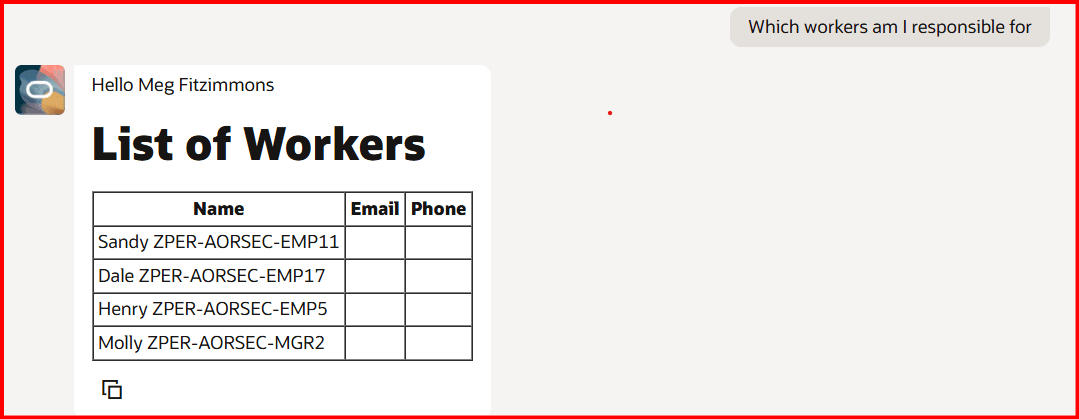
Results Showing Workers Based on My Areas of Responsibilities
Assuming the logged-in user has access to the Assigned Areas of Responsibility page, a clickable link will be provided in the agent response.
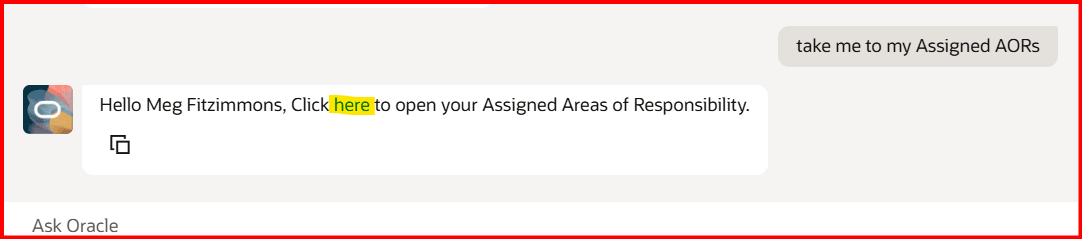
AI Response Includes Deep Link to Assigned Areas of Responsibility
Here's some benefits of using the Representative Agent instead of the UI:
- Provides access to relevant resources through a Retrieval-Augmented Generation (RAG) tool.
- Uses large language models (LLMs) for natural-language understanding which includes summarizing journey or task status, identifying overdue or upcoming tasks, and quickly aggregating information across teams or individuals.
- Removes the learning curve for new or infrequent users, minimizes training, and manual filtering.
Business benefit: Rather than navigating to specific AOR pages and perform their own searches, HR representatives and business partners can get quicker results by asking the AI Agent questions as a self-service user.
Steps to enable and configure
- Your environment must have certain necessary configurations. Ask your help desk to contact Oracle Support, who can verify what your environment has and address any gaps. For more information, see FAQ2521 on My Oracle Cloud Support.
- Set the Enable Security Console External Application Integration (ORA_ASE_SAS_INTEGRATION_ENABLED) profile option to Yes and enable permission groups for the appropriate roles. See Access Requirements for AI Agent Studio.
- The Representative Agent is a preconfigured template. You need to create your own agent using the preconfigured template.
- To learn how to set up AI agents, see Create AI Agents Using Preconfigured Agent Team Templates.
Tips and considerations
- You can control what information the agent can return. With role-based data security (RBAC), users only see the data that their role permits.
- This AI Agent runs against the Representatives Data denormalized table, so you must run the Refresh Representative Data process to ensure displaying the latest representative-worker relationship detail.
- Counting and sorting of workers assigned to representatives is not available with this release.
Key resources
Access requirements
The agents you can view depend on the roles and privileges assigned to you. To access this agent, your role must be explicitly granted access to it by an AI Studio Administrator. See How can I give users access to AI agents, and Access Requirements for AI Agent Studio.