 Open Journey Report Task in a New Tab
You can now open reports in a new browser tab when users access a Report journey task. This provides a cleaner viewing experience and makes it easier to navigate between the journey and the report without losing context.
To enable this behavior, ensure that the option Open report on same tab as task is disabled. This enhancement is applicable only to the Report task type and is supported in both regular journeys and guided journeys.
From the new tab, users can also download the report for offline access or sharing. Depending on browser configuration and capabilities, reports can be downloaded in PDF, HTML, DOC, or DOCX formats.
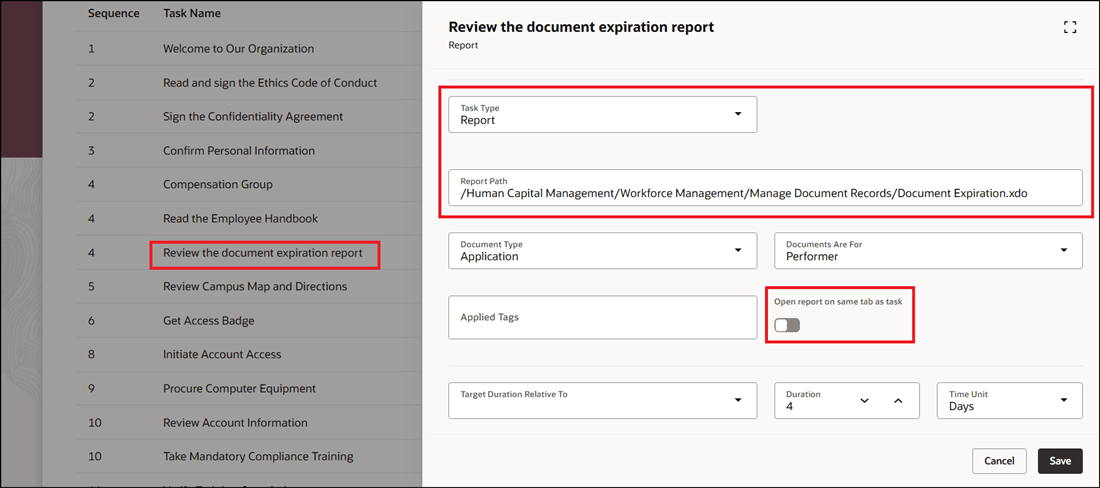
Configure Report Task to Open Report in New Tab in Regular Journey
Click the link in the task to access the report.
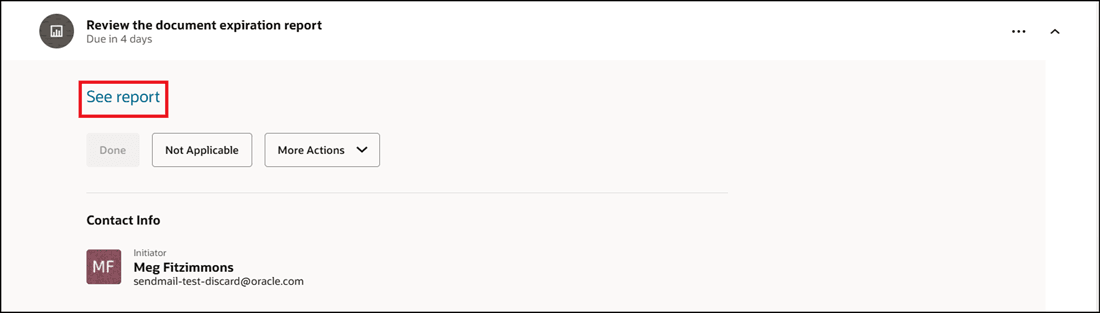
Click Task Link
The report opens in a new tab of the browser. Based on your browser capability and configuration, the report automatically downloads in a document format, PDF for example. Alternatively, you can save the report in the format of your choice to print later.
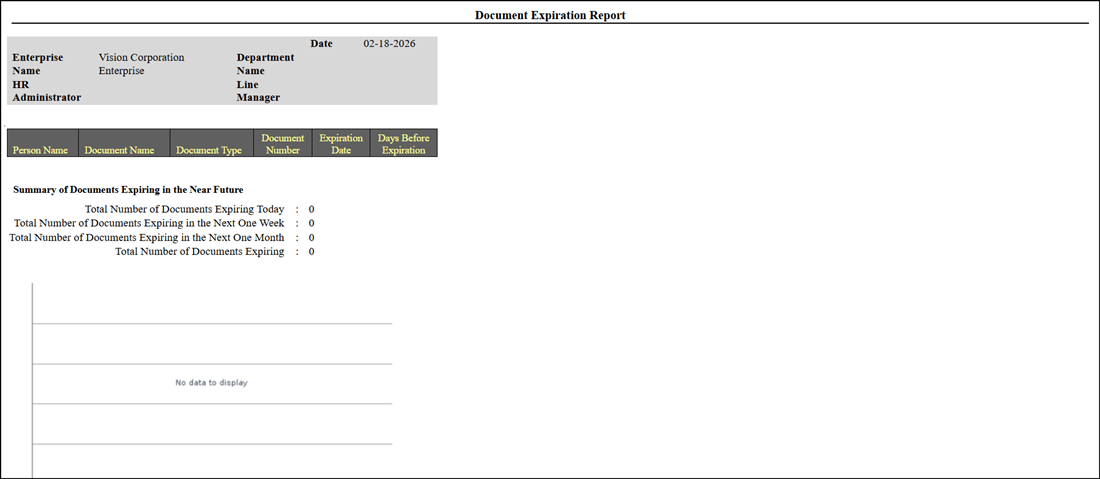
Report Opens in New Tab
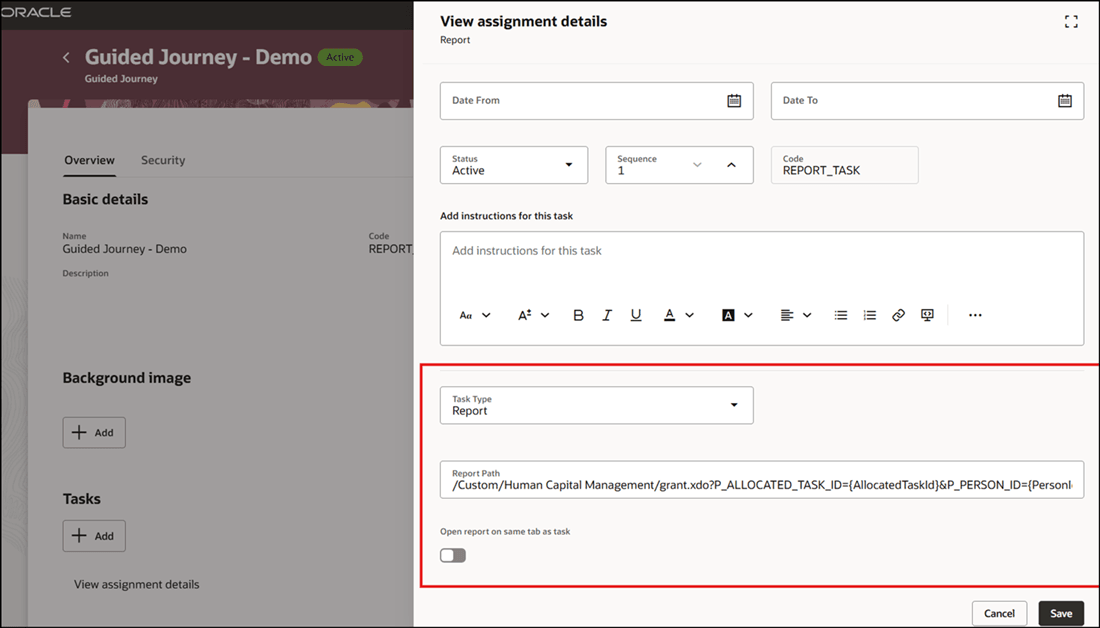
Configure Report Task to Open Report in New Tab in Guided Journey
If the option Open report on same tab as task is enabled, then the report won't be downloaded.
Improves user experience by allowing reports to open in a separate tab, making it easier to review content without disrupting progress in the journey. It also enhances productivity by enabling quick download and sharing of reports for offline access and record-keeping.
Steps to enable and configure
For more information, see this topic: Configure to Open Journey Report Task in a New Tab
Key resources
For more information about journeys, refer to the Implementing and Using Journeys guide on Oracle Help Center.
Access requirements
You must be granted the Manage Journey (ORA_PER_MANAGE_JOURNEY_TEMPLATE) aggregate privilege to work on journey templates.