Open External URL Directly for Guided Journey Tasks
External URL guided journey tasks now open directly in a new tab by default when no task notes or instructions are configured for that task. When users click the action button on the guided task banner, the external URL page launches immediately.
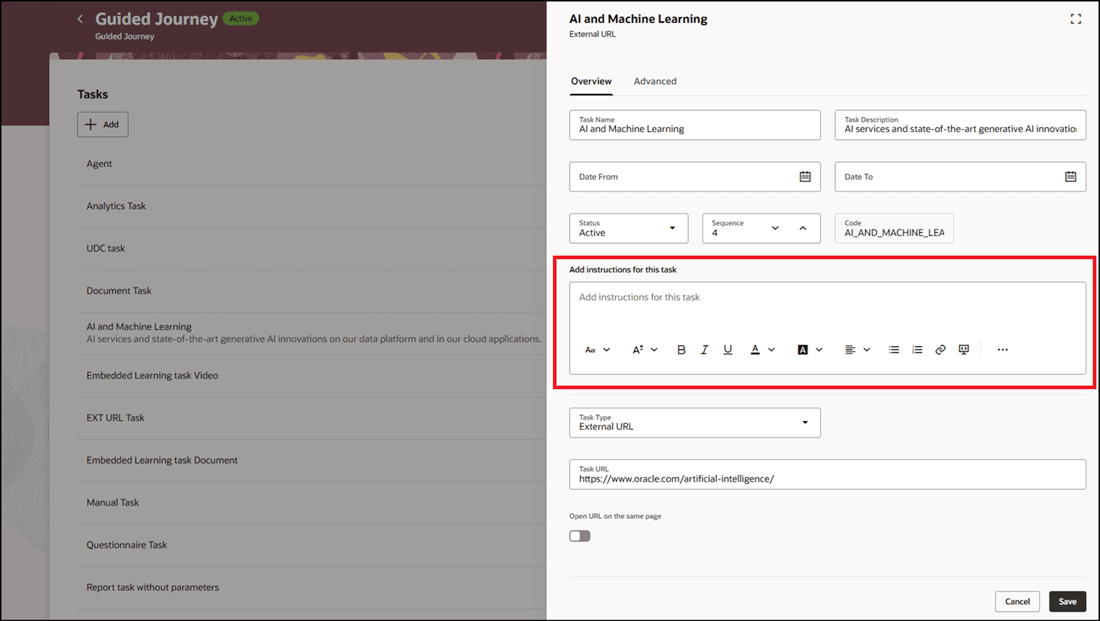
External URL Task in a Guided Journey with No Task Instructions
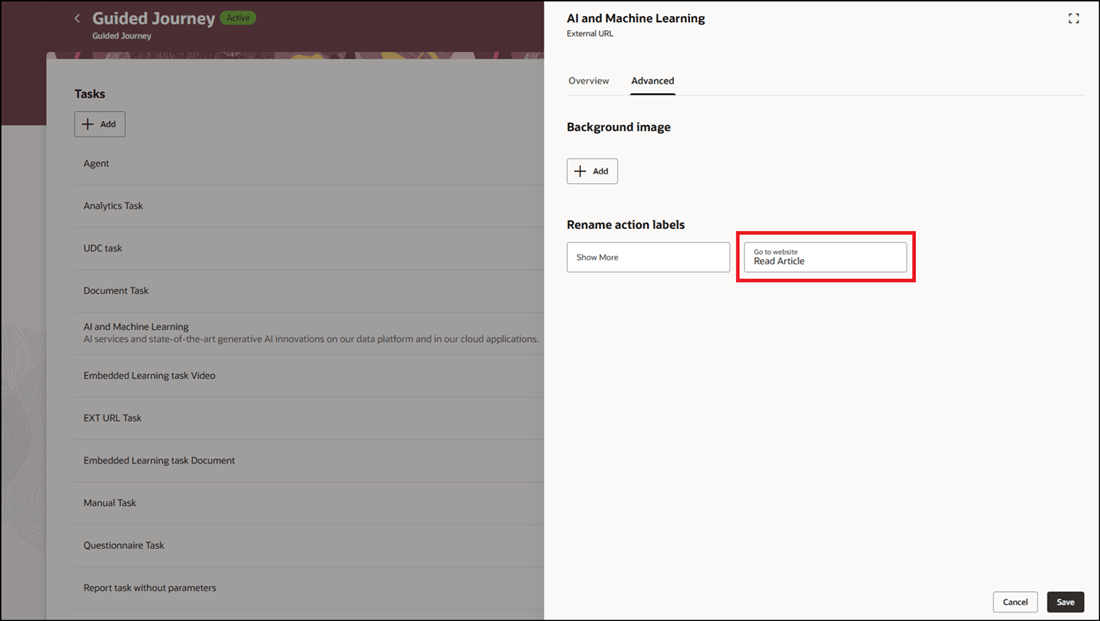
Rename Action Label for Guided Journey Task
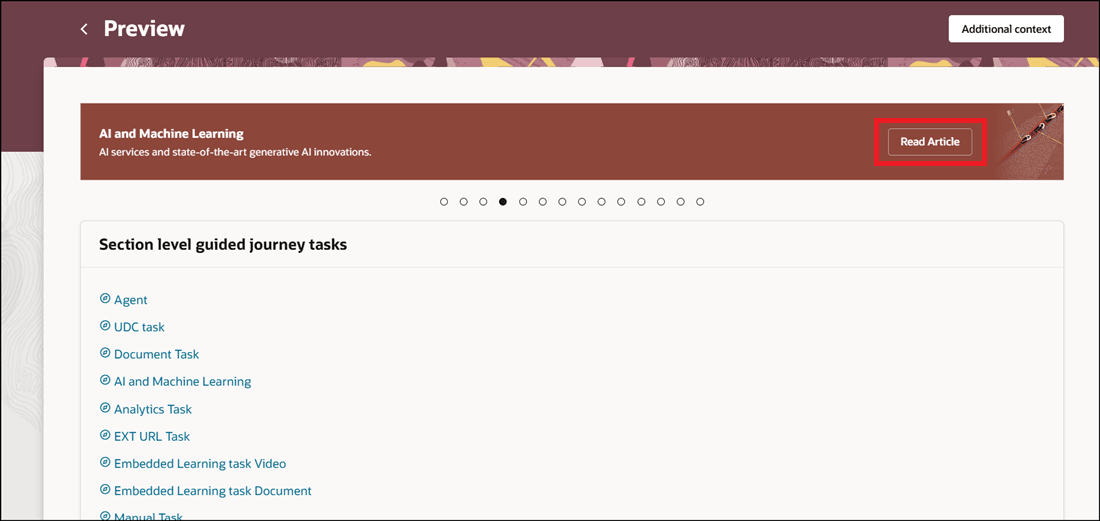
Click Action Directly from Task Banner

Page Opens in New Tab Directly When You Click Action from Task Banner
Provides a faster and more seamless user experience by allowing employees to access external resources instantly without additional clicks. It also reduces configuration effort by eliminating the need to add task instructions when they aren’t required, simplifying journey setup.
Steps to enable and configure
For more information, see this topic: Configure to Directly Open External URL Task in Guided Journey
Key resources
For more information about journeys, refer to the Implementing and Using Journeys guide on Oracle Help Center.
Access requirements
You must be granted the Manage Journey (ORA_PER_MANAGE_JOURNEY_TEMPLATE) aggregate privilege to work on journey templates.