Trigger Workflow Agent When Journey Task is Saved with AI Assistance
You can now associate workflow agents with journey tasks by configuring a workflow agent to trigger when a task is saved as draft, without waiting for the task to be completed. This allows business processes to start earlier, improving responsiveness and reducing delays.
Here’s how the process works:
-
A workflow agent is associated with a specific journey task.
-
When the journey task is saved (draft status), the workflow agent is triggered automatically.
-
The workflow agent executes predefined business logic, such as sending notifications or initiating external system actions.
Here’s an example where you can trigger an associated workflow agent: Generate an email and place an order for a t-shirt when an employee completes their task of enrolling in a training.
-
An employee begins a journey task to enroll in a training program.
-
The employee saves the journey task.
-
When the task is saved, these actions follow:
-
A workflow agent automatically notifies a t-shirt vendor to place an order.
-
The employee receives confirmation that their t-shirt order has been placed.
-

Configure Workflow Agent to Trigger After Saving Task
When the Enroll in Training task is saved by the employee, the workflow agent automatically notifies the t-shirt vendor and employee through email.

Save the Task
These parameters are passed to the workflow agent:
- workerJourneyId
- workerJourneyTaskId
- assignmentId
- personId
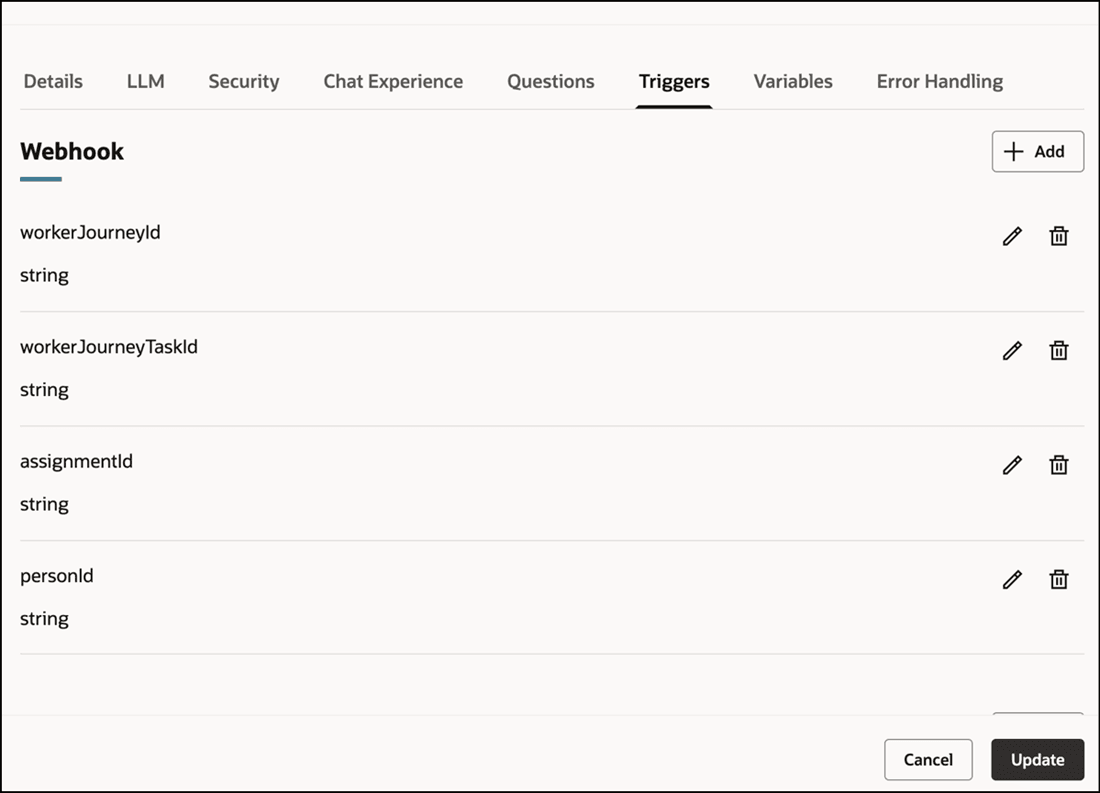
Parameters for Journey Workflow Agent
Business benefit: This feature allows downstream processes to begin sooner while reducing the need for manual follow-ups and coordination, resulting in greater operational efficiency through automation.
Steps to enable and configure
-
For more information, see the Trigger Workflow Agent when Journey Task is Saved section in this topic: How do I create journey tasks?
-
Your environment must have certain necessary configurations. Ask your help desk to contact Oracle Support, who can verify what your environment has and address any gaps. For more information, see FAQ2521 on My Oracle Cloud Support.
-
Set the Enable Security Console External Application Integration (ORA_ASE_SAS_INTEGRATION_ENABLED) profile option to Yes and enable permission groups for the appropriate roles. See Access Requirements for AI Agent Studio.
Tips and considerations
-
Currently, you can only trigger the workflow agent from the journeys UI. If you use HCM Data Loader or REST API to save the journeys task, the workflow agent won’t be triggered.
-
Users who participate in the journey need to be granted access to the associated workflow agent.
Key resources
For more information, refer to these resources:
Access requirements
-
You must be granted the Manage Journey (ORA_PER_MANAGE_JOURNEY_TEMPLATE) aggregate privilege to work on journey templates.
-
The agents you can view depend on the roles and privileges assigned to you. To access this agent, your role must be explicitly granted access to it by an AI Studio Administrator. See How can I give users access to AI agents, and Access Requirements for AI Agent Studio.