Translation Editor Support on Redwood Jobs Page
Users can now use the Redwood Translation Editor to seamlessly to translate the job name directly on the Redwood Jobs page. This enhancement eliminates the need to sign out and sign back in with a different language to enter translations, thereby streamlining the translation process. This tool provides an inline, language-aware interface for managing translations, allowing real-time entry and updates of multilingual content.
For example, the Job name needs to be translated into Canadian French language. The user selects the Job name row and selects Translation Editor.
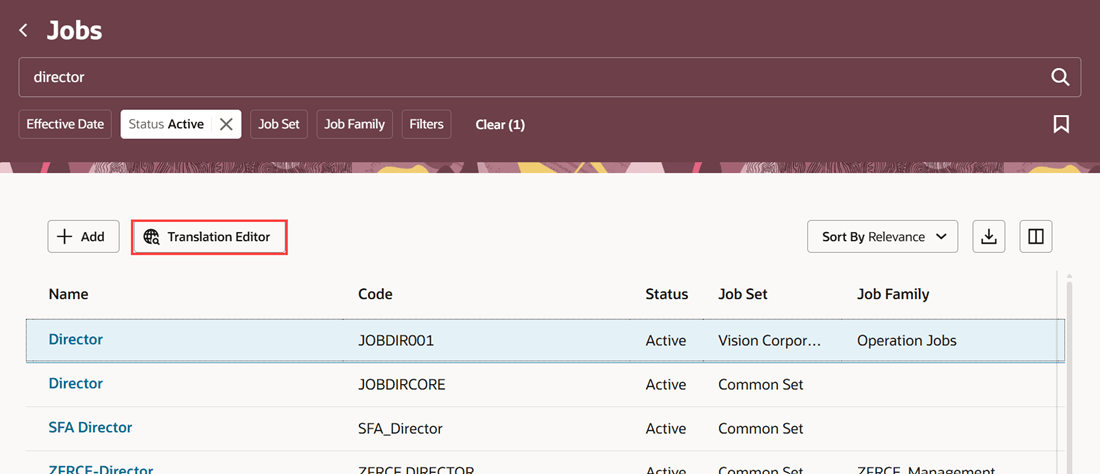
Translation Editor on the Redwood Jobs page
The user selects Canadian French language for which translations need to be added and selects Edit.
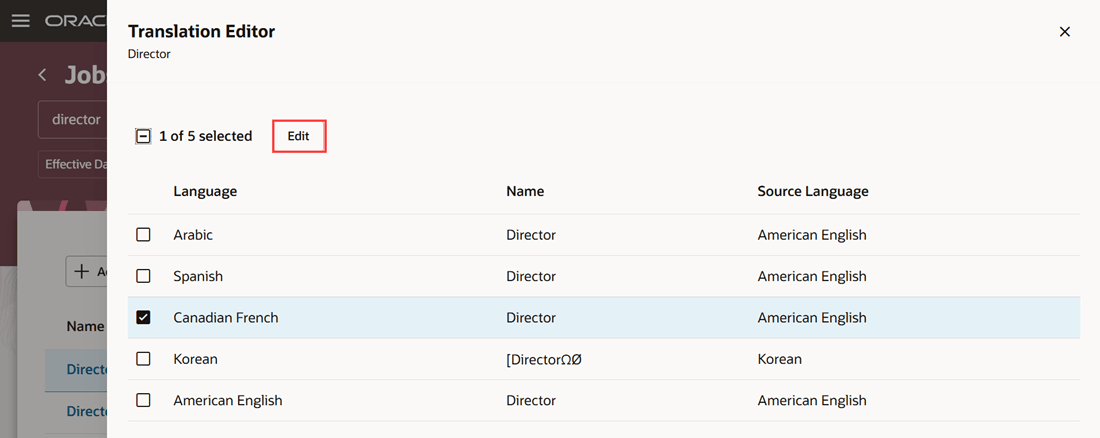
Select required languages
The user adds Canadian French translations for the different attributes and selects Update.
NOTE: You can also use Generative AI in the translation editor to produce accurate translations for the job name across multiple languages, reducing the need for manual translation efforts.
This will help to improve the consistency, speed, and quality of localized content while allowing you to review and edit translations before publishing.
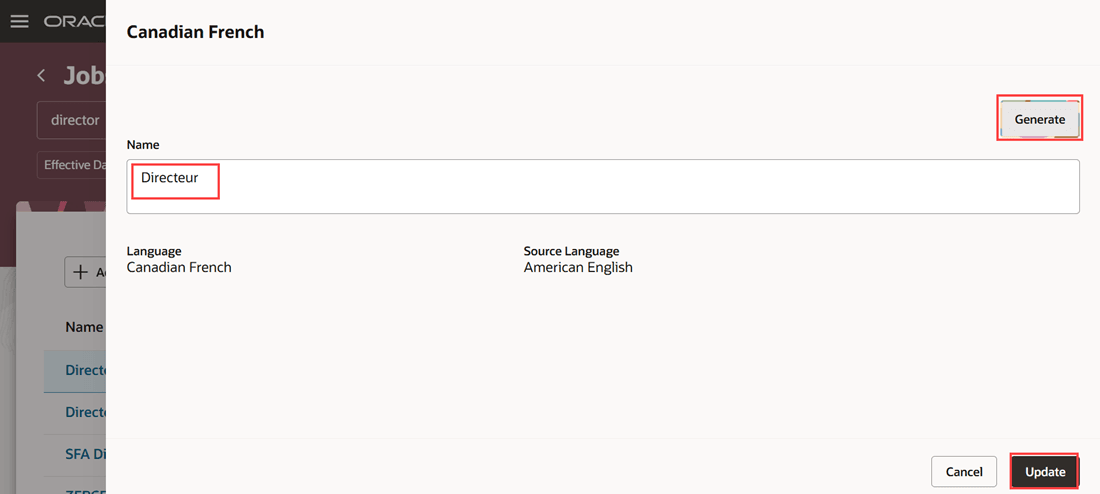
Enter translated values
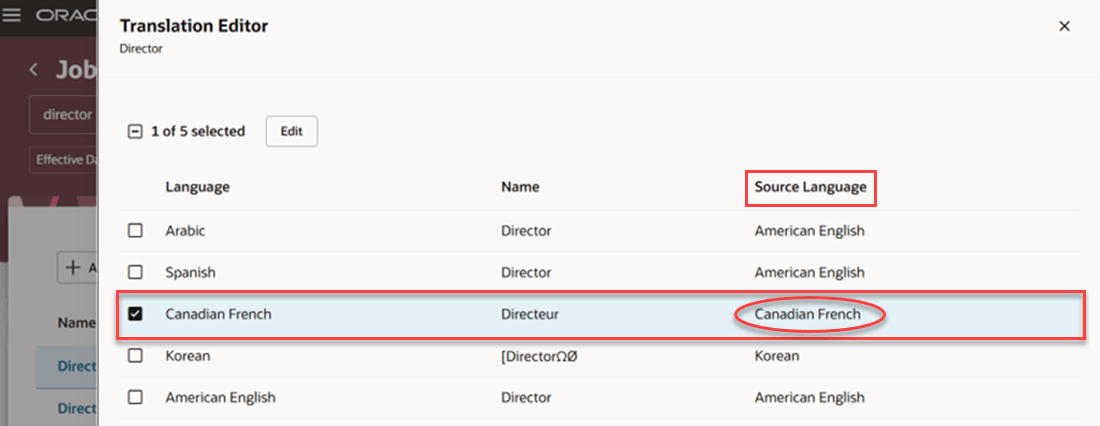
Source language changes to the translated language
Improves translation efficiency by allowing users to manage translations in a single session without switching the session language. With the additional feature of Generative AI, it also helps to reduce the time and effort required to translate the job names into multiple languages while improving translation consistency.
Steps to enable and configure
See Translate Workforce Structures Fields in Multiple Installed Languages in Redwood.
Tips and considerations
- The Translation Editor button remains disabled by default, and it’s enabled only when you select a record.
- Only those text attributes that have a value and are translatable will appear in the translation panel drawer. For jobs, only the name is translatable.
- Updates done in the Translation Editor aren’t routed for approvals.
- Translation Editor isn’t available for records that have pending transactions.
- The Generate button is displayed by default.
- The translations that you generate using Generative AI may contain inaccuracies. You need to review them before you update them.
Key resources
For more information, refer to these resources on the Oracle Help Center:
- Jobs and Positions chapter, Implementing Global Human Resources guide.
- Extending HCM Redwood Applications Using Visual Builder Studio guide
Access requirements
You will be able to see the Translation Editor button on the Redwood Jobs pages only if you have the privilege Manage Job (ORA_PER_MANAGE_JOB_DATA) to update a job.