Manage Jobs with AI Assistance
In continuation of the Jobs Assistant (Supervisor Agent) introduced in Release 26B (Manage Jobs with AI Assistance), we have now delivered an enhanced workflow agent Jobs Management Assistant.
Jobs Management Assistant is a new, separate workflow agent that extends the job management capabilities. Apart from the creating, viewing, editing, and deleting capabilities from the earlier version, it has additional capabilities such as finding jobs that are no longer being used in a position or assignment, or finding jobs without job families or grades.
This workflow agent includes all the capabilities of the existing Release 26B Jobs Assistant supervisor agent and extends functionality to support HR professionals, enabling them to manage jobs more efficiently across their teams and workforce. It leverages advanced large language models (LLMs) to understand your natural-language requests and provide contextual, accurate assistance when creating, viewing, editing, and deleting jobs, or in finding specific jobs.
NOTE: The existing Supervisor Agent template will no longer be supported. Instead, you can use the workflow agent template.
Here are a few points to note:
- If you’re currently using a copy of the Release 26B agent, you can continue using it without disruption. However, it will continue to support only the functionalities that were delivered as part of that agent, and not the new capabilities.
- This enhancement gives greater flexibility by allowing you to either continue with the existing supervisor agent or adopt the enhanced workflow agent for expanded job management.
Here are some benefits of using this workflow agent instead of the UI:
- Generates dynamic summaries and change insights, highlighting what’s been modified across job versions.
- Offers interactive prompts and confirmations for safer execution of job changes.
- Ensures higher data quality and consistency from standardized creation and edits.
- Helps to maintain a leaner, more relevant job catalog by helping identify unused jobs.
- Facilitates greater strategic focus for HR teams on workforce planning and transformation.
- Streamlines job creation, review, and updates using intuitive workflows and lightweight triggers to cut turnaround time and reinforce governance.
- Detects jobs missing key attributes such as family or function, and guides corrective actions to maintain a structured, compliant framework.
View Jobs
The Jobs Management Assistant agent provides additional capabilities to the HR professionals such as finding jobs that are no longer being used in a position or assignment, or finding jobs without job families or grades. The agent also provides the existing capabilities from the earlier version, such as quickly accessing and reviewing job details, including active jobs, historical versions, Summary of changes, and effective-dated records.
NOTE: While displaying job details, the agent shows the following columns: Name, Code, Status, Job Set, and Job Family.
Here are some sample queries that HR professionals have about viewing jobs, which the agent can answer:
- Find the jobs that are currently unused in any position. Shows top 5 jobs
- Find the jobs that are currently unused in any assignment. Shows top 5 jobs
- Find the jobs that were never used in any position
- Find the jobs that were never used in any assignment
- Find the jobs that currently don’t have any grade assigned
- Find all jobs that are untranslated in the system - Shows a list of jobs along with the language in which they’re not translated in the system. Untranslated means that the value in that language row is the same as the value in the English row. For example, the Korean row may still have an English value in it. As long as the value in the Korean row is different from the value in the English row, it will be considered as translated. If it’s the same value, it’s considered as untranslated.
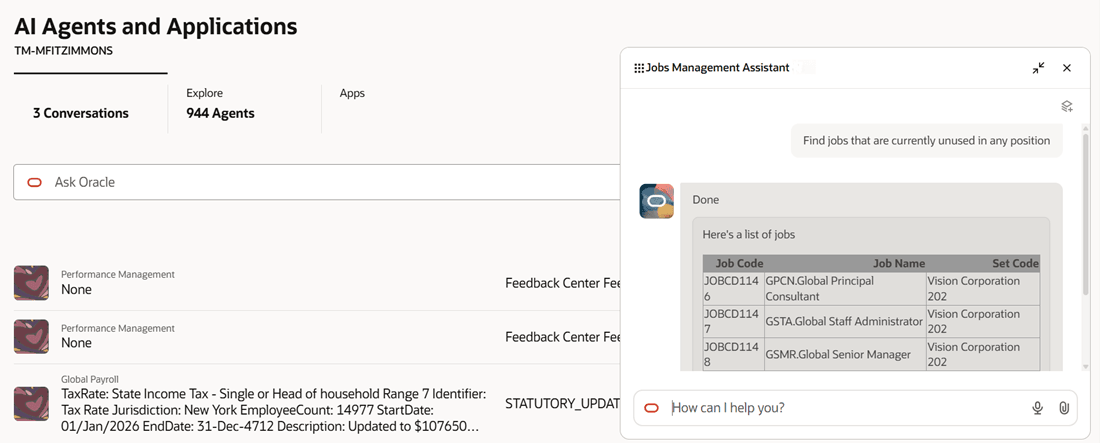
Jobs that are currently unused in any position
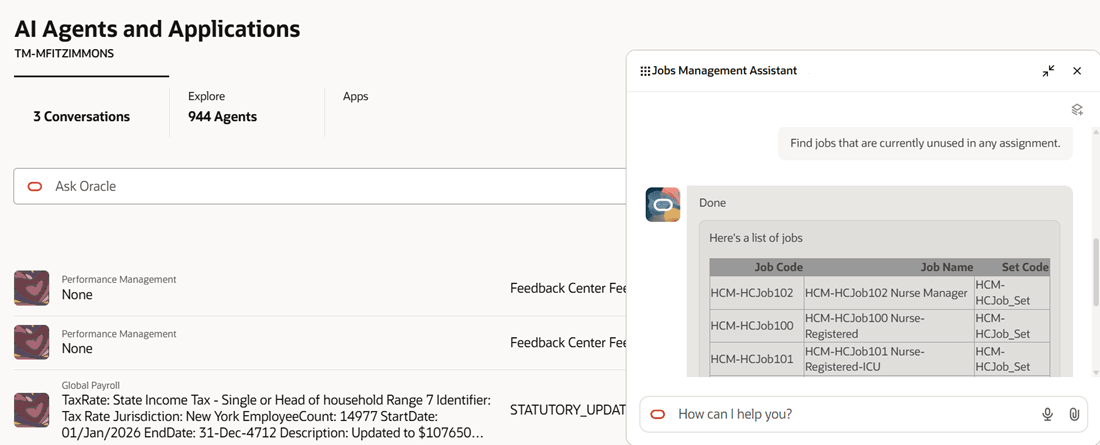
Jobs that are currently unused in any assignment
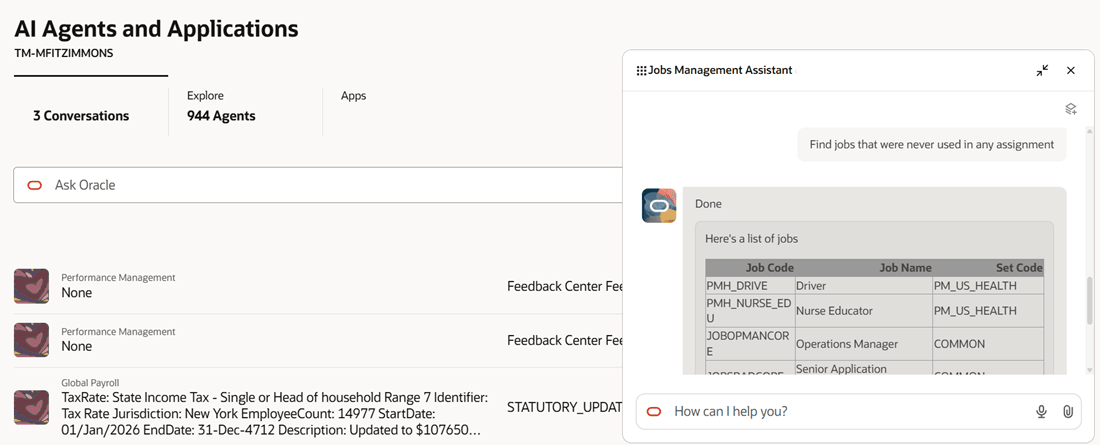
Jobs that were never used in any assignment
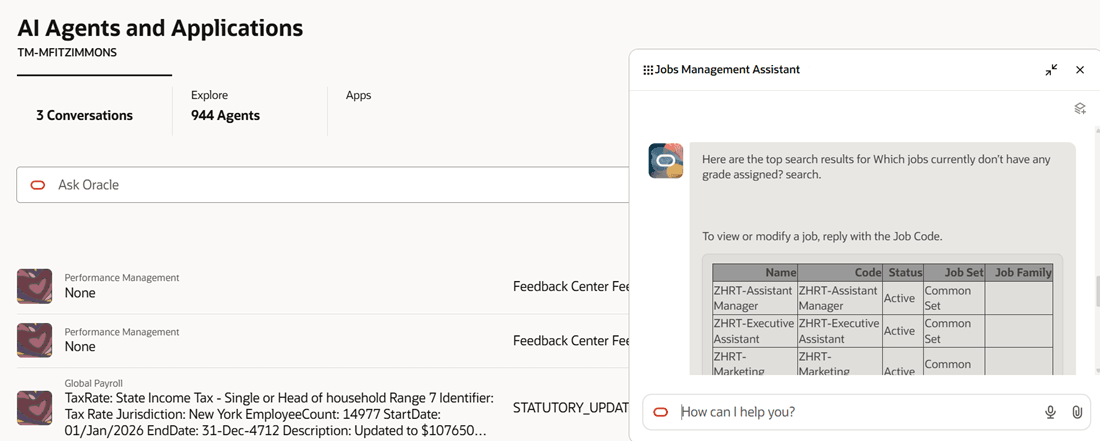
Jobs that currently don’t have any grade assigned
Business benefit: The agent reduces the time spent by HR professionals in manual review of job data and improves data accuracy by preventing delays and inconsistencies. It streamlines the maintenance of job catalogs by eliminating unused jobs and accelerating job creation and updates.
Steps to enable and configure
-
Your environment must have certain necessary configurations. Ask your help desk to contact Oracle Support, who can verify what your environment has and address any gaps. For more information, see FAQ2521 on My Oracle Cloud Support.
-
Set the Enable Security Console External Application Integration (ORA_ASE_SAS_INTEGRATION_ENABLED) profile option to Yes and enable permission groups for the appropriate roles. See Access Requirements for AI Agent Studio.
-
The Jobs Assistant is a preconfigured template. You need to create your own agent using the preconfigured template.
-
To learn how to set up AI agents, see Create AI Agents Using Preconfigured Agent Team Templates.
-
Tips and considerations
Controlling what information the agent can return
- What's honored: Role-based data security (RBAC). Users see only that data which their role permits.
- What’s not honored: Localization rules and your own business rules in Visual Builder Studio aren't enforced by the Agent.
What's not included
- Data that's pending for approval isn't retrieved by the agent.
- Any object that has more than 25 rows will return only 25 rows.
Key resources
Access requirements
The agents you can view depend on the roles and privileges assigned to you. To access this agent, your role must be explicitly granted access to it by an AI Studio Administrator.
See How can I give users access to AI agents, and Access Requirements for AI Agent Studio.