Break Management for Scheduled Shifts
Schedule managers can view and manage paid and unpaid break start and end times on assigned scheduled shifts. Existing paid and unpaid break duration fields remain available, while detailed break records capture when each break starts and ends.
Open shifts don’t have detailed break start and end times. They continue to show only paid and unpaid break durations.
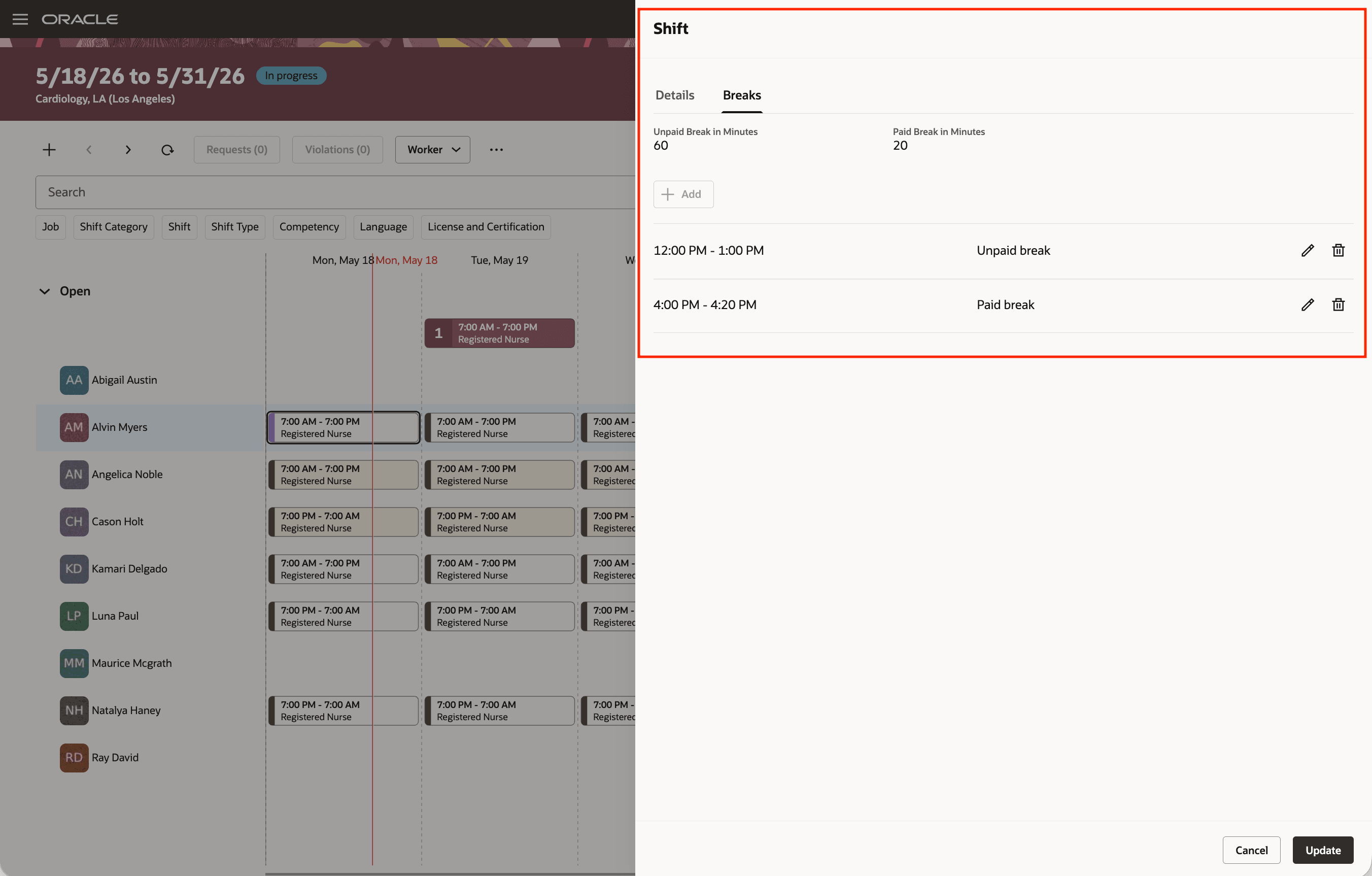
Schedule Managers Views and Manages Breaks
When an assigned shift matches the worker’s work pattern shift start and end times, fixed break details can be created from the work pattern.
For unpaid breaks, the shift unpaid break duration must match the work pattern unpaid break duration.
For paid breaks, the application can copy the paid break duration from the work pattern when the shift doesn’t already have one, and then create fixed paid break details. If the shift already has a paid break duration, it must match the work pattern paid break duration before fixed paid break details are created.
Break details also follow shift assignment changes:
- When an open shift is assigned, eligible fixed breaks can be created from the worker’s work pattern.
- When a shift is unassigned, detailed breaks are deleted.
- When a shift is reassigned and at least one break was manually entered, all detailed breaks on the shift are retained.
- When all detailed breaks were derived from the work pattern, they’re removed and replaced with the new worker’s eligible work-pattern break details.
- Other shift edits retain detailed break information.
Schedule validation checks whether detailed breaks:
- Are within shift times
- Don’t overlap
- Are consistent with shift break durations and work pattern break details
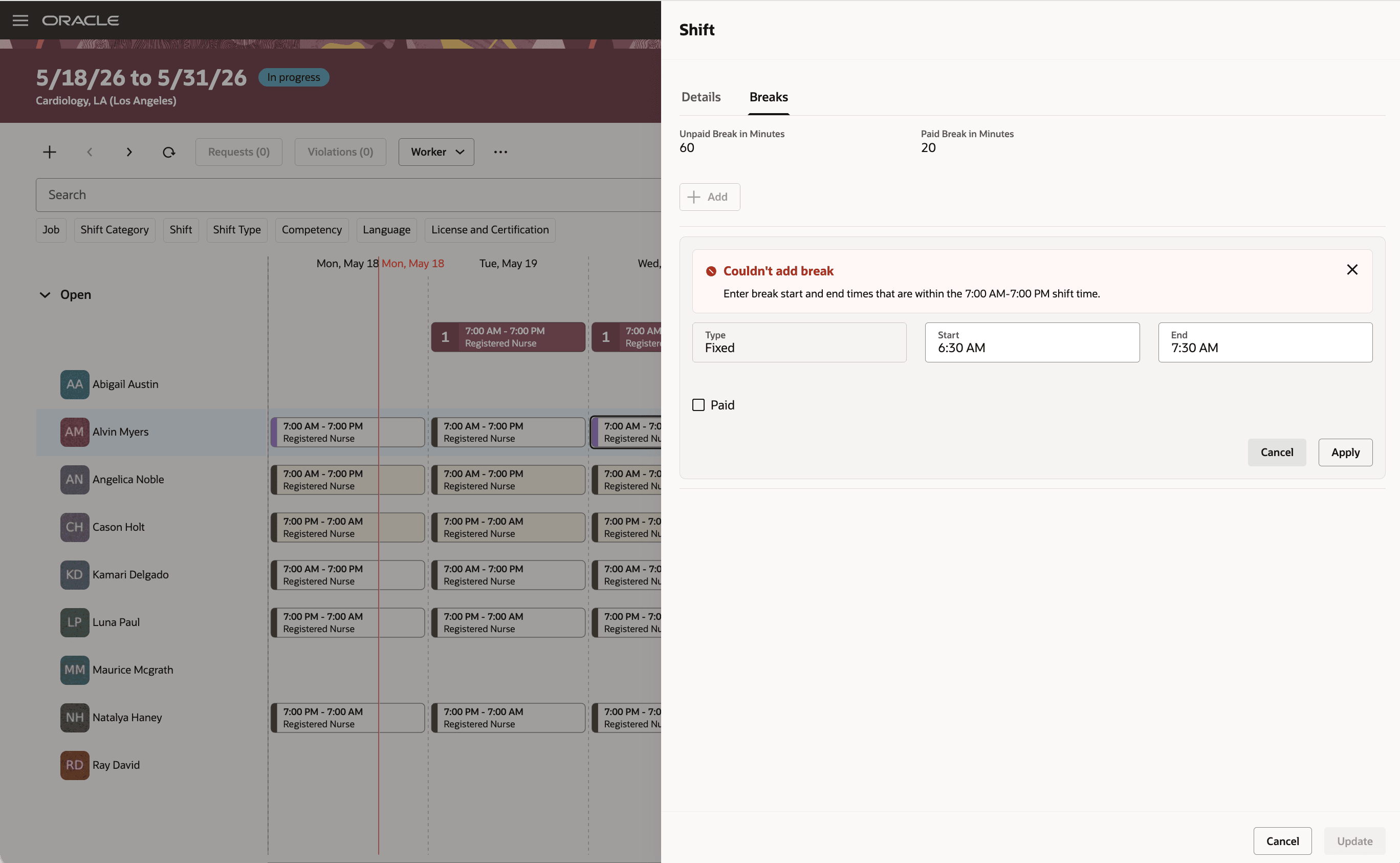
Validation of Break Consistency with Shift Times
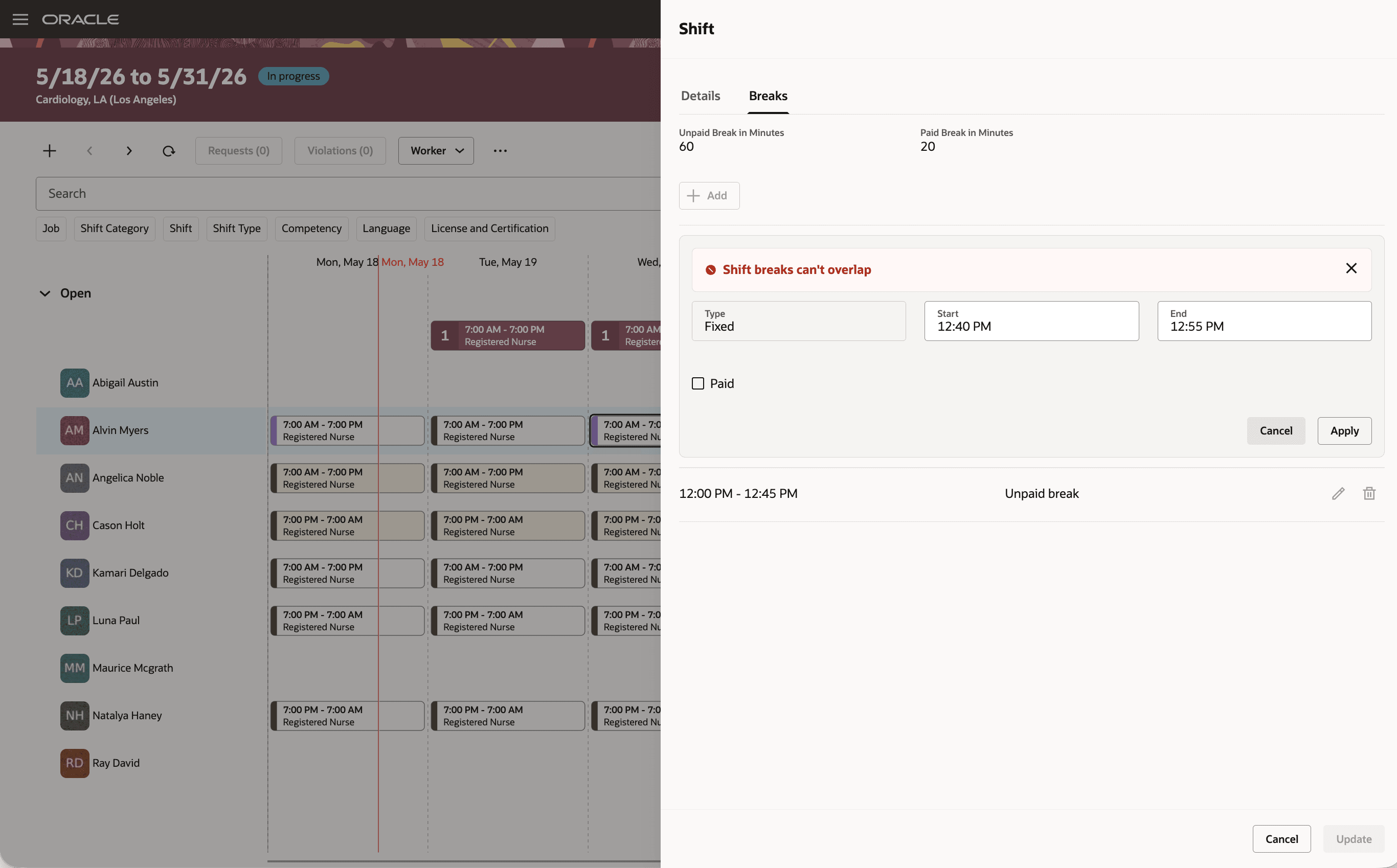
Validation of Break Overlapping
Coverage information can also reflect detailed unpaid break placement when the workload source supports it.
Workers, schedule managers, line managers, and Time and Labor administrators or managers can view break details in shift detail views.
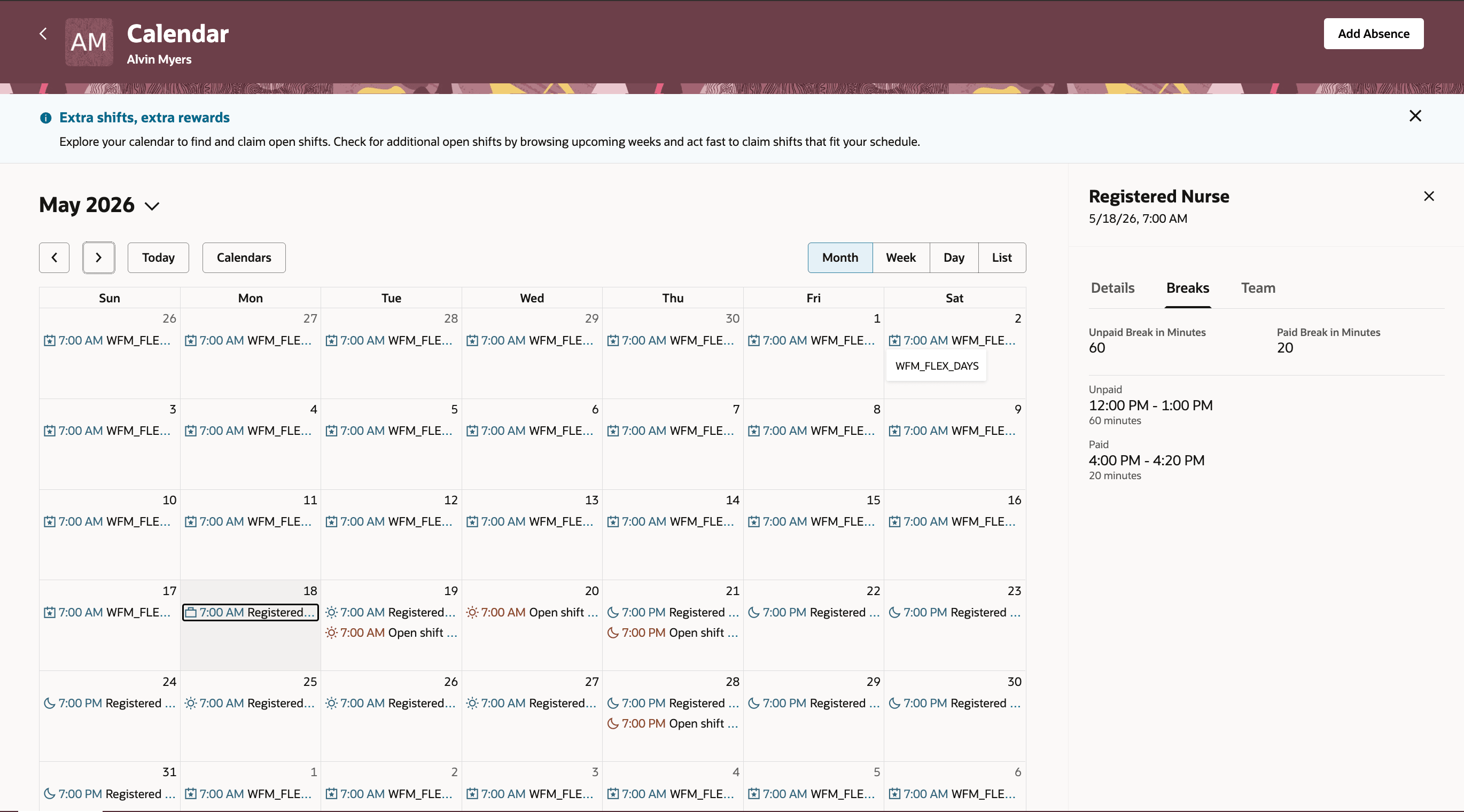
Worker Sees Breaks Details on Desktop Calendar
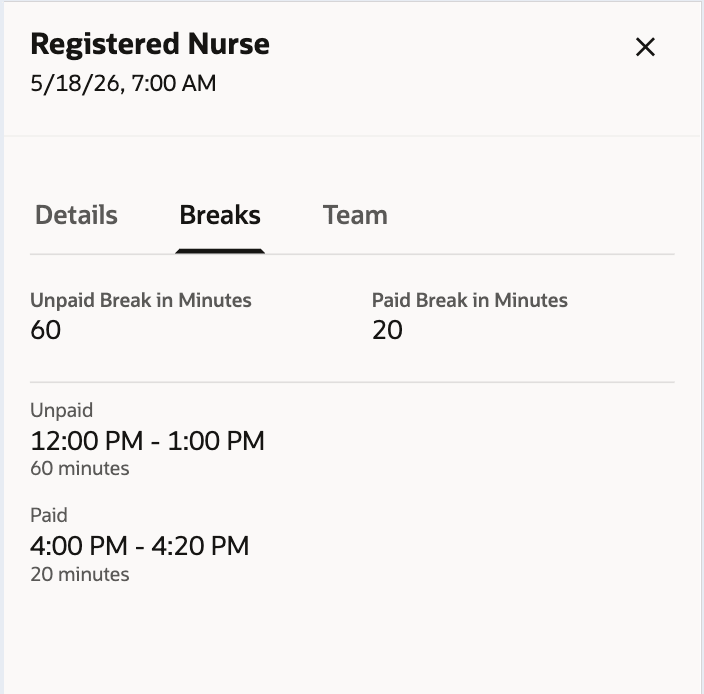
Worker Sees Breaks Details on Mobile Calendar
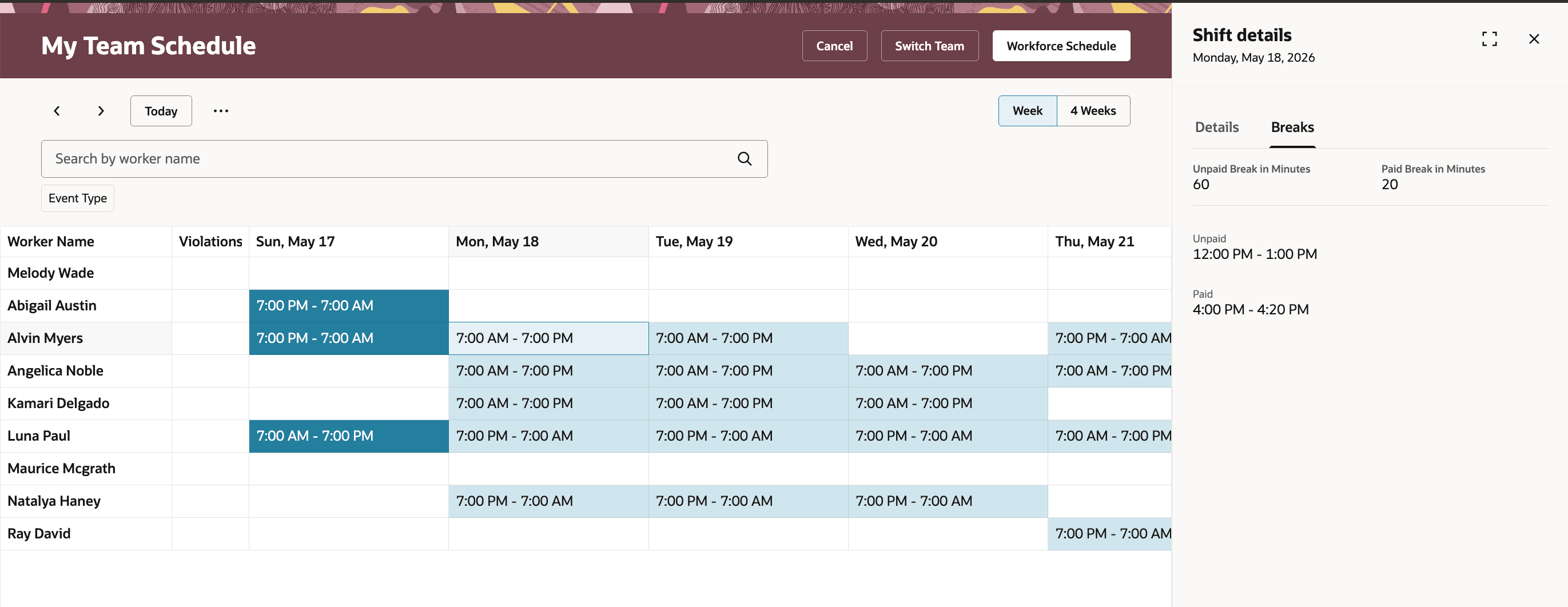
Managers Sees Breaks on Team Schedule
The workforceScheduleShifts REST export includes shift detail break information so integrations can read detailed break start and end times.
Practical use-case scenarios
- Fixed lunch break from a work pattern: A schedule manager generates a shift for a worker whose work pattern includes a fixed unpaid lunch break. The assigned shift includes the break start and end times.
- Manual break correction: A schedule manager edits an assigned shift and updates a paid or unpaid break time so the schedule reflects the actual break plan for that worker.
- Worker shift claim: A worker claims an open shift that matches their work pattern. The assigned shift gets the worker’s fixed break details automatically.
- Reassignment with manual breaks: A schedule manager reassigns a shift that includes a manually entered break. All detailed breaks are retained instead of being replaced by the new worker’s work pattern.
Help managers and workers understand exactly when breaks occur during assigned shifts. More precise break details support clearer schedule communication and more accurate coverage planning.
Steps to enable and configure
You don't need to do anything to enable this feature.
Tips and considerations
- Only fixed work-pattern breaks are automatically reflected on assigned shifts. Duration-only and any-time break definitions aren’t applied as detailed break records.
- When a shift is split, detailed breaks are removed.
- Importing schedule break details through REST or HDL isn’t included in this release.
Key resources
For more information, see this related What's New feature including break definition on Work Patterns: