Email Blind Carbon Copy (BCC): Self-Administration
For BCC-enabled accounts, customers may now self-manage the allowed Email Blind Carbon Copy (BCC) target email addresses. These approved email addresses are shown to users in the Email Message Designer Header configuration.
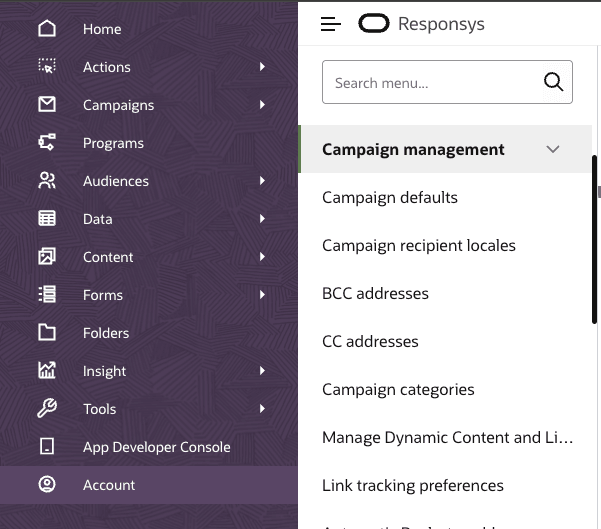
Campaign Management Menu
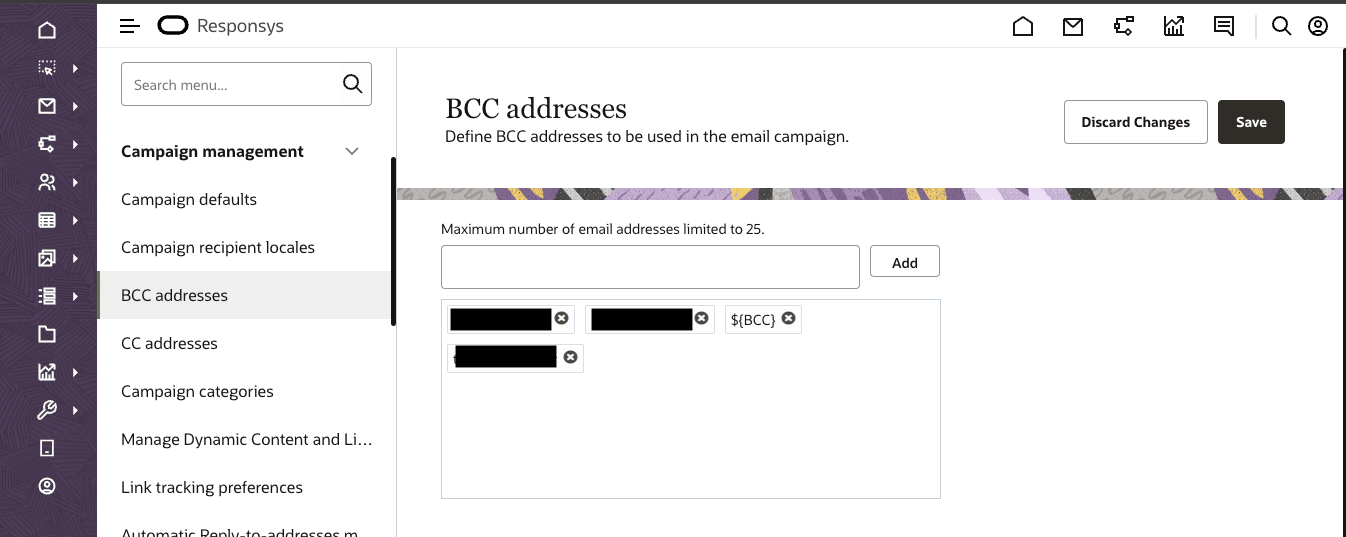
Self-Administration of BCC Addresses
Business Benefit:
- With new self-administration capabilities, you no longer need to contact Oracle Support to edit your allowed target BCC email addresses
Steps to enable and configure
While no additional steps are required to enable or configure this enhancement, customers must have Email Blind Carbon Copy (BCC) functionality already enabled.
Key resources
- Learn More: Help Center - Responsys BCC functionality
Access requirements
Accessible to users with the Account Administrator role via: Account -> Campaign management -> BCC addresses
Note: BCC is a controlled feature, available via an add-on SKU. Please contact your account manager for more information.