IPM Insights: Ability to Show Top Insights in Dashboards
You can now include the top insights in Dashboards 2.0.
Applies To: Profitability and Cost Management, Close Management and Consolidation, FreeForm, Planning and Budgeting, Tax Reporting
When you pair this feature with the ability to use a dashboard as a landing page, you enable planners to see relevant insights immediately when they log in.
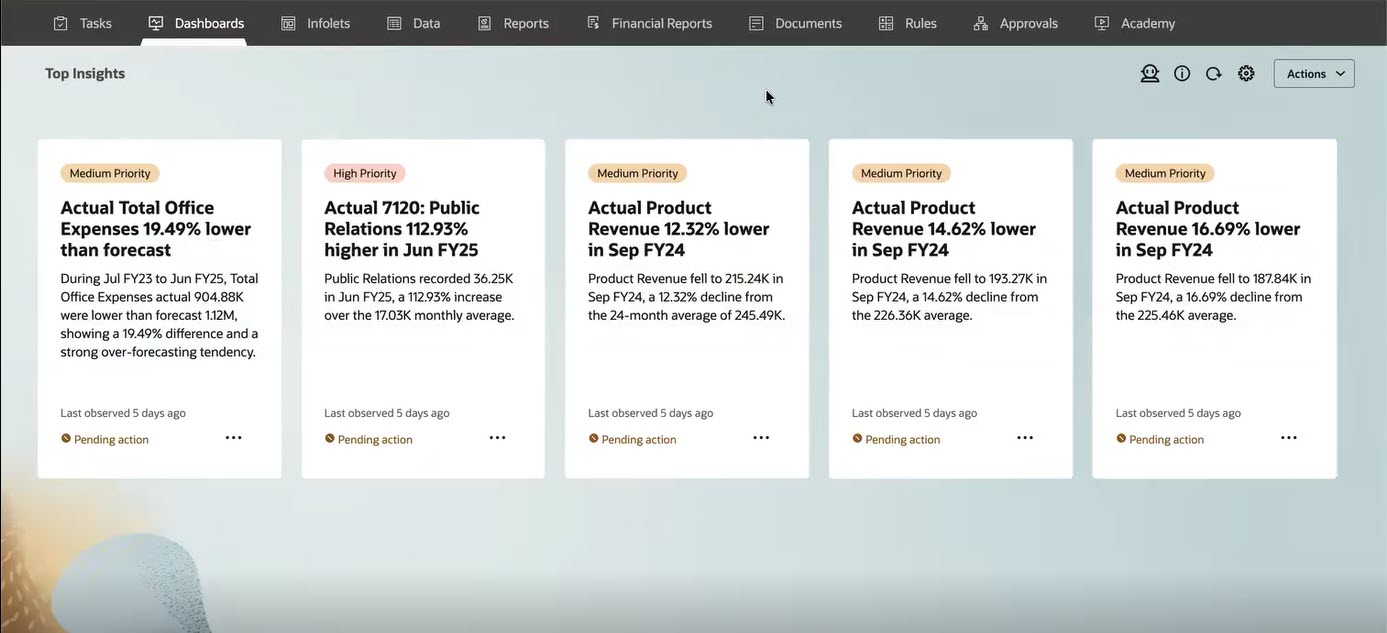
Top Insights in a Dashboard Used as a Landing Page
Users can also choose to display the available insights in a table.
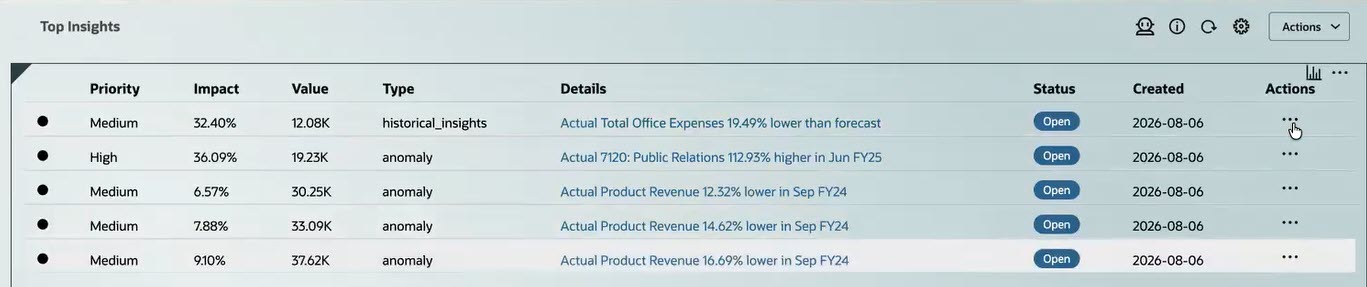
Insights Displayed as a List
Users can click the Actions  menu in an insight to see insight details, open it as an ad-hoc grid, and dismiss or delete an insight.
Administrators use the Dashboards Designer to add an Insights component to the dashboard:
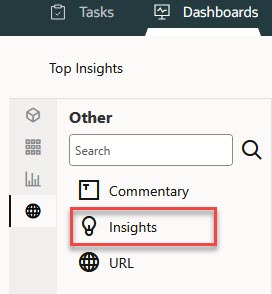
Dashboard Object Palette
Then, administrators use the Insights Property panel to define which insights should appear on the dashboard:
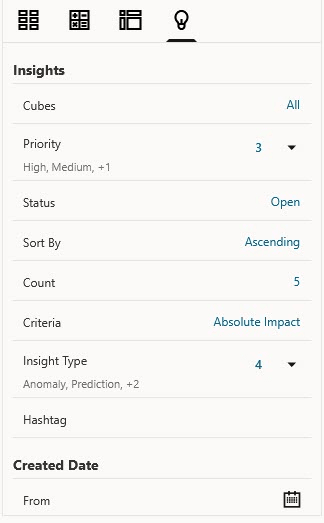
Insights Property Panel
Business Benefit: Displaying top insights in Dashboards 2.0 helps users quickly identify and act on key findings, supporting faster, more informed decisions. When a dashboard is used as a landing page, users see relevant insights immediately upon login, helping them prioritize areas that need attention.
Steps to enable and configure
You don't need to do anything to enable this feature.
Tips and considerations
- This feature is available only for Dashboards 2.0.
- The Insights job must have already been run to see the insights in a dashboard.
- If GenAI is enabled, you see a GenAI-enhanced summary of each insight. If GenAI is not enabled, you see the template-based summary of each insight.
- If you add insights to a dashboard used as a landing page, the insights display inherits the Appearance options.
Key resources
- Profitability and Cost Management
- FreeForm
- Close Management and Consolidation
- Planning and Budgeting
- Tax Reporting