AI Agent: Order Exception Assistant - Improve Responses, Extensions, Exceptions, and Recovery
You could use the Order Exception Assistant starting in update 25D. Now you can use it to do more. Process unprocessed responses from shipping and receiving. Get more suggestions for optimizing order management extensions, to close orders, clean up supplementary data, and to resolve order exceptions. Stop displaying extensions that you don't want to display in the exception report. Get more details about exceptions and recover orders.
Process Responses from Shipping and Receiving
The agent doesn't automatically resolve an unprocessed response that Oracle Order Management receives from Oracle Shipping or Oracle Receiving. Instead, you can click Show Exceptions and the agent will automatically attempt to resolve it. Here's an example response from the agent:
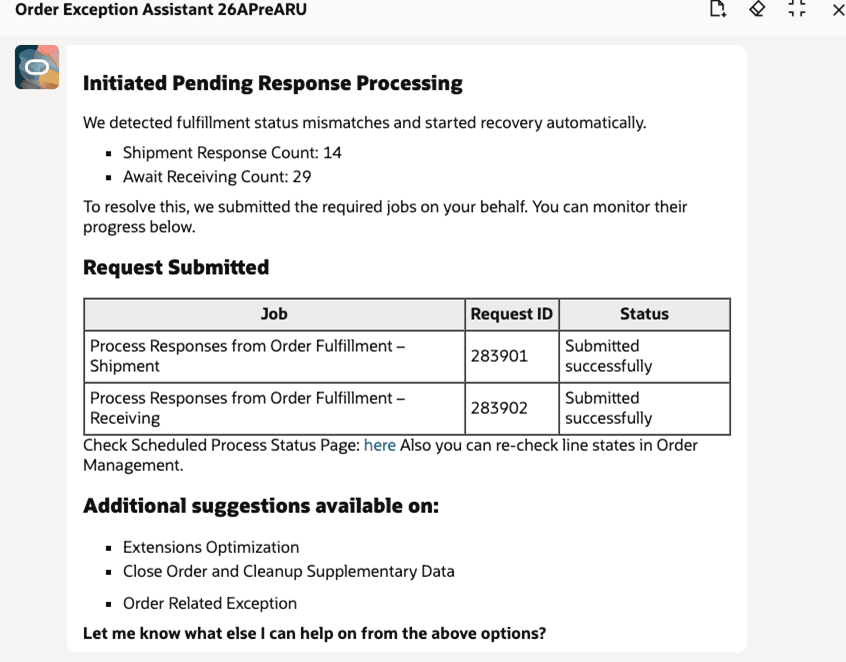
It found 14 pending records for Shipping and 29 for Receiving. It ran a scheduled process to process those records and displayed the request ID for each of instance that it ran of the scheduled process.
Get More Suggestions
The agent now provides more suggestions for optimizing order management extensions that the agent introduced in update 25D, to close orders and clean up supplementary data that it introduced in 25D, and to resolve the order exceptions it introduced in 26A.
Stop Displaying Extensions in the Exception Report
You can tell the agent to stop displaying an extension in the exception report. This is helpful when you make some changes but can't do more improvements or when you prefer to work on the exceptions at some other time.
Assume you don't want to display the PromiseDate extension:
- Enter
Extensions Optimizationin the agent's prompt to identify extensions that are taking too much time.
The agent will reply with: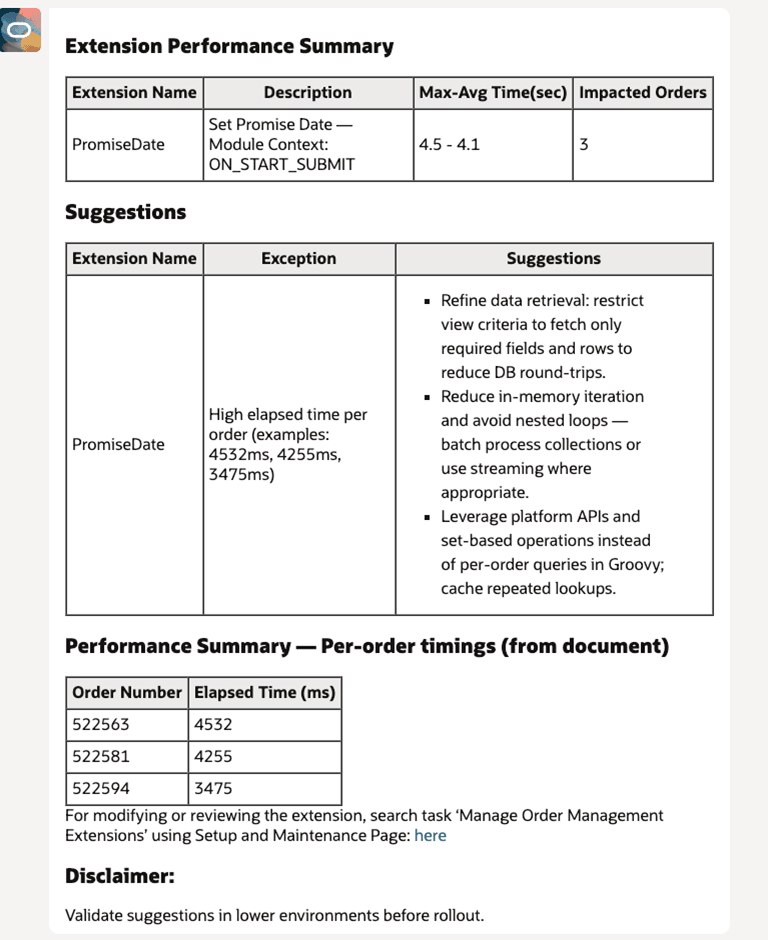
- Enter
Don't display the PromiseDate extension in future exception reports.
The agent will respond with: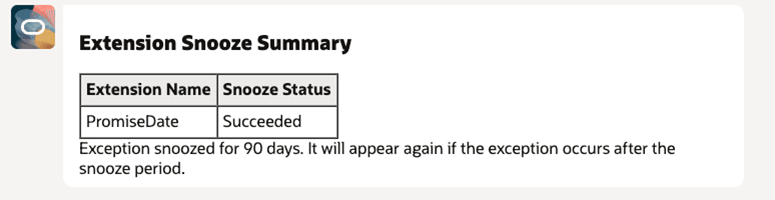
Get Details About Exceptions and Recover Orders
Ask for details about the sales order or ask to recover the order. This recovery is similar to the recovery that you can do Order Management's classic pages. For example, enter Recover order 522581.
The agent will respond with:
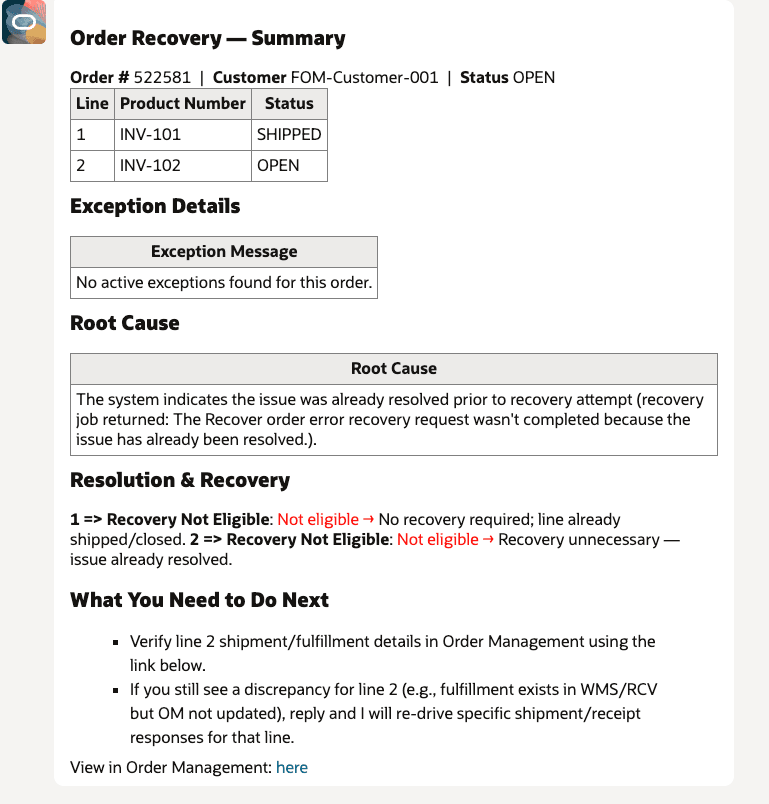
In this example, the sales order has two order lines and neither is eligible for recovery. If a line is eligible, then the agent will attempt to recover it. For background, see Recover Sales Orders That Are Locked or Not Started.
Steps to enable and configure
You don't need to do anything to enable this feature.
Key resources
Access requirements
See AI Agent: Order Exception Assistant.