AI Agent: Product 360 Advisor - Get Concise Response for User Queries
The Product 360 Advisor agent can now respond to follow up inquiries based on your product advisor results, aligning with your preferences and enabling dynamic, two-way conversations. You can ask specific queries from the items page and get a clear and concise response directly from the items page.
Tool name: Item Purchase Orders
- Tool Type: Business Object
- Details: This tool retrieves the purchase order details associated with the item. For an item number and organization code, this tool fetches the purchase orders associated with the item and retrieves the purchase order quantity.
The agent shown in the following screenshot.
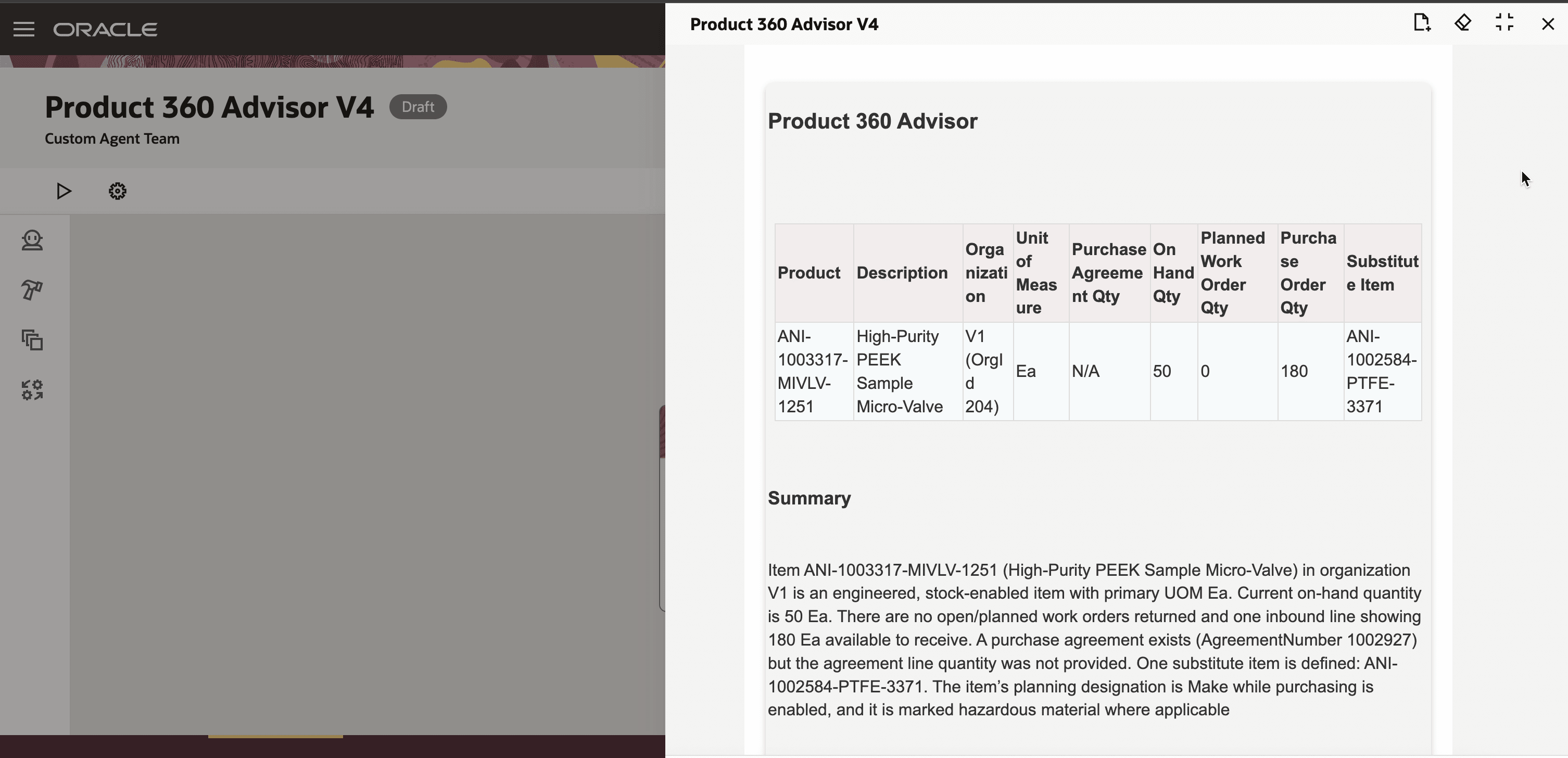
Product 360 Advisor Agent
When a follow up question is asked, clear and concise response is provided by the agent as seen in the following screenshots.
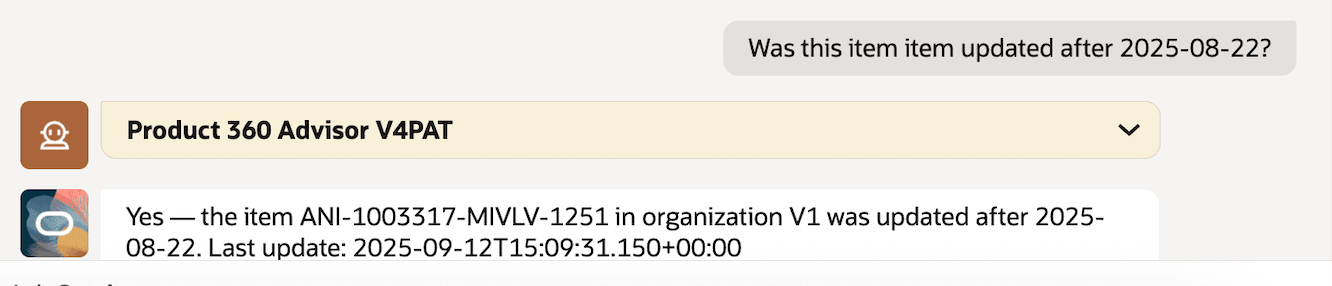
Query on Item Update
Brief answer is provided for another follow up question as shown in the following screenshot.
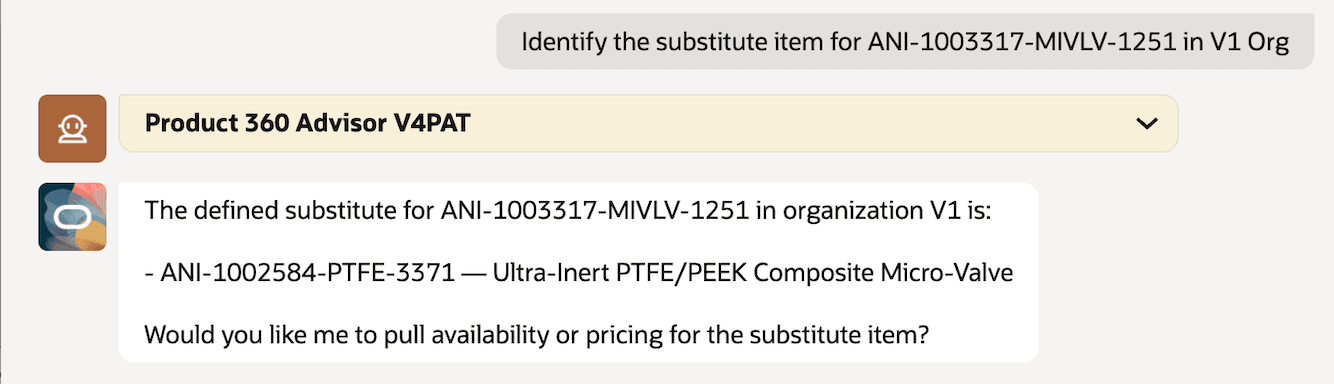
Substitute Follow Up Question
Another follow up question and the response by the agent is shown in the following screenshot.
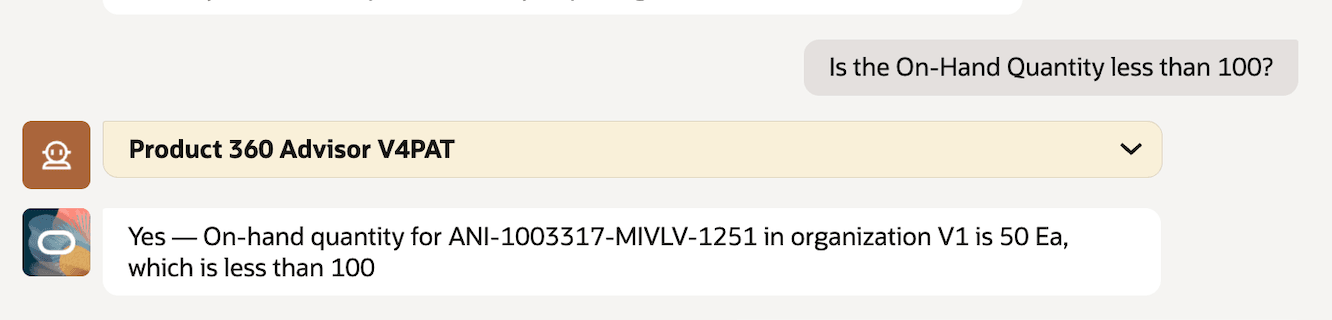
Response On-hand Quantity
This feature benefits your business by accelerating decision-making through immediate response to queries. Sourcing and manufacturing teams can make faster, more informed decisions with clear and concise answers to their questions.
Steps to enable and configure
To enable permission groups for roles, take these steps:
- In the Setup and Maintenance work area, search for the Manage Administrator Profile Values task using the search link in the Tasks panel tab.
- Search for the Enable Security Console External Application Integration (ORA_ASE_SAS_INTEGRATION_ENABLED) profile option and set the Site profile level to Yes.
Key resources
Access requirements
To access the Oracle AI Agent Studio for Fusion Applications and manage SCM AI agents, users must be assigned a configured job role that contains these duty roles:
- SCM Intelligent Agent Management Duty (ORA_RCS_SCM_AI_AGENT_MANAGEMENT_DUTY)
- SCM Intelligent Agent Management Duty (ORA_RCS_SCM_AI_AGENT_MANAGEMENT_DUTY_HCM)
- Fai Genai Agent SCM Administrator Duty (ORA_DR_FAI_GENERATIVE_AI_AGENT_SCM_ADMINISTRATOR_DUTY)
To interact with AI agents in product pages, users must be assigned a configured job role that contains this duty role:
- Fai Genai Agent Runtime Duty (ORA_DR_FAI_GENERATIVE_AI_AGENT_RUNTIME_DUTY)
To allow users to interact with agents, you must also enable permission groups in the Security Console on those users' configured job roles that contain the Fai Genai Agent Runtime Duty role. You can enable permission groups when you manage the basic information of your configured job roles.
Users' configured job roles must also contain privileges that allow access to the pages where AI agents are enabled.
See Access Requirements for AI Agent Studio (for administrators) and How can I give users access to AI agents (for end-users) for more information.