AI Agent: Product Comparison Advisor - Answer Follow Up Questions
The Product Comparison Advisor agent can now answer follow-up inquiries regarding product comparisons results and help make informed decisions aligned with your preferences.
The agent has also been equipped with Starter Questions to help you get started on the comparison.
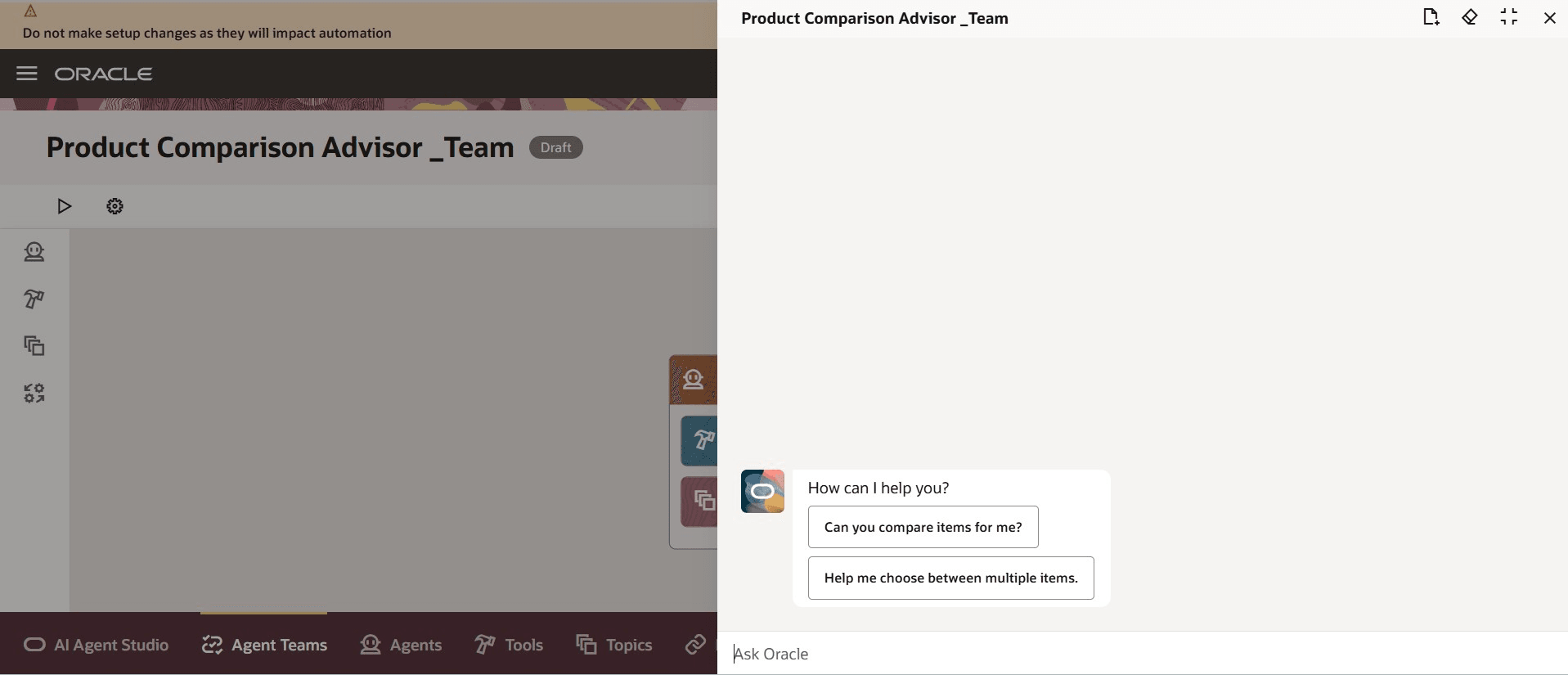
Product Comparison Advisor Starter Questions
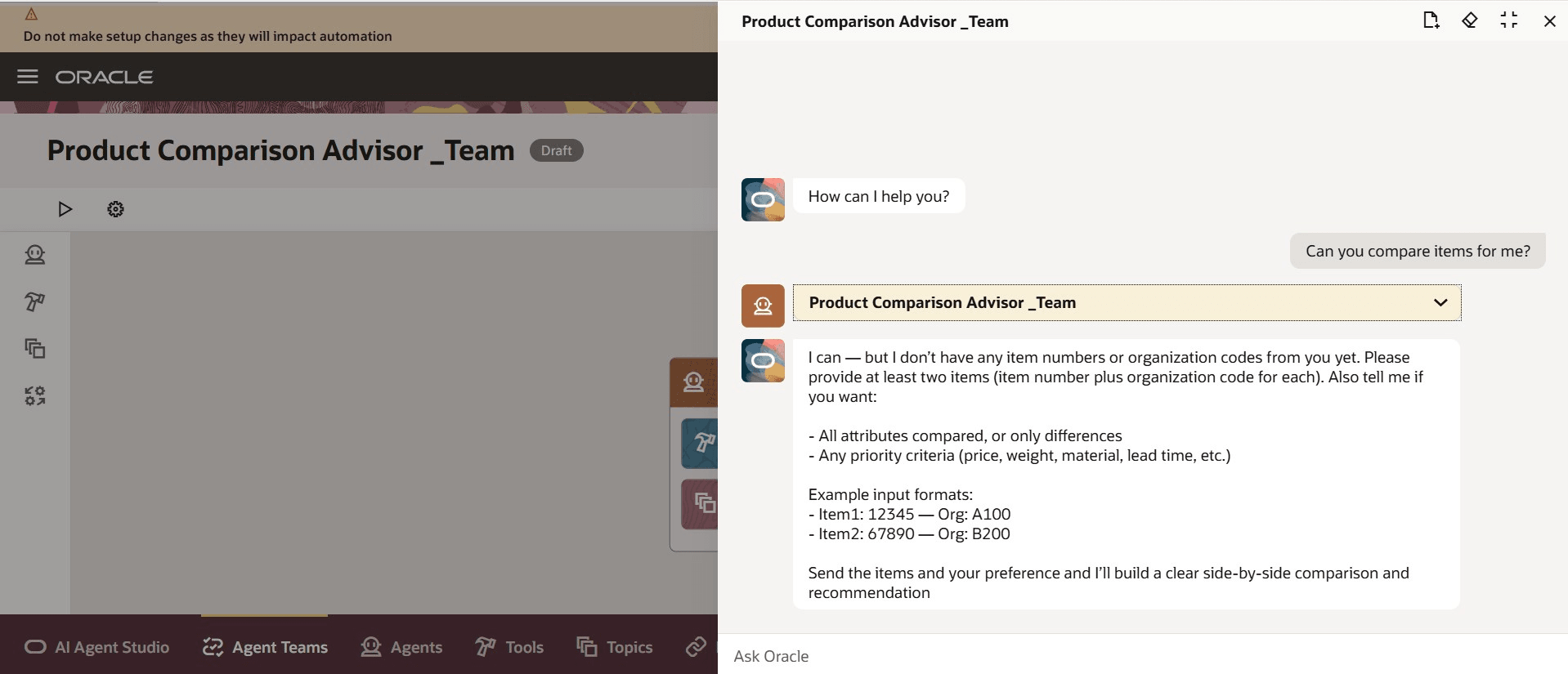
Starter Question Response
You can also add a new item to the results of a previous comparison as shown in the following screenshot.
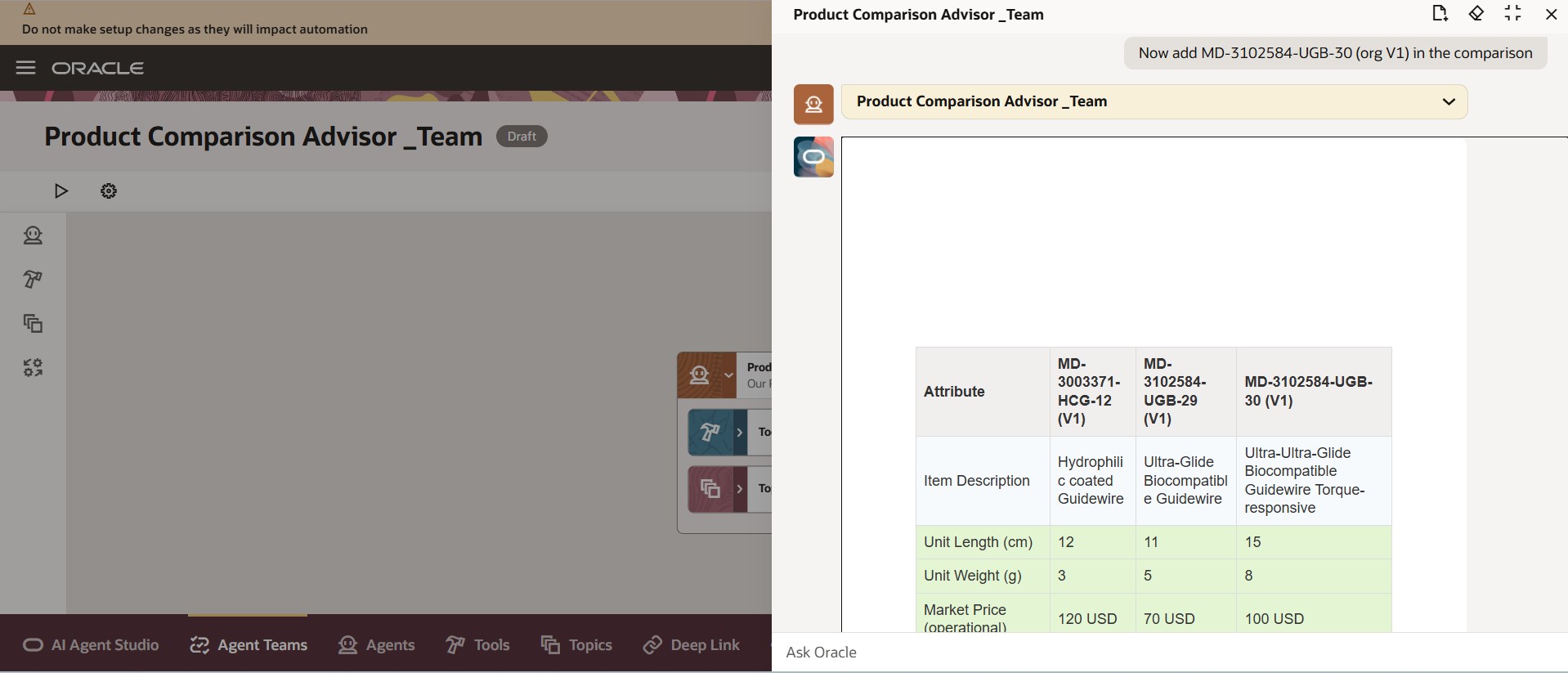
Add New Item to an Active Comparison
When you ask a follow-up question about the comparison result, the agent responds with a direct answer as shown in the following screenshots.
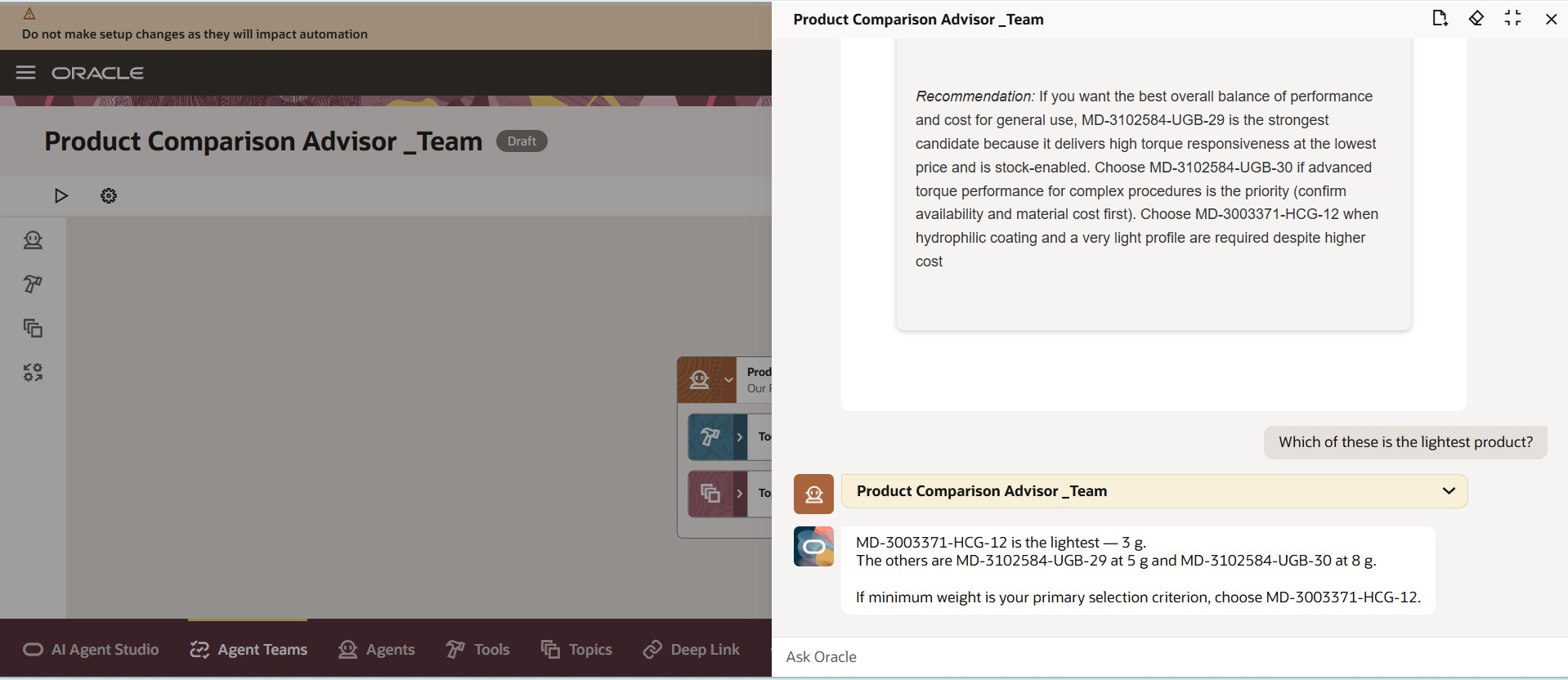
Follow Up Question 1
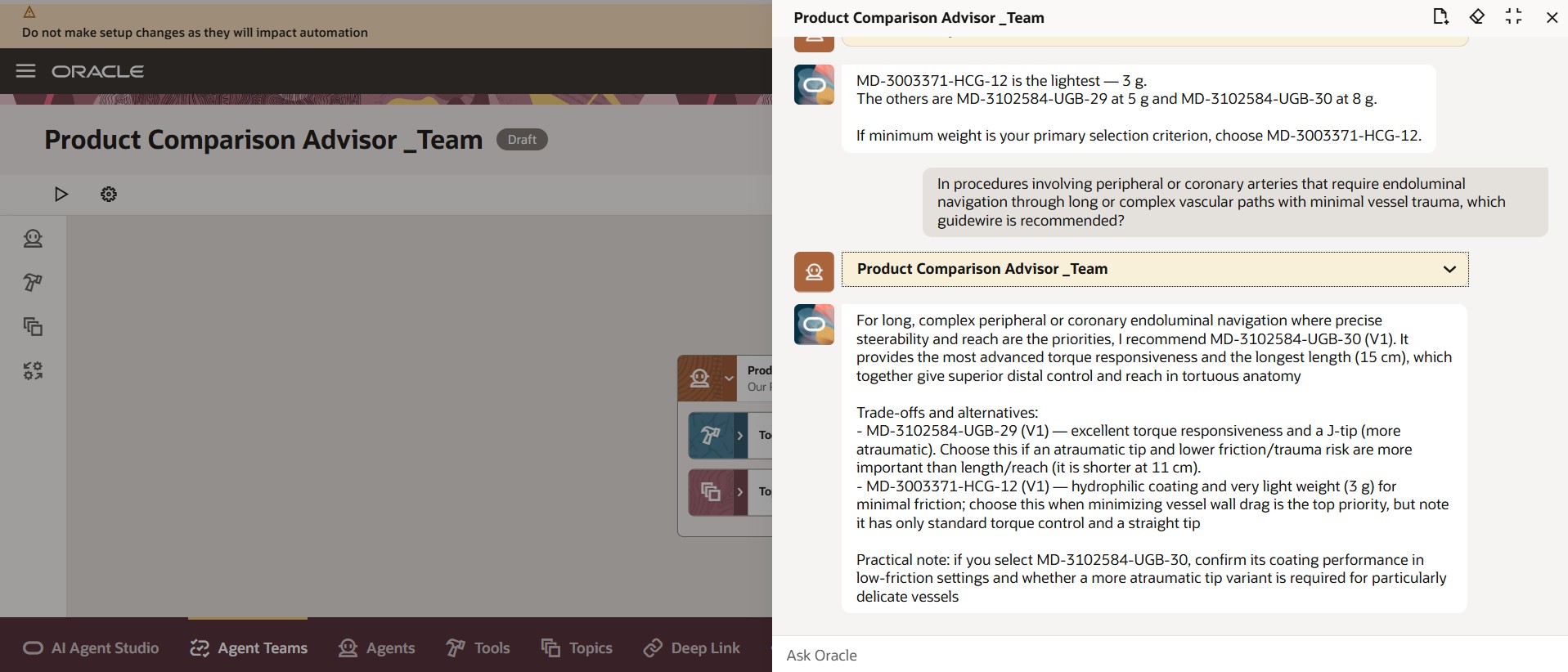
Follow Up Question 2
This feature benefits your business by streamlining product analysis. It enables quick addition of compared items, guiding users with intuitive starter questions, and presenting all relevant item details side by side in a single, centralized view, reducing navigation and accelerating decision-making.
Steps to enable and configure
You can use AI Agent Studio to use or copy a preconfigured agent template to create Agents for your business processes. To automatically add a suffix to all artifacts in your agent team, you can Copy Template instead of Use Template. When you copy a template, you're directly taken to the agent team canvas where you can edit the agent team settings, agents, tools, and topics. The Use Template option takes you through a step-by-step process for configuring each artifact in the agent team.
To enable permission groups for roles, take these steps:
- In the Setup and Maintenance work area, search for the Manage Administrator Profile Values task using the search link in the Tasks panel tab.
- Search for the Enable Security Console External Application Integration (ORA_ASE_SAS_INTEGRATION_ENABLED) profile option and set the Site profile level to Yes.
Tips and considerations
- The agent’s responses to any follow-up questions is based on the most recent comparison only.
- If you modify the agent prompt, make sure it stays within the input token limit.
Key resources
Access requirements
To access the Oracle AI Agent Studio for Fusion Applications and manage SCM AI agents, users must be assigned a configured job role that contains these duty roles:
- SCM Intelligent Agent Management Duty (ORA_RCS_SCM_AI_AGENT_MANAGEMENT_DUTY)
- SCM Intelligent Agent Management Duty (ORA_RCS_SCM_AI_AGENT_MANAGEMENT_DUTY_HCM)
- Fai Genai Agent SCM Administrator Duty (ORA_DR_FAI_GENERATIVE_AI_AGENT_SCM_ADMINISTRATOR_DUTY)
To interact with AI agents in product pages, users must be assigned a configured job role that contains this duty role:
- Fai Genai Agent Runtime Duty (ORA_DR_FAI_GENERATIVE_AI_AGENT_RUNTIME_DUTY)
To allow users to interact with agents, you must also enable permission groups in the Security Console on those users' configured job roles that contain the Fai Genai Agent Runtime Duty role. You can enable permission groups when you manage the basic information of your configured job roles.
Users' configured job roles must also contain privileges that allow access to the pages where AI agents are enabled.