Redwood: Update Requisition Lines from a Catalog When Processing Lines as a Buyer
Update requisition lines with products or services available in the catalog as a buyer. You can now replace noncatalog requests with similar products or services available in the catalog. From the Process Requisitions page, select a requisition line and use the Update from Catalog action to replace it with items from the catalog.
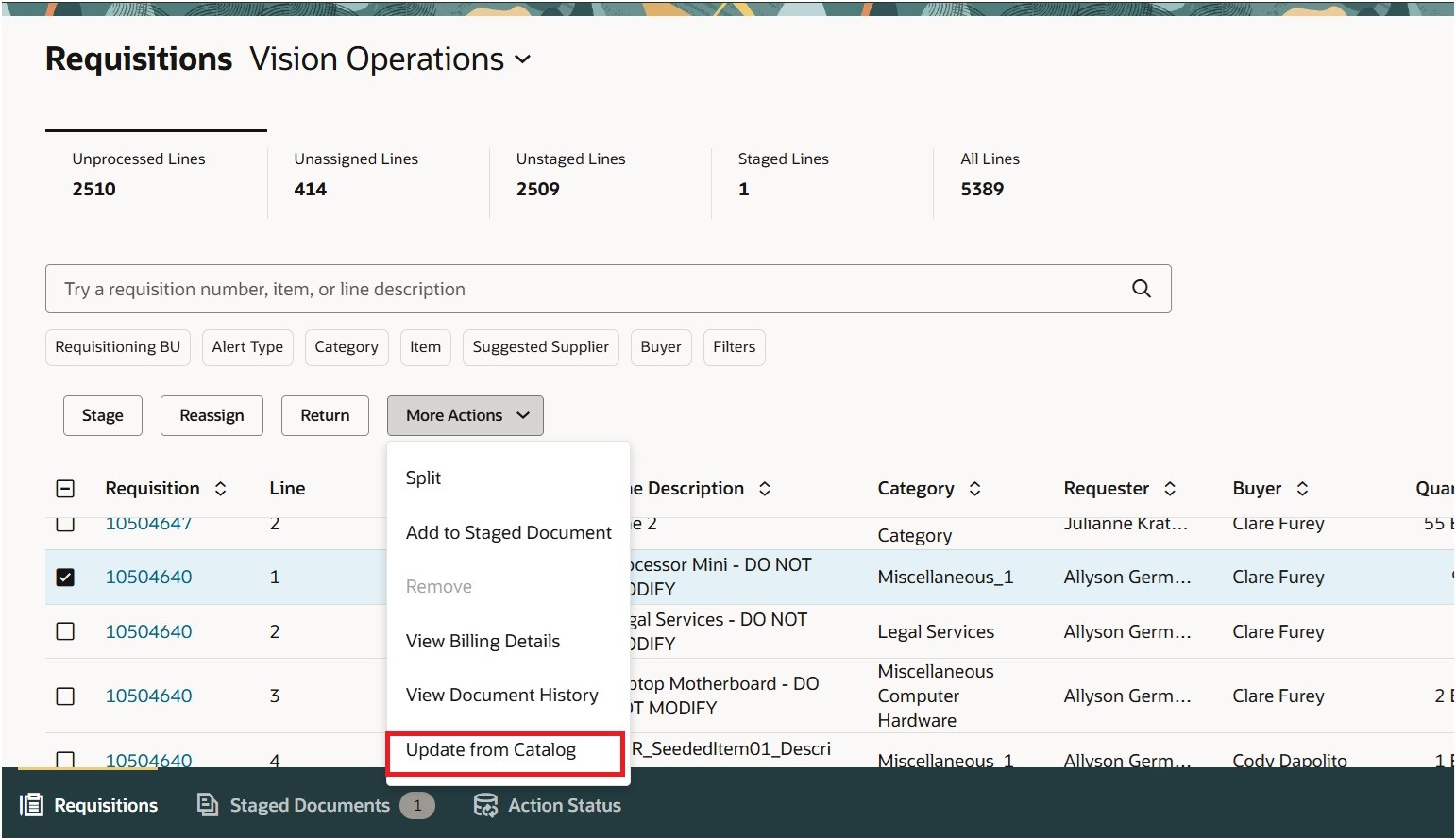
Update from Catalog Action in Process Requisitions
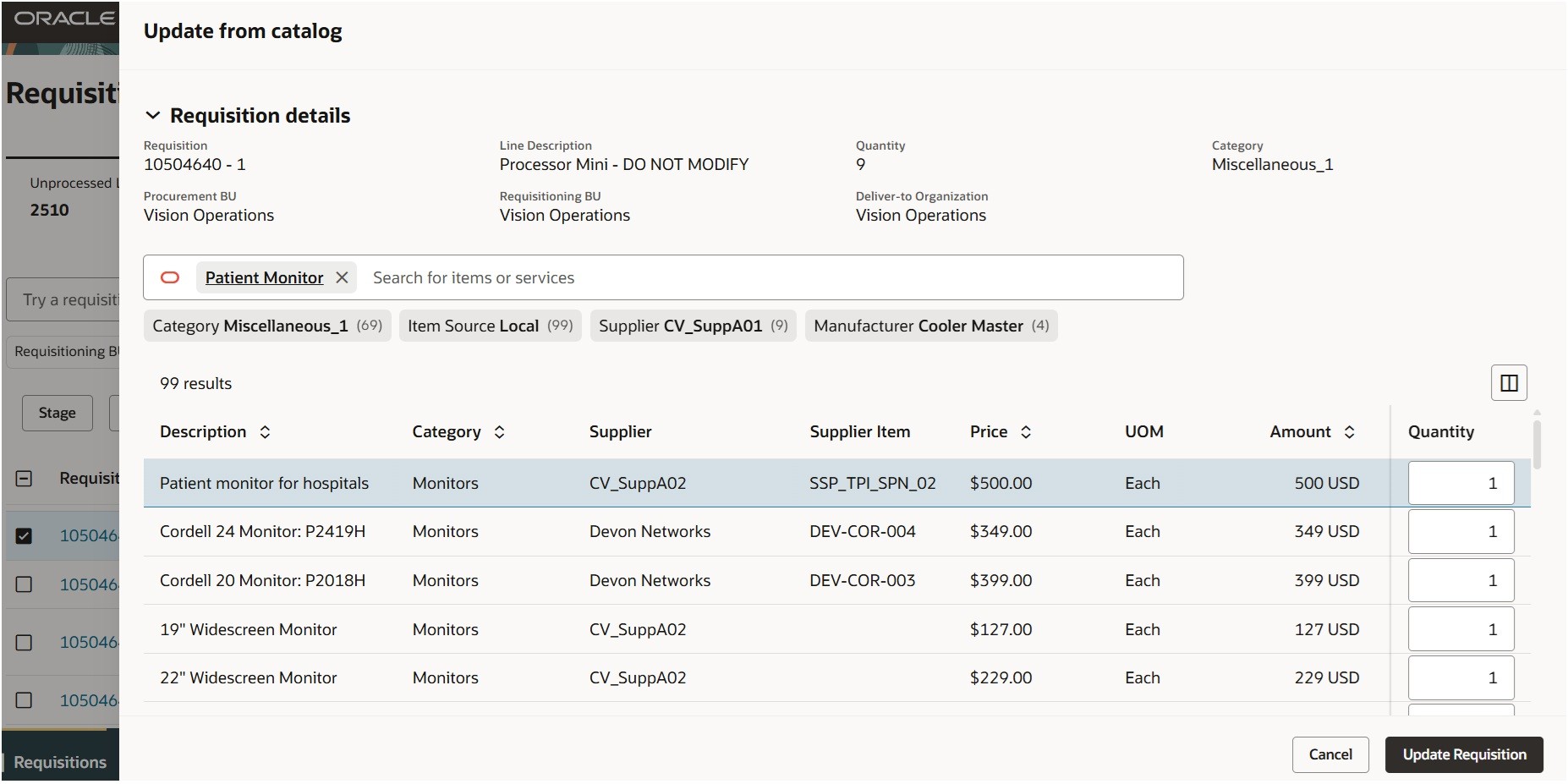
Use Filters to Narrow Down Search Results
The item or items that you select will replace the existing line on the requisition. If approvals are needed for buyer-processed lines, the approval process will be initiated.
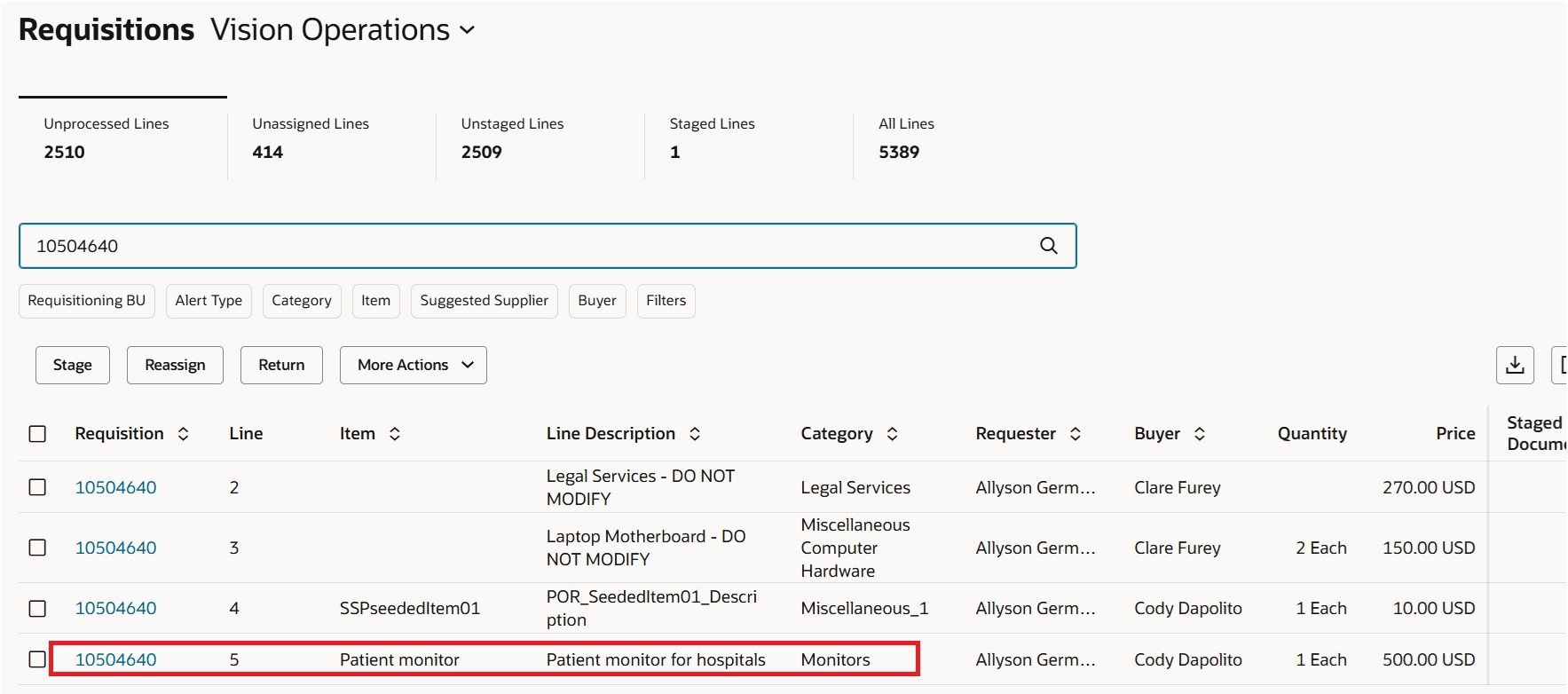
Line Replaced with a Catalog Item
A preparer or a requester on the requisition can view the original and the replaced line details on the My Requisitions page.
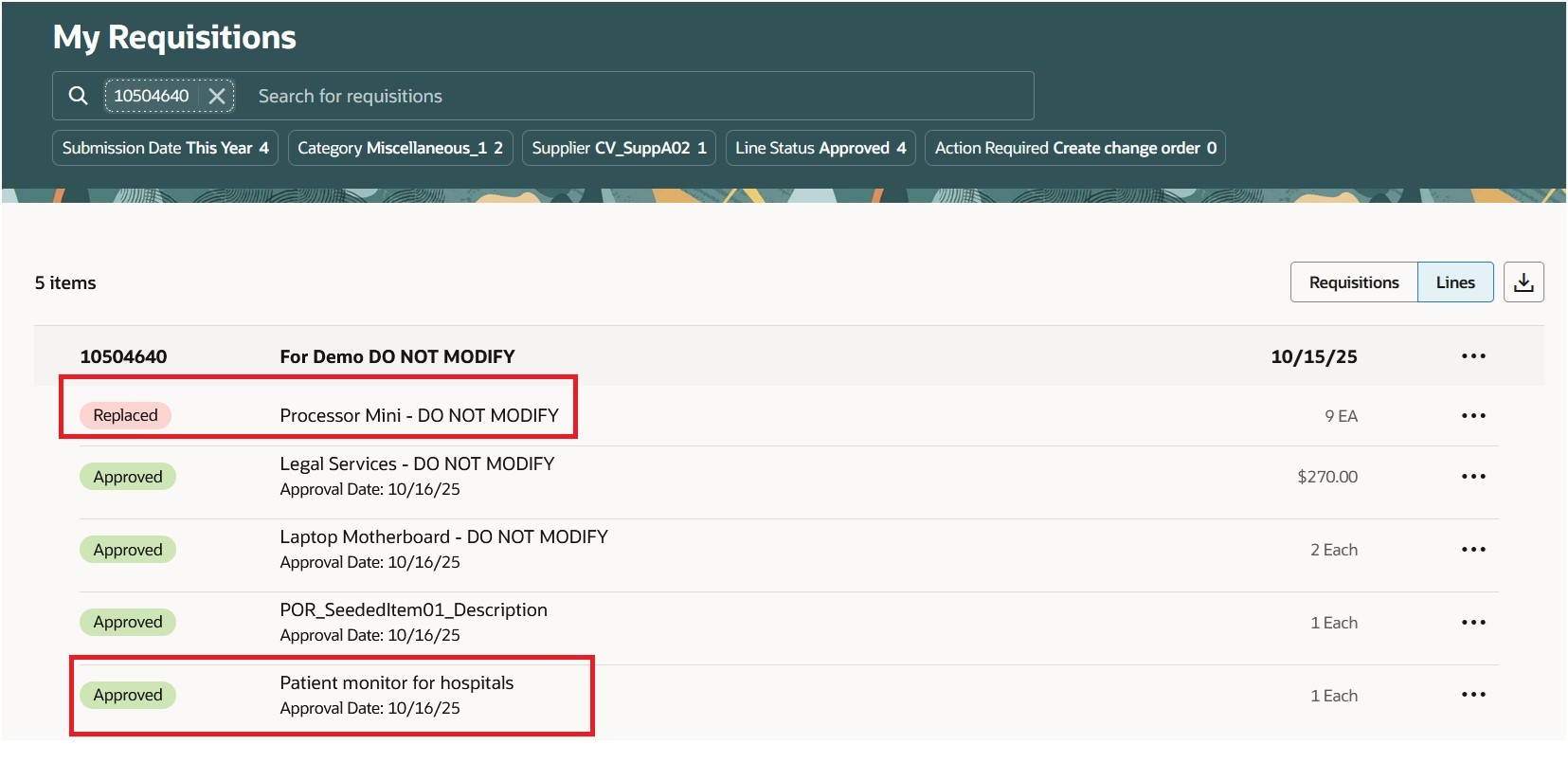
Review the Requisition on My Requisitions
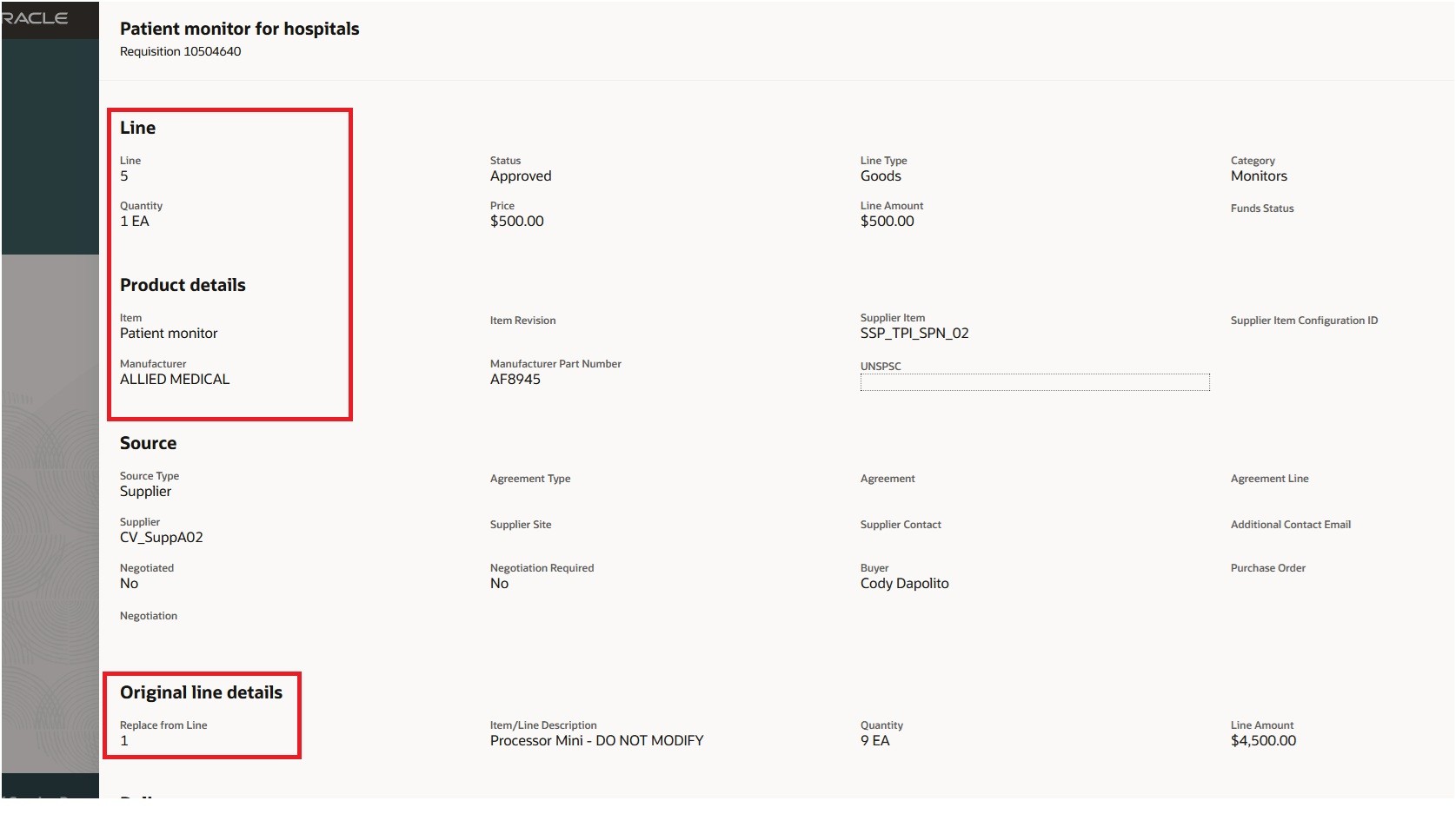
Review the New and Parent Line Details
The requisition's document history will display the line replacement action.
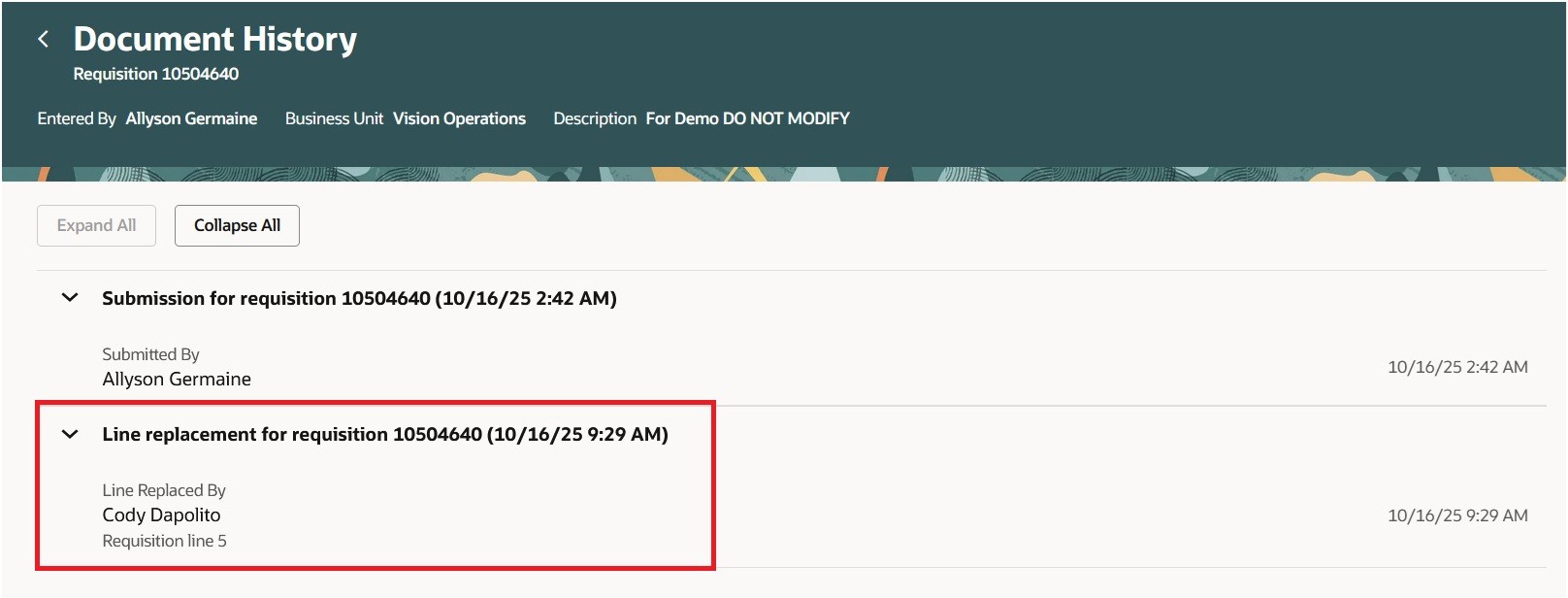
Replacement Action is Recorded in the Document History
When you update a requisition line from a punchout catalog or by using punchout search items, you can review both the items that were successfully processed and any errors associated with items that couldn't be processed. After reviewing this information, you can then proceed to update the requisition with the processed items.
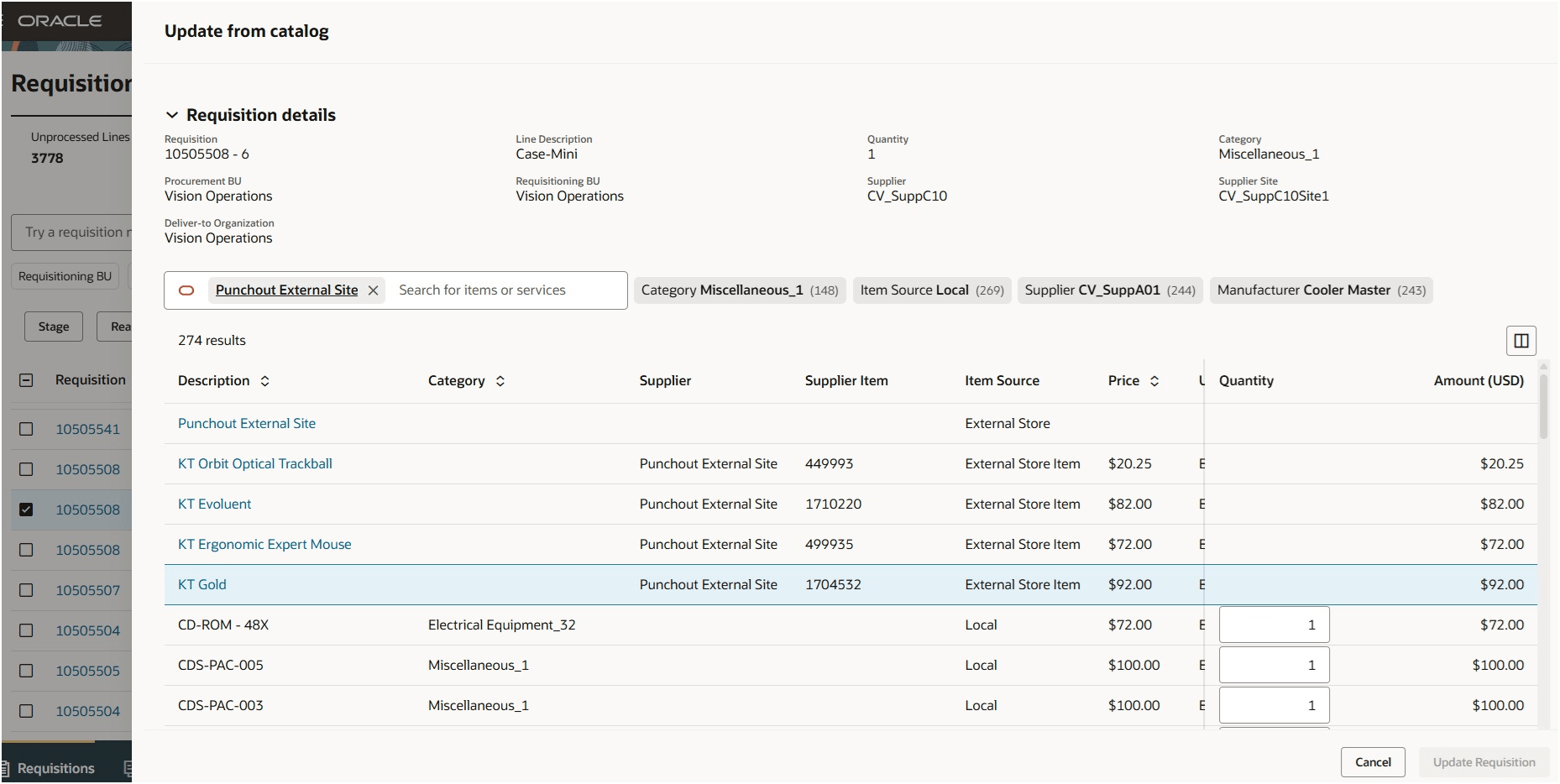
Searching for Punchout Items
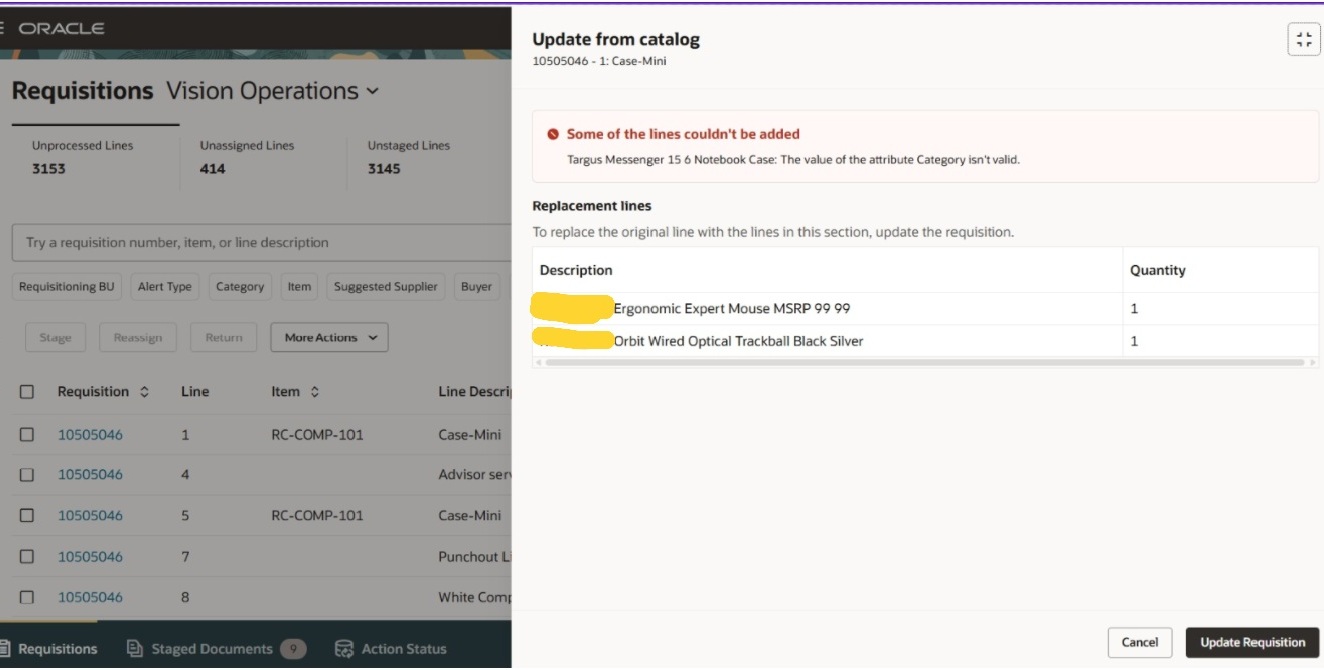
Requisition Line Replaced with Punchout Items
Steps to enable and configure
You don't need to do anything to enable this feature.
Tips and considerations
- You can replace a requisition line with one or more items when using the Punchout flows. For catalog items such as master items or agreement-based lines, only single line replacements are allowed.
- If the Approval required for buyer modified lines option is enabled in the Configure Requisitioning Business Function setup, the updated requisition will be routed for additional approvals.
- Replacing a requisition line from these sources isn't supported:
- Noncatalog Requests.
- Smart Forms.
- Shopping Lists.
- You can't replace a requisition line with an item that is associated with information templates.
- Descriptive flexfield values aren't automatically copied to a new line from the original line. However, if a default value is configured in the flexfield definition, that value will be applied to the new line. If descriptive flexfield values are processed from an external supplier site, those values will override any default settings.
- The Update from Catalog action isn't supported in these cases:
- The requisition line on an emergency purchase order-enabled requisition.
- The requisition line is on a requisition that has an associated procurement card.
- The requisition line includes a supplier configuration ID.
- Special Handling type requisition lines.
- Externally managed requisition lines
- Requisitions subject to Budgetary Control and Encumbrance Accounting.
Key resources
- For details on processing requisition lines using a Redwood page, refer to the Redwood: Search and Process Requisition Lines Using a Redwood Page feature, available in Oracle Fusion Cloud Procurement What's New, update 25B.
- For information about using Oracle Visual Builder Studio to extend your Redwood application pages, see Oracle Fusion Cloud HCM and SCM: Extending Redwood Applications for HCM and SCM Using Visual Builder Studio.
Access requirements
Users who are assigned a configured job role that contains this existing privilege can access this feature:
- Replace Requisition Line from Catalog (POR_REPLACE_REQUISITION_LINE_FROM_CATALOG_PRIV)
To increase the quantity or amount of the original line, you will need this existing privilege:
- Increase Requisition Line Quantity or Amount as Buyer (POR_CHANGE_REQUISITION_LINE_QUANTITY_AS_BUYER_PRIV)