AI Agent: External Purchase Prices Errors Resolution Assistant
Use the External Purchase Prices Errors Resolution Assistant to review and summarize errors that you encounter when you import external purchase prices from external applications. It can also suggest resolutions for the errors and guide you on how to fix them.
You can launch the assistant by clicking Ask Oracle from the External Purchase Prices landing page after it is enabled. (Refer to Steps to Enable section).
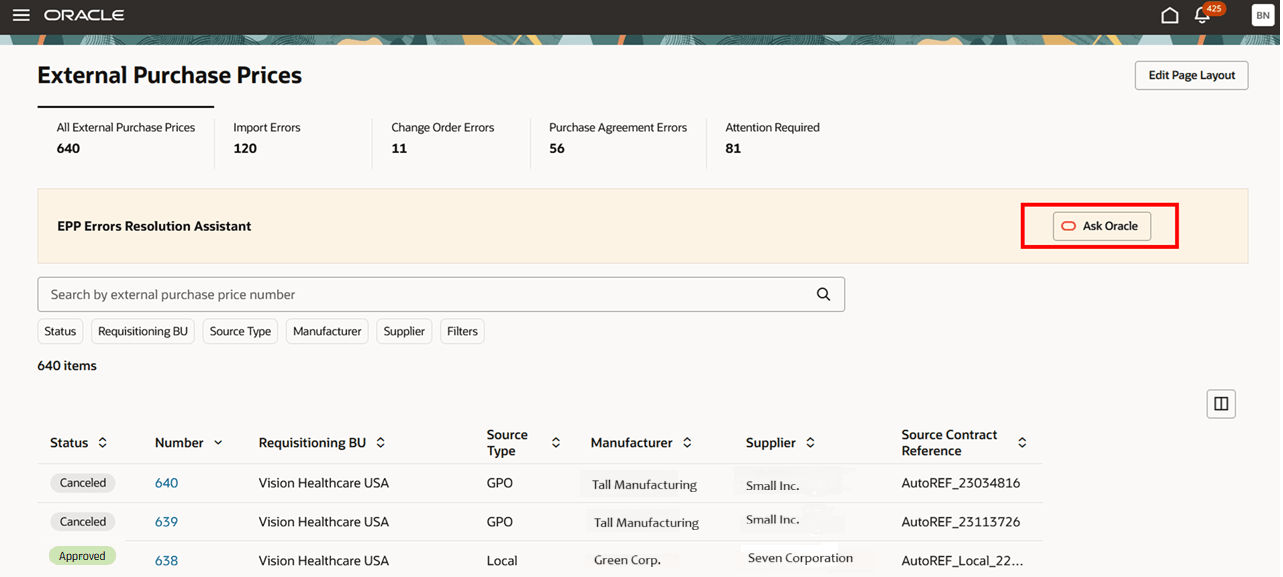
External Purchase Prices Home Page - Ask Oracle
On the External Purchase Prices Resolution Assistant drawer, you’ll see predefined prompts such as Give me list of top 10 source reference id with max errors, Can you list the 10 source reference id which had updates recently, and so on. You can use these prompts or ask the assistant a question of your choice.
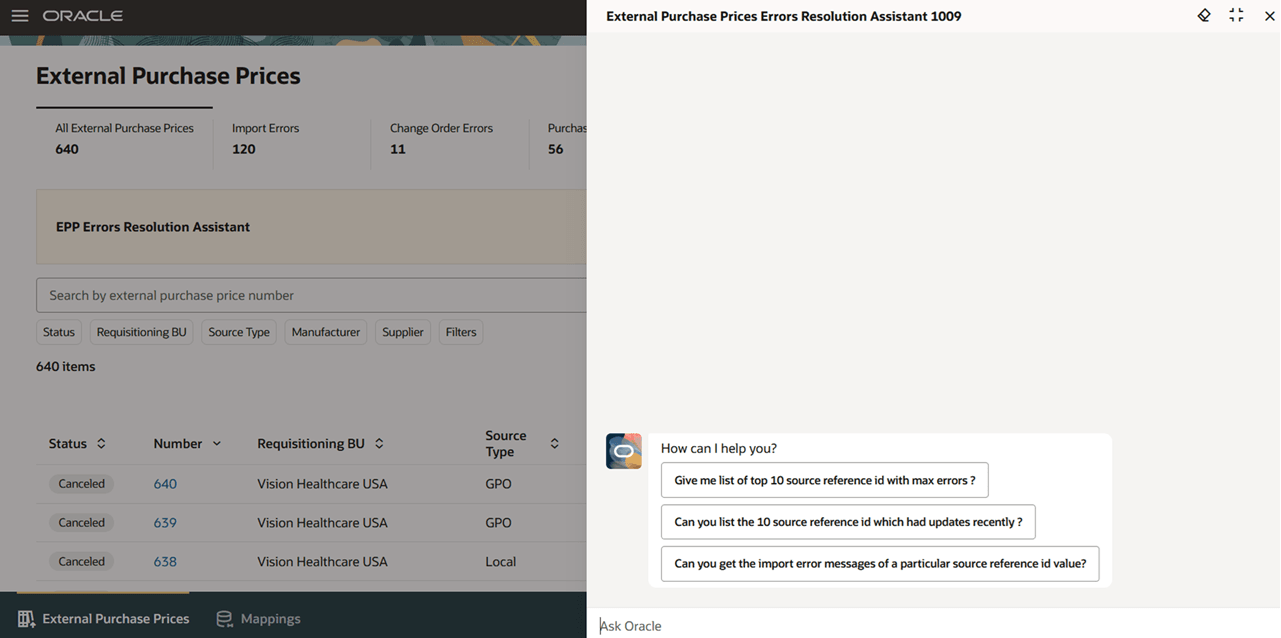
You can use the External Purchase Prices Errors Resolution Assistant to understand the possible causes and resolutions for Import errors. If the import error is due to a missing mapping, the agent can help to create the mapping if the required details are provided. The agent can also resubmit the Import External Purchase Prices scheduled process after the issues are fixed. Additionally, the agent also provides a deep link to directly navigate to a particular external purchase price header or to the mappings.
The agent enables pricing and contract managers to quickly identify issues and receive actionable, prioritized resolution suggestions. When errors result from missing setups, the agent offers a seamless option to create the necessary setups and reprocess affected records, eliminating manual navigation and repetitive tasks. This results in a substantial reduction in error resolution time, minimizes the risk of delays in contract data updates, and greatly enhances the user experience. Ultimately, this innovation helps ensure accurate and timely purchase agreements, supporting uninterrupted procurement of critical healthcare supplies.
Steps to enable and configure
To enable permission groups for roles, take these steps:
- In the Setup and Maintenance work area, search for the Manage Administrator Profile Values task using the search link in the Tasks panel tab.
- Search for the Enable Security Console External Application Integration (ORA_ASE_SAS_INTEGRATION_ENABLED) profile option and set the Site profile level to Yes.
Create and Publish the AI Agent
- You can use AI Agent Studio to use or copy the preconfigured agent template to create Agents for your business processes. To automatically add a suffix to all artifacts in your agent team, you can Copy Template instead of Use Template. When you copy a template, you're directly taken to the agent team canvas where you can edit the agent team settings, agents, tools, and topics. The Use Template option takes you through a step-by-step process for configuring each artifact in the agent team.
Agent Template: External Purchase Prices Errors Resolution Assistant
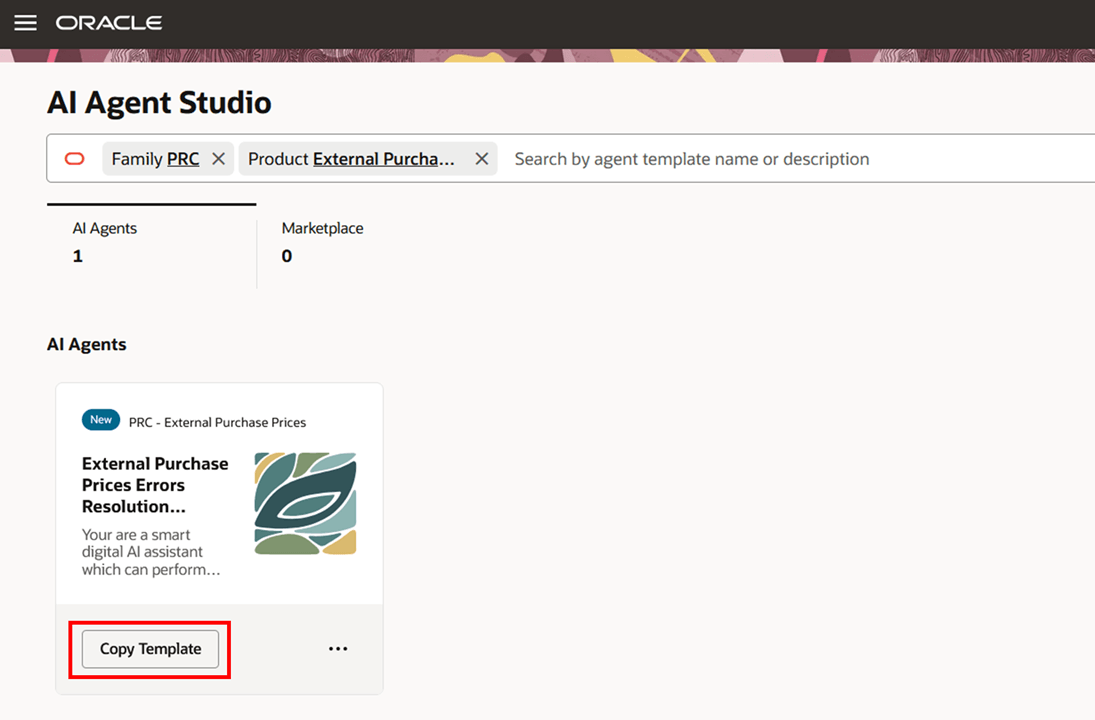
For information on using AI Agent Studio, see How do I use AI Agent Studio?
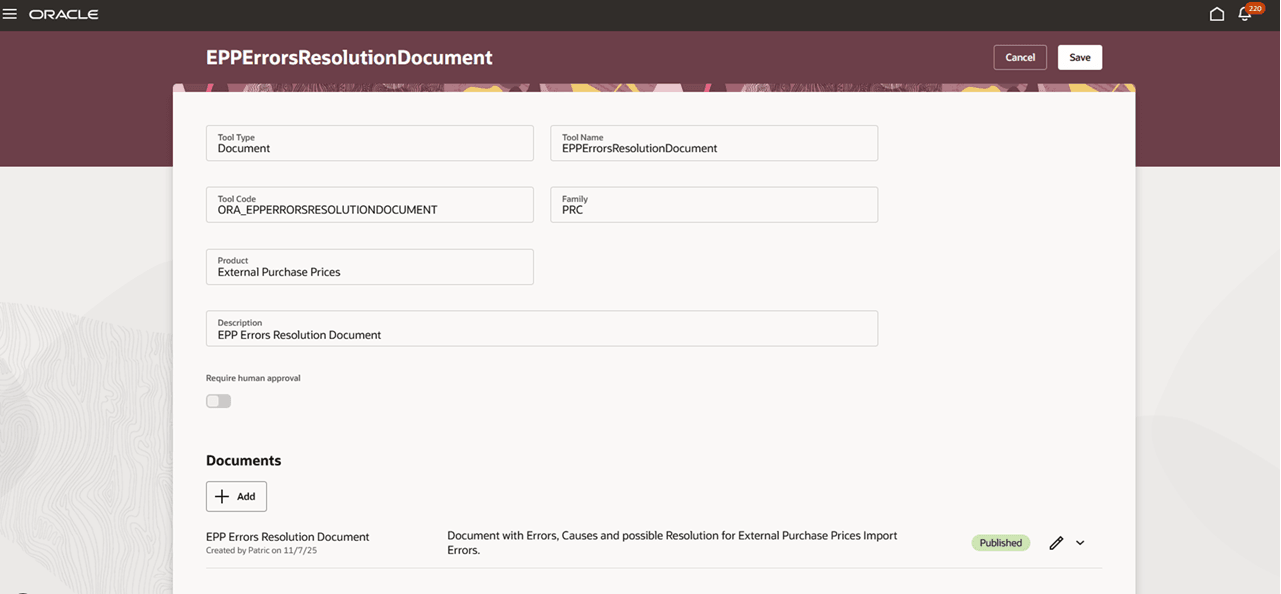
- Switch to the Tools tab and search for the EPPErrorsResolutionDocument tool with Family as PRC and Product as External Purchase Prices.
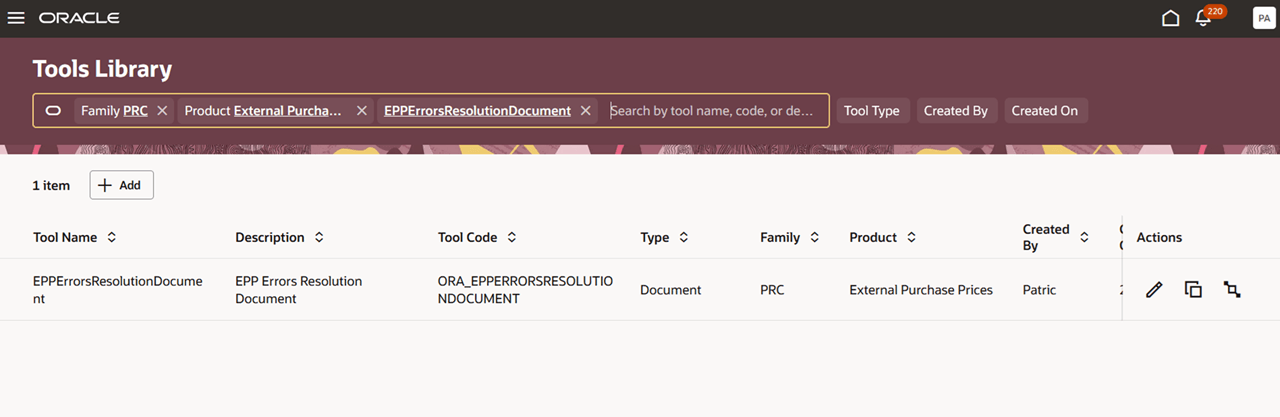
- Click the Edit icon in the Actions column.
- In the Documents section, click Add.
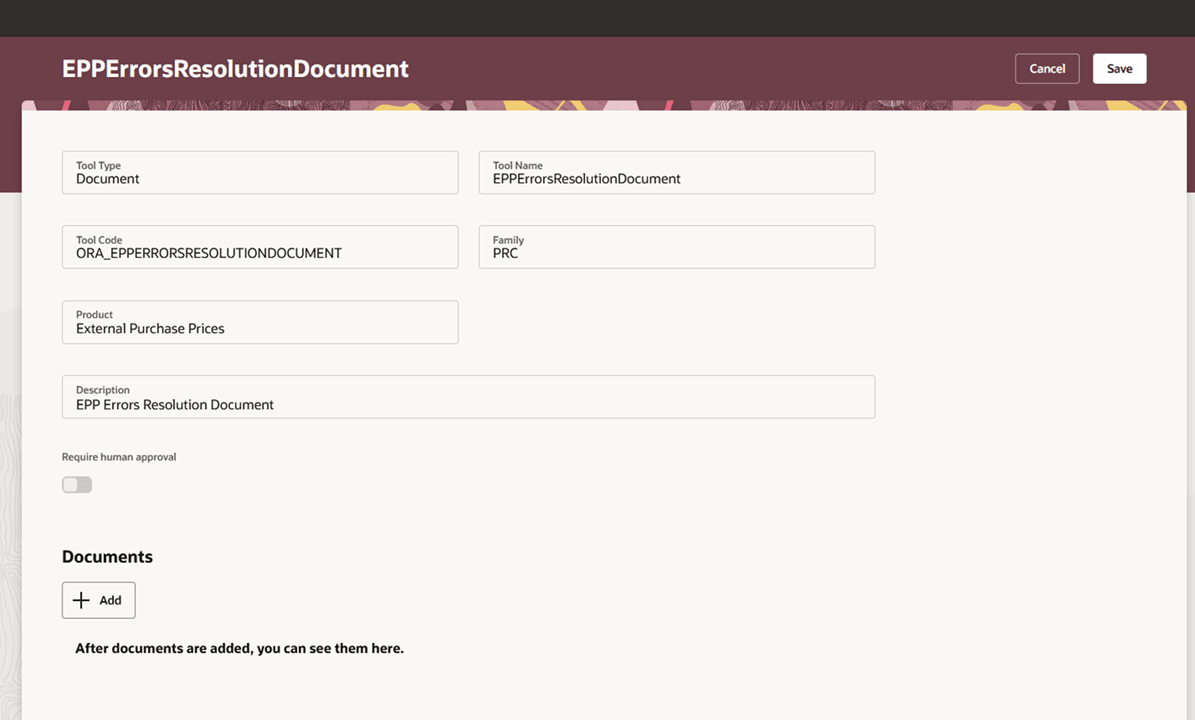
- Enter a suitable name and description. Drag and drop the Import Error message Documentation_MOS.pdf file.
Note: You can download the Import Error message Documentation_MOS.pdf file from the knowledge article KB858960 on My Oracle Cloud Support.
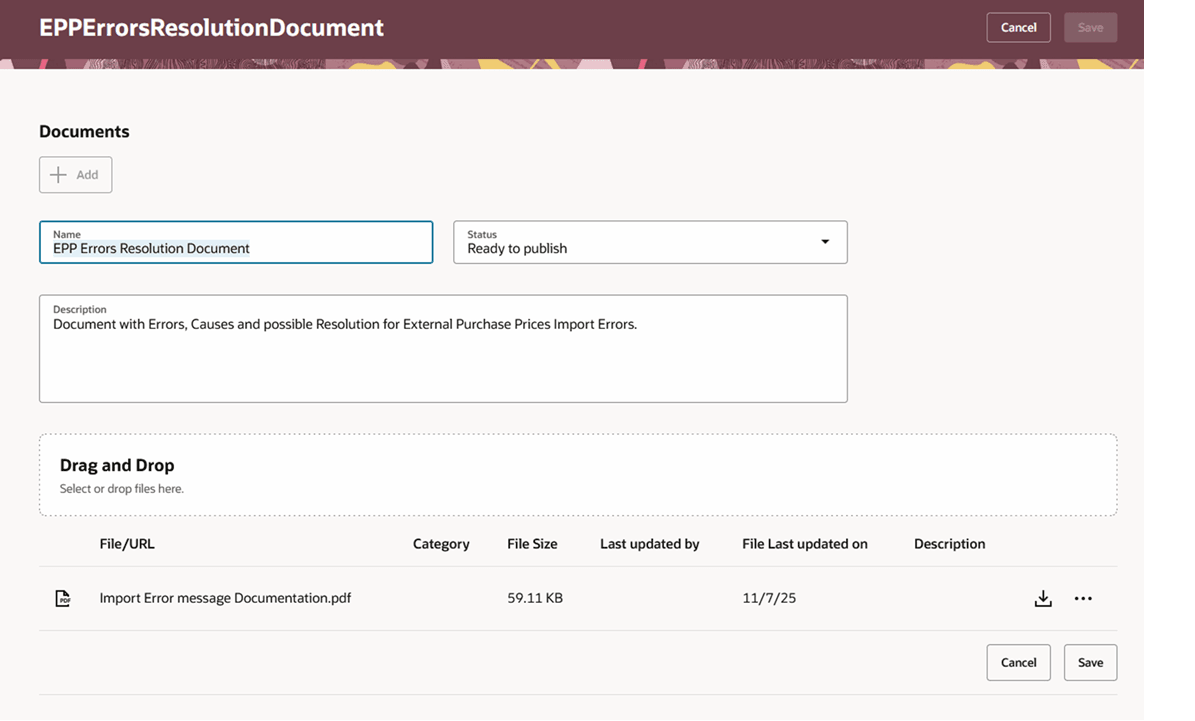
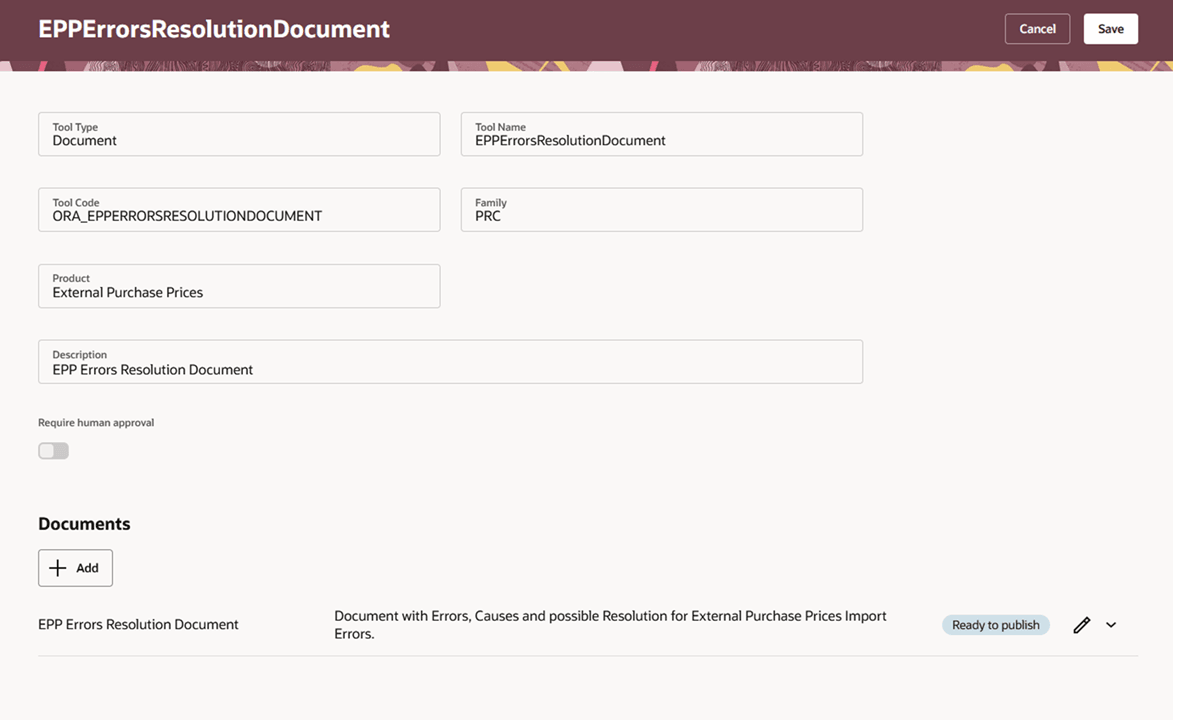
- Click Save. The document tool will be in Ready to Publish status.
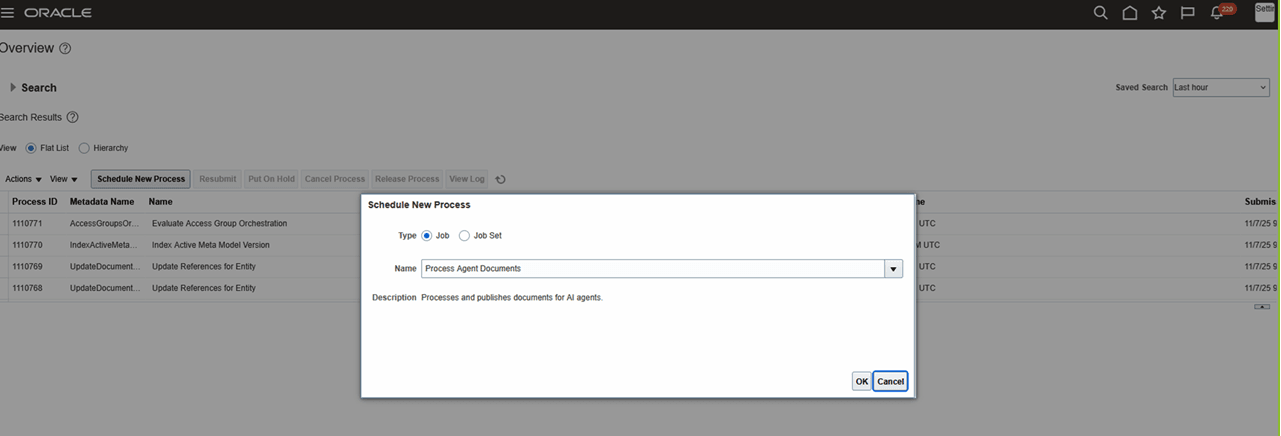
- Finish publishing the document by running the ‘Process Agent Documents’ scheduled process.
- Navigate back to the tool and verify that the document is in Published status.
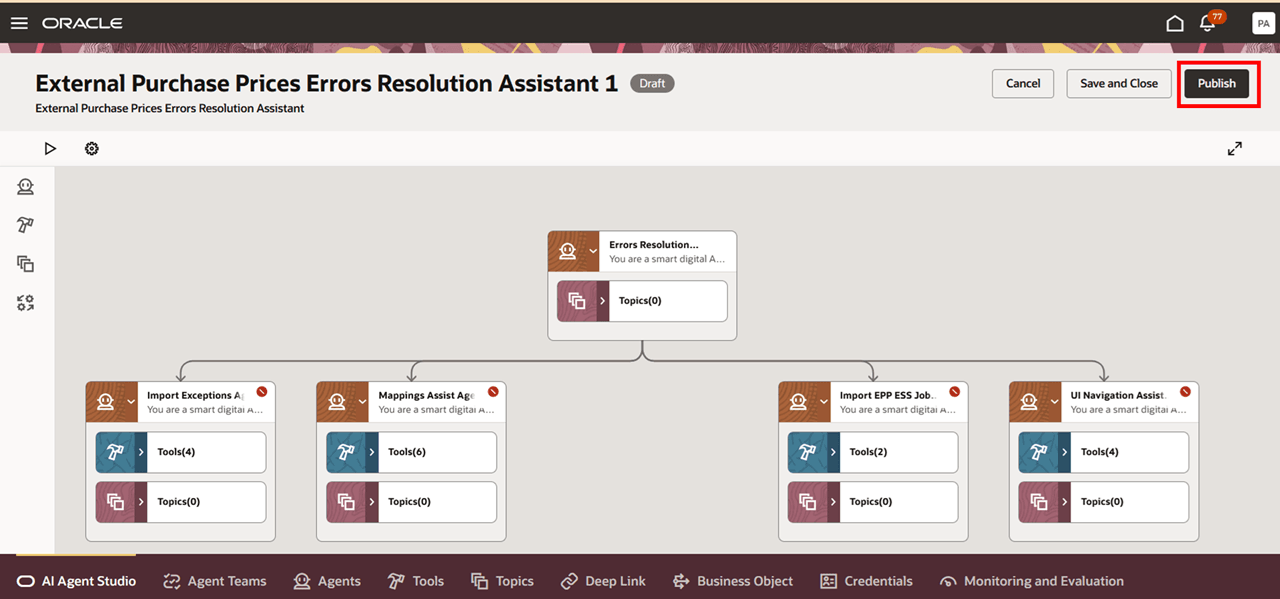
- Navigate to the External Purchase Prices Errors Resolution Assistant and click Publish.
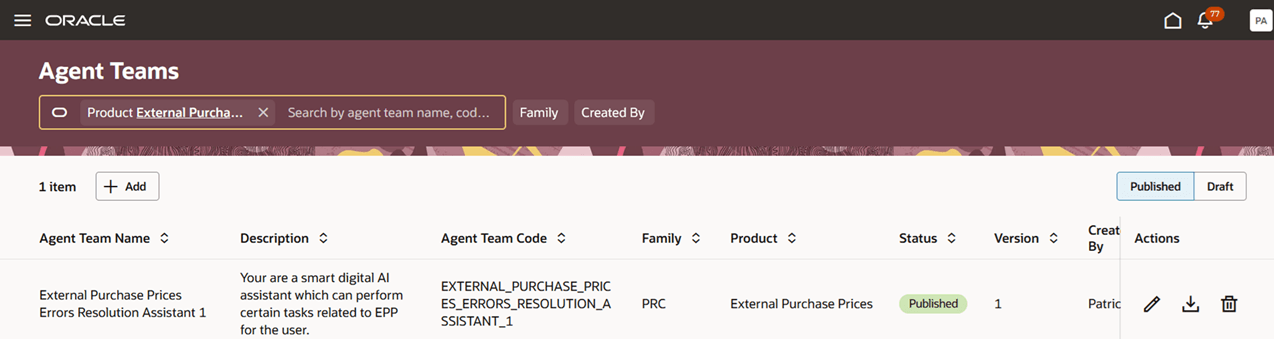
- Click Agent Teams, search for and open External Purchase Prices Errors Resolution Assistant 1 and make sure its status is Published.
Add the Agent to a Guided Journey
After you publish your agent, create a new guided journey and add an agent task by selecting the Task Type as Agent, Agent Type as Workflow Agent, and Configuration as the new agent that you just created in AI Agent Studio. Make a note of the guided journey code as it will be used for adding the AI agent to Redwood pages. See Configure Agent Guided Journey for more information.
Add the Guided Journey to the External Purchase Prices Page
Add the agent to the External Purchase Prices landing page using the guided journey created in the preceding step. See Extend Application Page with Agent Guided Journey for more information.
Tips and considerations
As of Update 26A, the agent is limited to analysis and resolution of errors related to Import of External purchase prices. To avoid performance issues, the agent is configured to work in the context of a particular contract or source reference identifier.
Key resources
Access requirements
To access the Oracle AI Agent Studio for Fusion Applications and manage SCM AI agents, users must be assigned a configured job role that contains these duty roles:
- PRC Intelligent Agent Management Duty (ORA_PO_PRC_AI_AGENT_MANAGEMENT_DUTY)
- PRC Intelligent Agent Management Duty (ORA_PO_PRC_AI_AGENT_MANAGEMENT_DUTY_HCM)
- Fai Genai Agent SCM Administrator Duty (ORA_DR_FAI_GENERATIVE_AI_AGENT_PRC_ADMINISTRATOR_DUTY)
To interact with AI agents in product pages, users must be assigned a configured job role that contains this duty role:
- Fai Genai Agent Runtime Duty (ORA_DR_FAI_GENERATIVE_AI_AGENT_RUNTIME_DUTY)
In the Security Console, filter by Roles and Permission Groups to find this duty role.
To allow users to interact with agents, you must also enable permission groups in the Security Console on those users’ configured job roles that contain the Fai Genai Agent Runtime Duty role. You can enable permission groups when you manage the basic information of your configured job roles.
Users’ configured job roles must also contain privileges that allow access to the pages where AI agents are enabled.
- Manage External Purchase Prices (SCH_MANAGE_EXTERNAL_PURCHASE_PRICES_PRIV)
- View External Purchase Prices (SCH_VIEW_EXTERNAL_PURCHASE_PRICES_PRIV)
See Access Requirements for AI Agent Studio (for administrators) and How can I give users access to AI agents (for end-users) for more information.