 Redwood: Enforce Inspections for Work in Process Items from Intermediate Operations
You can now allow a quality engineer to perform inline quality inspections for the work in process material for an operation. Once a production operator has completed the material out of the operation, the required inspection is available from the Inspections search page, so that results can be entered.
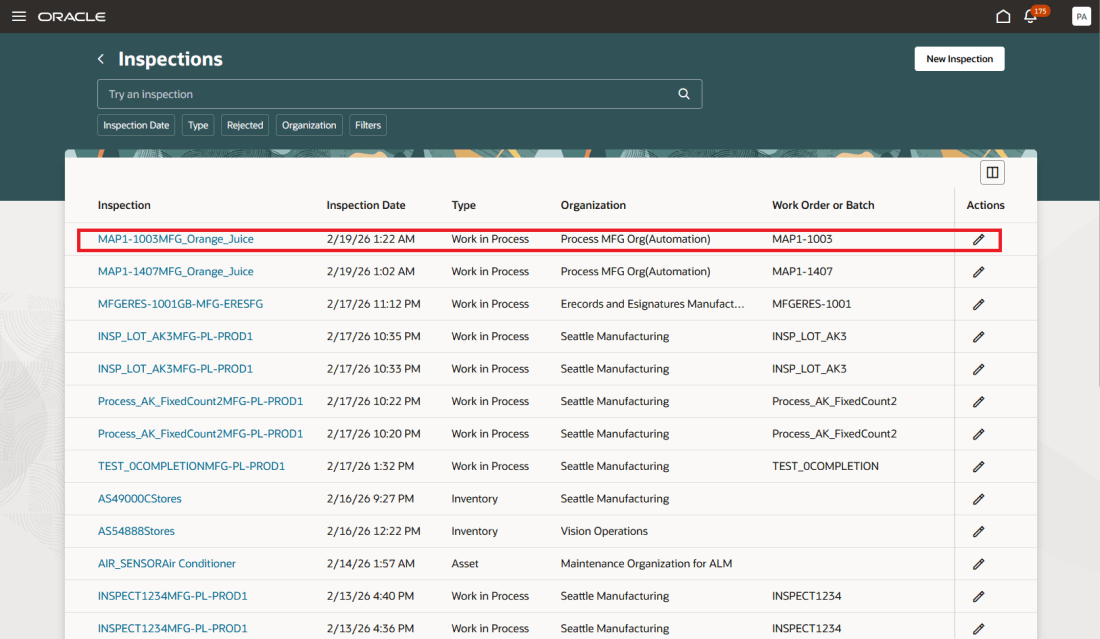
Work Order Operation Inspection Pending Results Entry
In previous releases, production operators had to fill in the required inspection results before they could complete a work order operation requiring inspection. In certain manufacturing scenarios, such as those in process manufacturing, batch steps may depend on lab testing that often requires several hours or days to complete. For example, a pH, purity, and viscosity test for a beverage often requires time. Enforcing inspection before operation completion can create production delays and disrupt scheduling for such scenarios. You can now allow the production operator to complete an operation output even when the required quality inspection results are pending. You can view the pending quantity that is awaiting inspection.
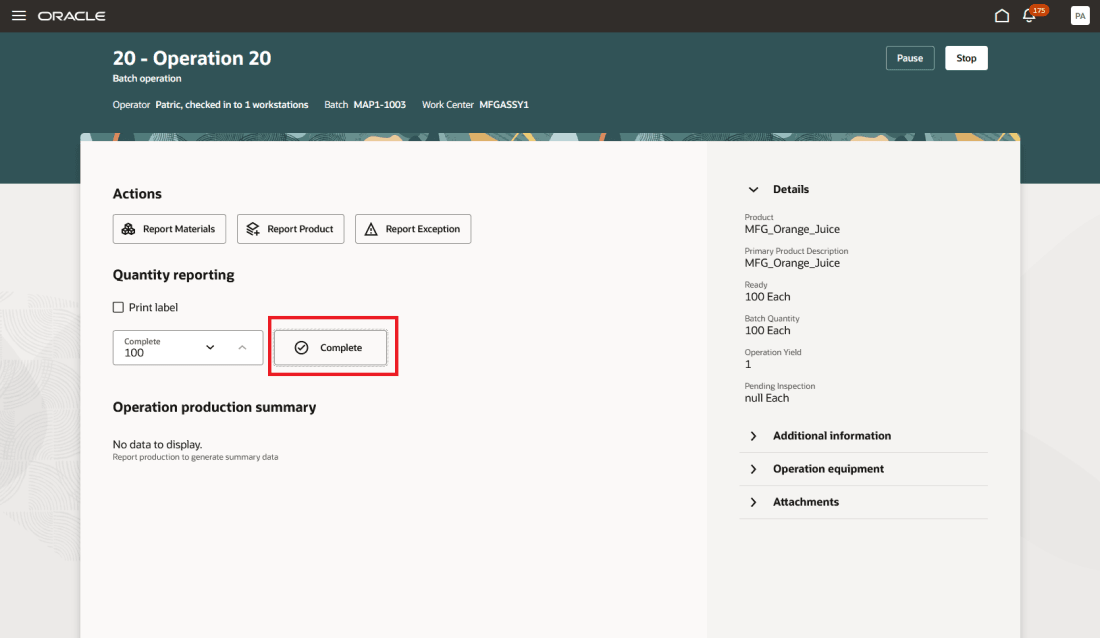
Production Operation Completion with a Required Inspection
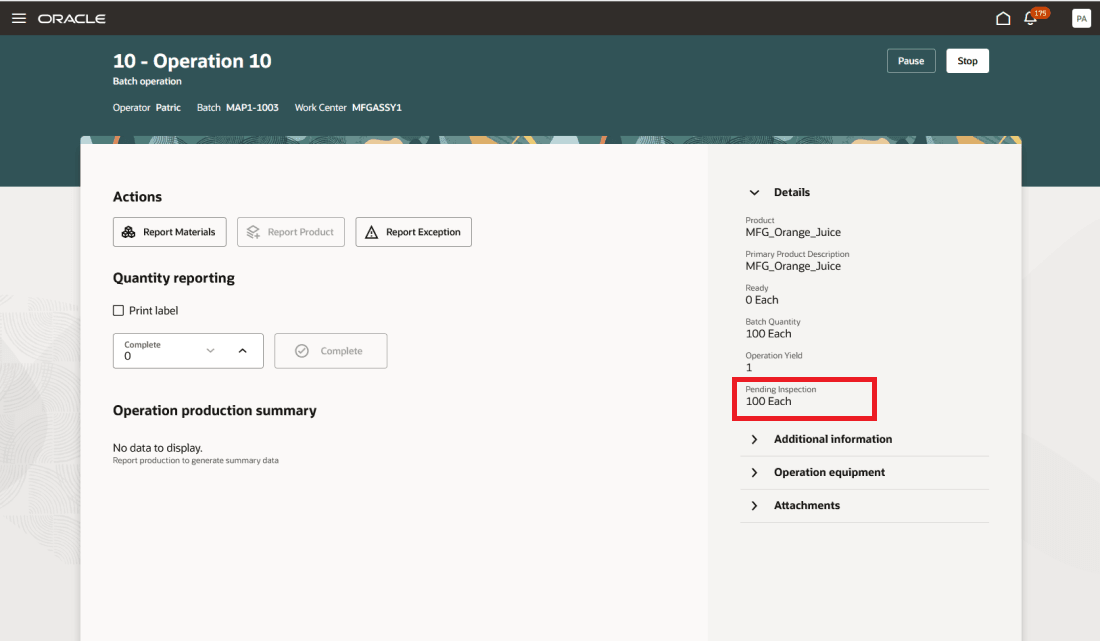
Production Operation Completion with a Required Inspection Post Completion
Inspectors can enter the inspection results as they become available without having to provide all the results at once. Once all results are available and validated, the inspector can submit the inspection results and the completion quantity is updated. The completed quantities can now move to the next operation. If the 'Transfer work-in-process manually' flag is enabled for the work center, then the completed quantities move to the To-Move pool for the same operation.
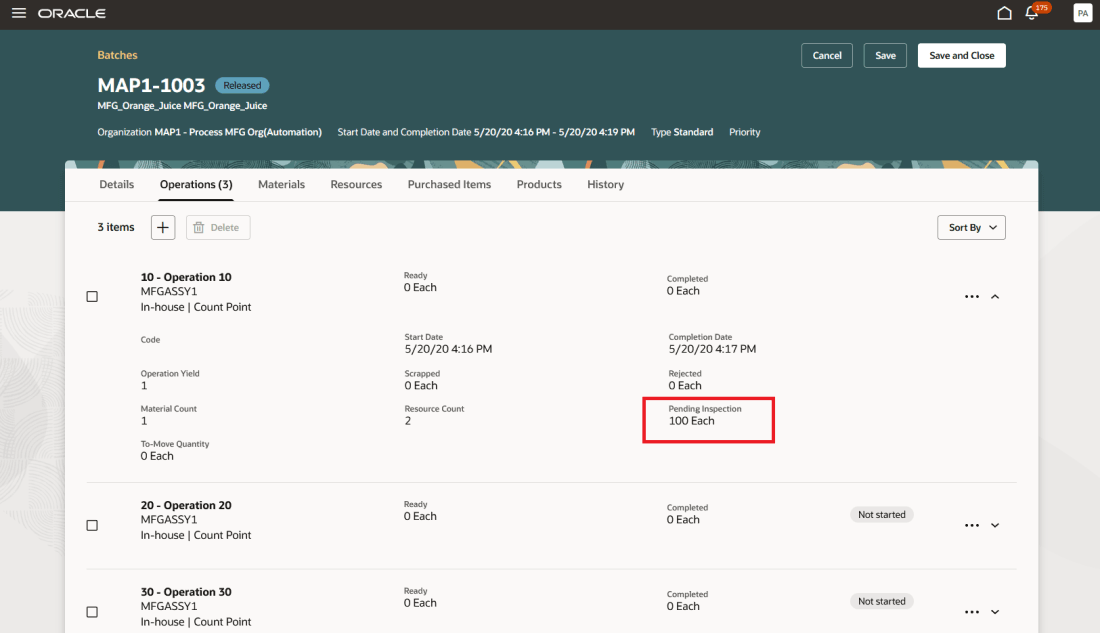
Work Order Operation Quantities Prior to Results Submission
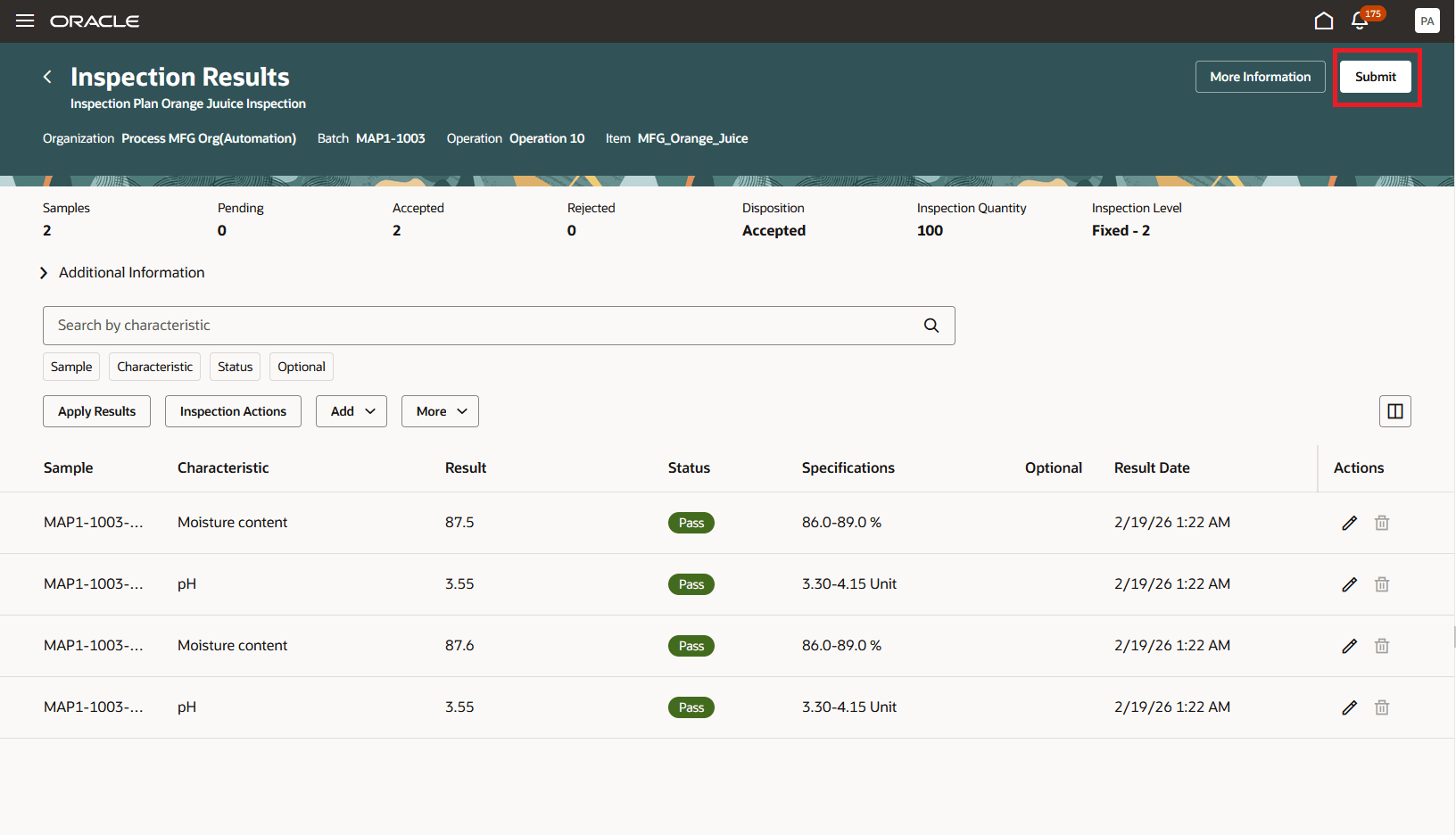
Work Order Operation Required Inspection Results Entry
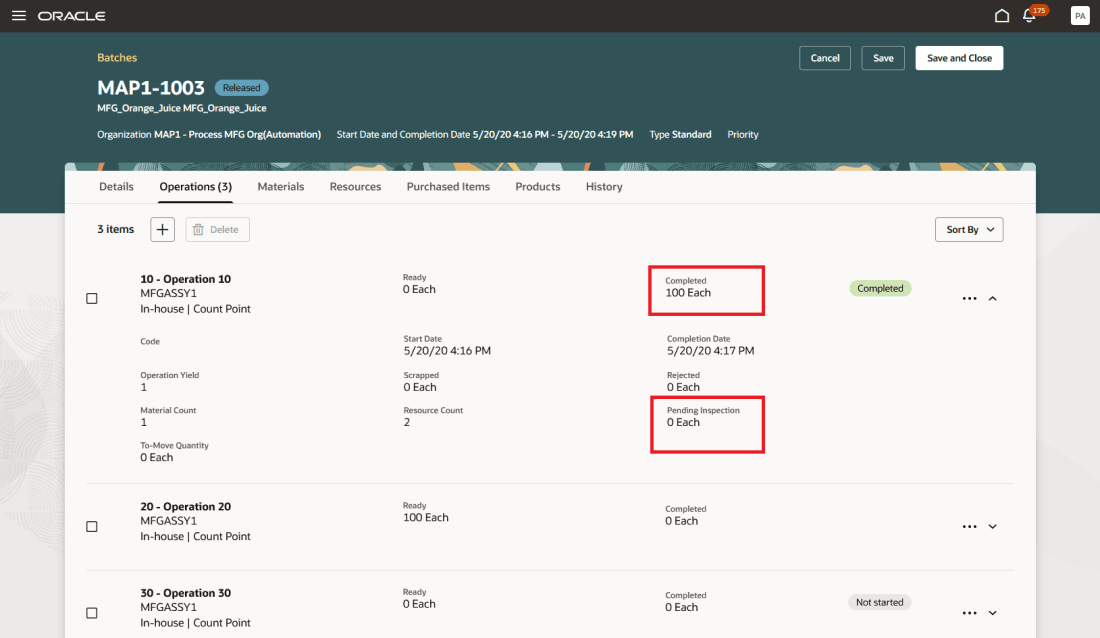
Work Order Operation Quantities After to Results Submission
- Reduced Downtime: Eliminates waiting for quality results before completing an operation.
- Operational Flexibility: Supports flexibility in the timing of collecting inspection results while still preventing material from moving to the next operation until all required results have been entered.
Here's the demo of these capabilities:
Steps to enable and configure
Set up the plant parameters to enable this feature:
- In the Setup and Maintenance work area, search for, and select the Manage Plant Parameters task
- On the Manage Plant Parameters page, select the required inventory organization
- In the Work Execution tab, under Execute Production, enable the "Allow operation completion before inspection" checkbox
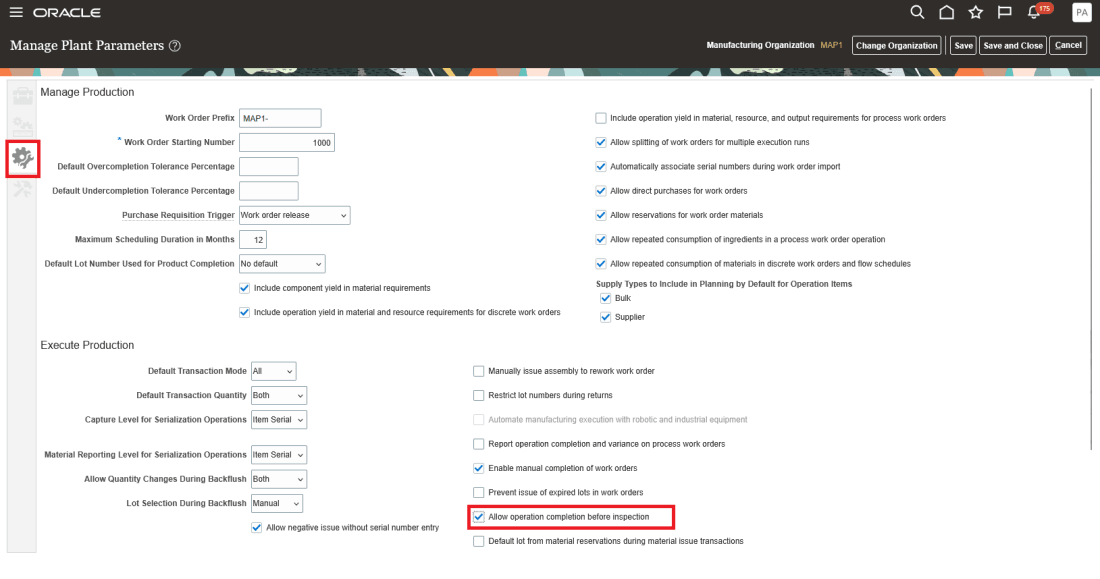
Manage Plant Parameters page
Tips and considerations
- This feature is only available in the Redwood Experience.
- The last operation of the work order does NOT allow for completion before inspection. If there is a required inspection for the primary product for the final operation, the inspection is executed as an inline inspection with the production operator entering the result values.
- This feature is currently incompatible with the Plan, Schedule, and Execute Parallel Operations in a Manufacturing Work Order feature in 26B. Required inspections are executed as an inline inspections.
- This feature is currently incompatible with the Split a Work Order into Execution Runs feature in 26B. Required inspections are executed as an inline inspections.
Key resources
- Refer to Redwood: Create and Edit Work Orders Using a New User Experience for information about managing work orders using the Redwood experience.
- Refer to Perform Inline Inspections When Executing Production at a Workstation for information about the execution of inline work in process inspections.
- Refer to Redwood: Perform Quality Inspections using the Redwood Experience for information about results entry using the Redwood experience.
Access requirements
Users who are assigned a configured job role that contains these privileges and codes can access this feature:
Quality Inspection Management Privileges :
- Edit Inspection Results (QA_EDIT_INSPECTION_RESULTS)
Manufacturing Privileges:
- Execute Production at a Workstation (WIP_EXECUTE_WORKSTATION)
- Manage Work Order Headers (WIP_MANAGE_WORK_ORDER_HEADERS_PRIV)
- Supervise Production (WIP_SUPERVISE_PRODUCTION_PRIV)