Redwood: Copy Organization-Level Item Data When Duplicating Item
You can copy organization level item data when duplicating an existing item and create a new item using the existing Save As option. When you select the organizations to be copied, the organization-level item data from the source item is copied to the respective new item's organization records. The organization-level data includes the following:
- Organization-level operational attributes.
- Organization-level extended attributes
- Item categories controlled at the organization-level
- Item and revision attachments at the organization-level.
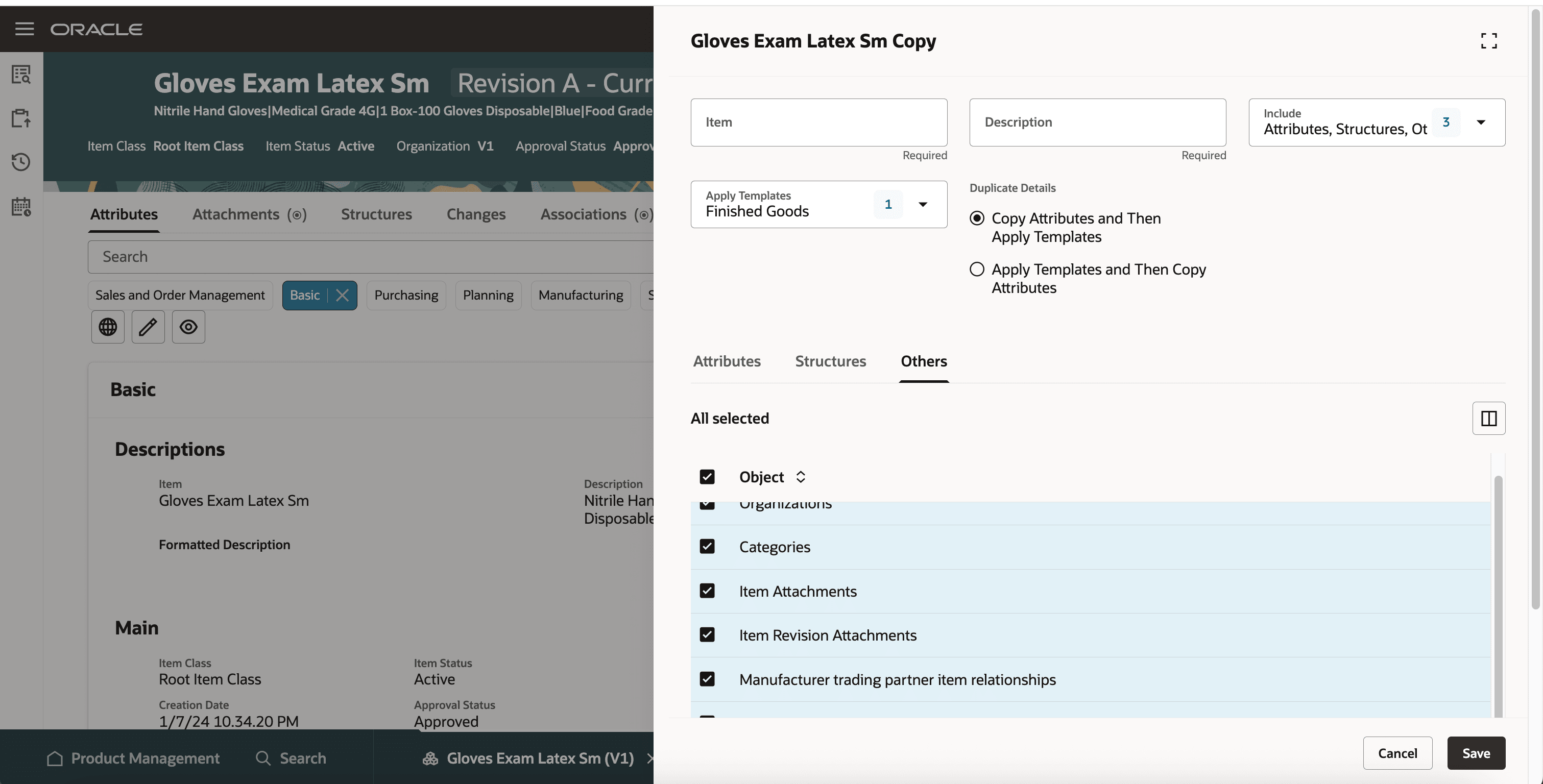
Entities Available for Copy
Additionally, you can also copy the related items and cross references from the source item to the new item.
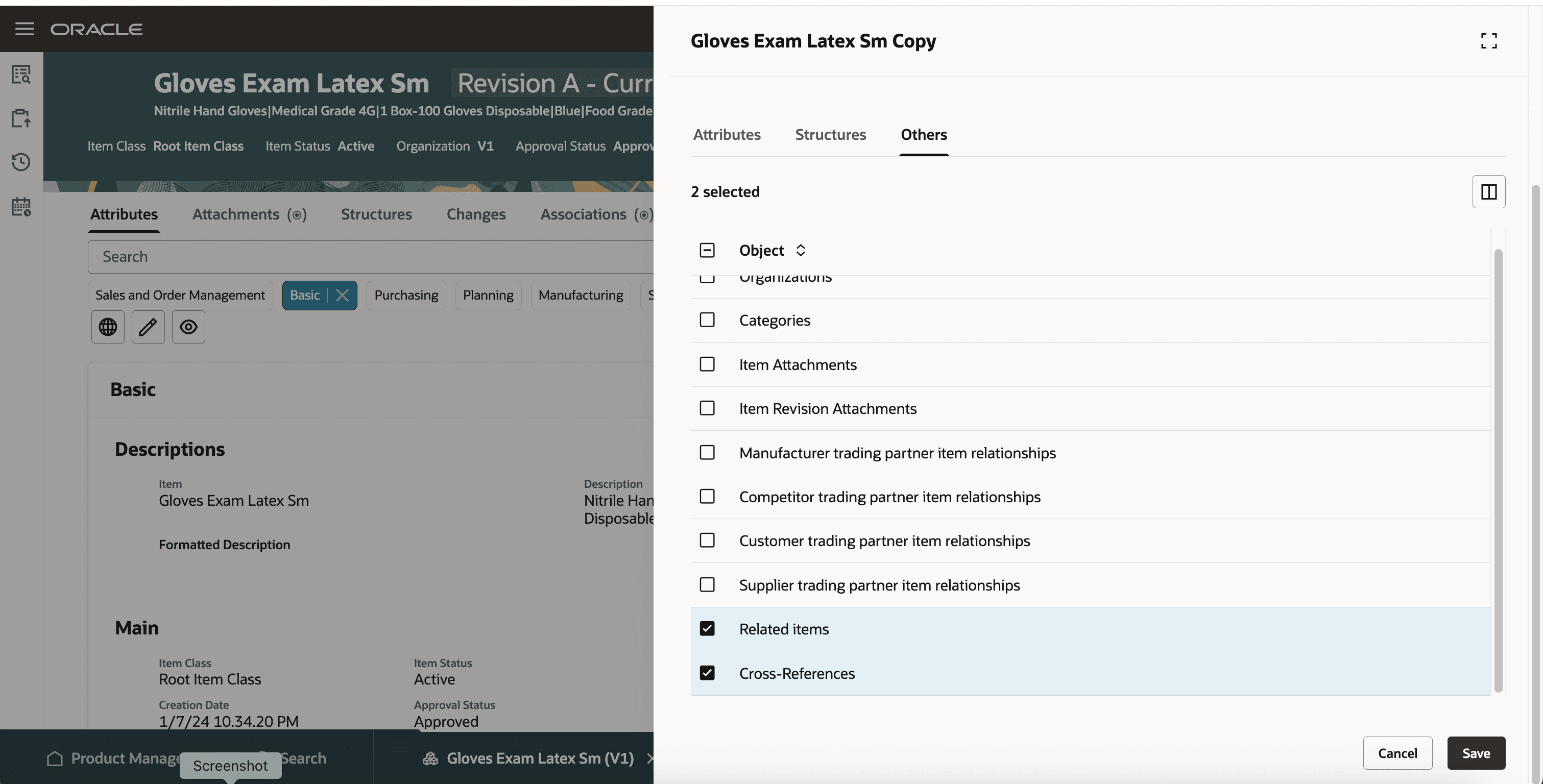
New Entties Available for Copy
After copying the data to the new item, you can modify the specific information based on your requirement.
This feature streamlines the item creation process, ensuring consistency and accuracy across new items. It reduces manual effort and minimizes errors by automatically transferring key attributes, categories, and attachments.
Steps to enable and configure
To enable or disable this feature:
- In the Setup and Maintenance work area, search for and select the Manage Administrator Profile Values task.
- On the Manage Administrator Profile Values page, search for and select the ORA_EGP_COPY_ORGDATA_FROM_SOURCE profile option code.
- In the Profile Values section, set the Site level to Yes or No. The default value is No.
- Yes = enables the feature
- No = disables the feature
- Select Save and Close. Changes in the profile value will affect users the next time they sign in.
Tips and considerations
- Save As option is available only for the current revision of the item.
- Attributes tab has the same page filters that are available for the item.
- Spoke system items aren't copied to the new item.
- All Related item types are copied to the new item if selected.
- All Cross reference types are copied to the new item if selected.
Key resources
Refer to Redwood: Create and Edit Items What's New, available on the Oracle Help Center.
Access requirements
Users who are assigned a configured job role that contains these privileges can access this feature:
- View Item Redwood Items (EGP_VIEW_REDWOOD_ITEM_PRIV)
- Manage Item Redwood Items (EGP_MANAGE_REDWOOD_ITEM_PRIV)
These privileges were available prior to this update.