Redwood: Delete Negotiations
You can now delete canceled negotiations directly from the negotiation search page in Redwood. After you delete a negotiation, it's no longer accessible. This action is typically performed when business requirements change and the negotiation is no longer needed. This action is secured by a specific privilege, which can be granted to designated users since deleting transactions is a sensitive action.
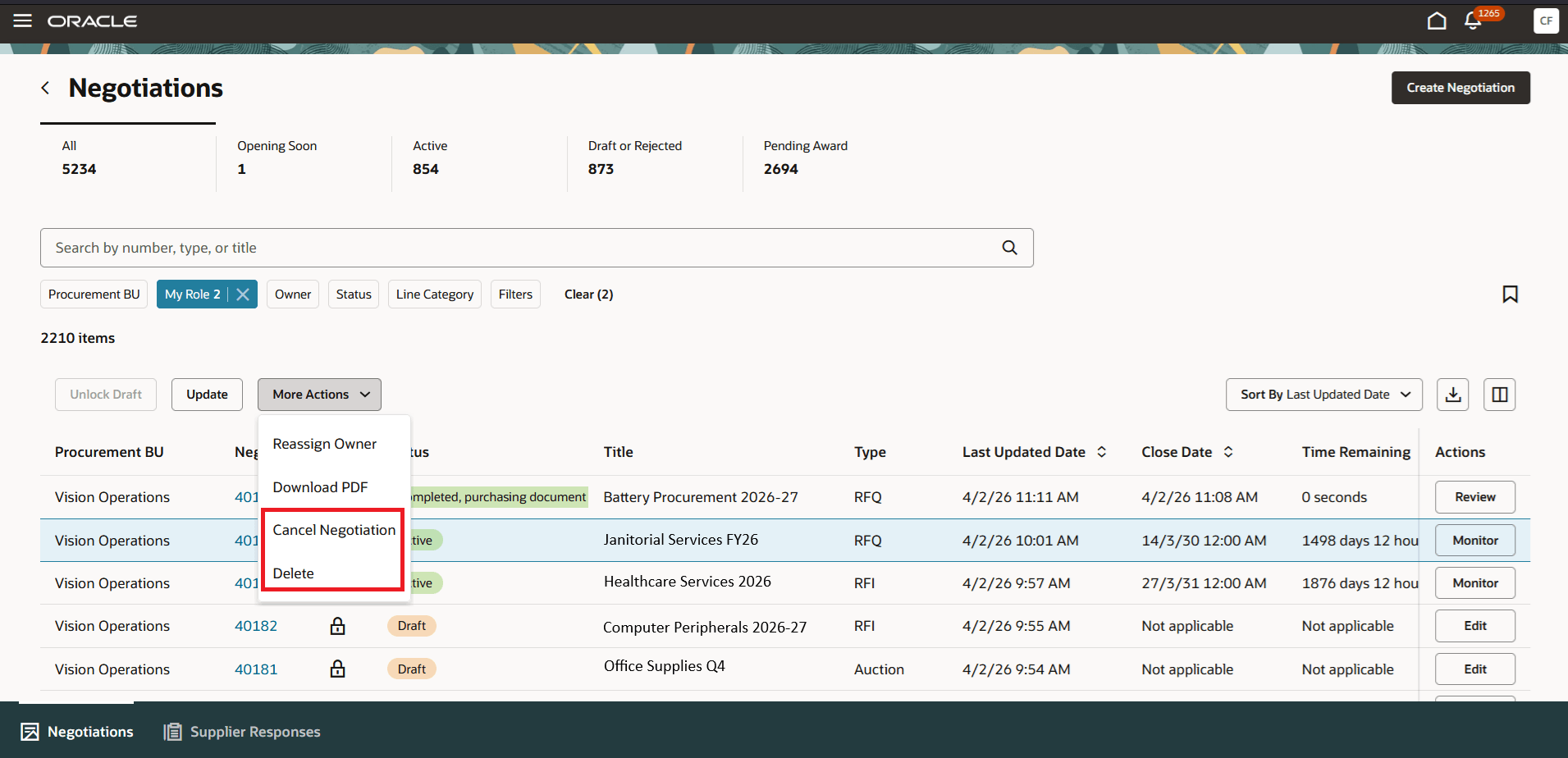
Delete Negotiations
You can delete negotiations when necessary from the search page instead of navigating to other UIs in Redwood.
Steps to enable and configure
To use this feature, you must enable these profile options if you haven't already.
- Redwood Pages for Sourcing Enabled (ORA_PON_SOURCING_REDWOOD_ENABLED).
For instructions on enabling a profile option, refer to the Set Profile Option Values topic.
Key resources
For information about using Oracle Visual Builder Studio to extend your Redwood application pages, see Oracle Fusion Cloud HCM and SCM: Extending Redwood Applications for HCM and SCM Using Visual Builder Studio.
Access requirements
Users who are assigned a configured job role that contains this privilege can access this feature:
- Delete Supplier Negotiation (PON_DELETE_SUPPLIER_NEGOTIATION_PRIV)
This privilege was available prior to this update.